
 WhatsApp: +86 16626708626
 Email:
  Phone: +86 16626708626
Description
Key Technical Specifications
| Parameter | Specification |
| Module Type | Dual Analog Output Data Module (8 Channels) |
| Output Current Signal Range | 4 to 20 mA DC |
| Output Voltage Signal Range | 1 to 5 V DC |
| Number of Channels | 8 isolated output channels |
| System Compatibility | Mitsubishi Heavy Industries DIASYS Netmation Control Systems |
| Mounting Configuration | Base chassis / card cage slot mounting |
| Operating Temperature | 0 to +55°C |
| Storage Temperature | -20 to +70°C |
| Humidity Range | 10% to 90% RH (non-condensing) |
| Isolation Architecture | Optocoupler isolation between system bus and field output circuits |
Product Introduction & Supply Chain Strategy
This product is a Brand New Surplus unit. It is not used, not pulled from a decommissioned plant, and not refurbished. All modules undergo rigorous quality verification to ensure OEM-level reliability. The Mitsubishi FXAOM01AD functions as a high-reliability dual analog output module within DIASYS Netmation DCS architectures, delivering precise 4–20 mA or 1–5 V DC signals to control valves, variable frequency drives, and process actuators.
Maintaining this unit as New Surplus provides necessary risk mitigation for critical plant infrastructure. Refurbished DCS cards often contain dried-out electrolytic capacitors and thermally fatigued DAC chips that induce analog signal drift or channel loss. A single drifted analog output in a power plant or chemical process can misposition a control valve, causing process instability or an emergency trip. Sourcing verified New Surplus delivers full design lifespan, original component tolerances, and immediate drop-in replacement security without relying on degraded second-hand boards.
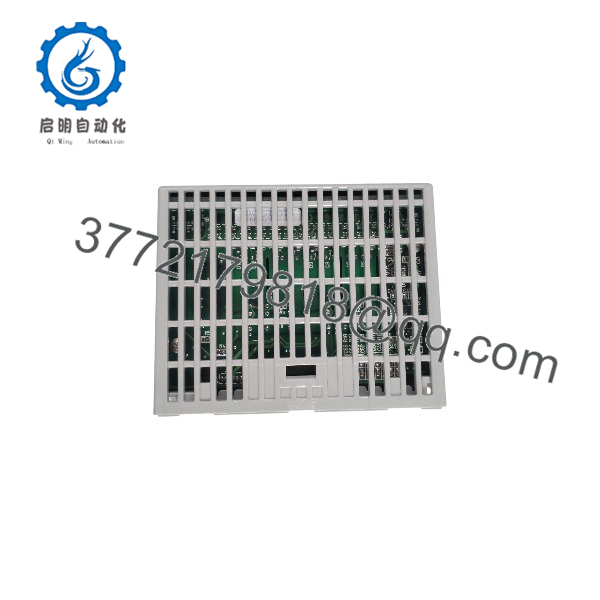
FXAOM01AD
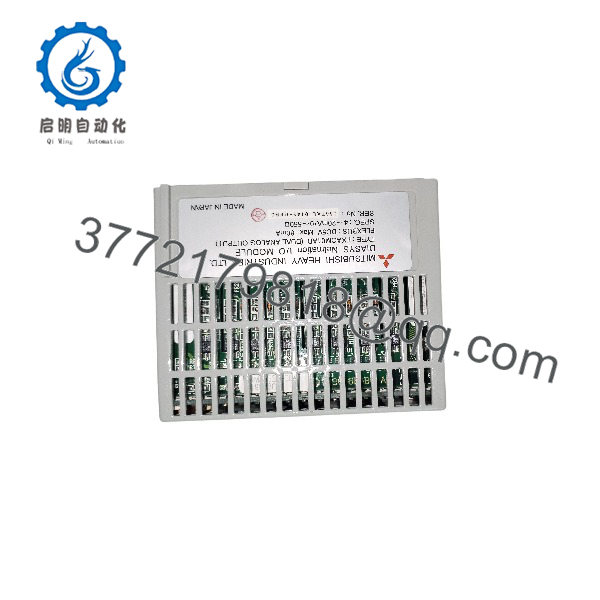
FXAOM01AD
Installation & Configuration Guide
1.Pre-Installation (Prep & Safety):Apply LOTO and wear grounded wrist protection.
Isolate main power to the DIASYS Netmation rack using Lock-Out/Tag-Out (LOTO) procedures. Put on a grounded ESD wrist strap before handling the replacement module. Document terminal connections and slot placement by taking high-resolution photographs of the existing card.
2.Removal:Release retention latches and extract module smoothly.
Unscrew or unlatch top and bottom card retaining hardware. Gently pull the module straight out along its guide rails to avoid placing lateral stress on backplane connector pins. Do not touch exposed backplane contacts or card edge traces.
3.Installation (Clone & Seat):Match switch options and align chassis guide rails.
Inspect hardware DIP switches or jumper arrays on the new FXAOM01AD module and configure them to mirror the removed card precisely. Slide the new card carefully into the target rack slot along the guide rails until the backplane connector seats completely, then tighten the retaining screws.
4.Power-On & Testing:Energize system bus and verify channel loop current.
Reapply rack power and monitor the front-panel status LEDs to confirm normal initialization and bus communication. Using a calibrated digital multimeter or loop calibrator, verify output signal levels across all 8 channels against DCS control commands before placing loops into automatic mode.
Firmware/Software Versions & Upgrade Notes
- System Compatibility: The FXAOM01AD module communicates directly with DIASYS Netmation processing units running matching software revision packages.
- Hardware Revisions: Ensure the hardware revision suffix matches existing rack modules when configuring redundant analog output pairs.
- Backward Compatibility: Hardware revisions remain backward-compatible within the DIASYS Netmation framework, provided channel range selection jumpers match system definition files.
- Configuration Caution: Never attempt online board swaps without verifying card-slot address assignments in the engineering workstation software. Mismatched slot addressing can trigger bus fault interrupts across adjacent rack slots.
Frequently Asked Questions (FAQ)
Q: Is this module guaranteed to be unused OEM inventory? A: Yes, this module is strictly New Surplus in its original packaging. It has never been installed in an active DCS cabinet, used as a temporary test module, or subjected to component-level refurbishment.
Q: Why should I pay more for New Surplus instead of a cheaper refurbished card? A: Refurbished analog cards often exhibit hidden component degradation, such as leaking capacitors or thermal drift in analog-to-digital circuits. Saving a small amount on a used card exposes your facility to loop failure costs that far outweigh the initial savings. New Surplus guarantees original manufacturing tolerances and long-term reliability.
Q: Is the FXAOM01AD an obsolete component, and how does that affect my spares strategy? A: Yes, legacy DIASYS Netmation components are mature/obsolete platforms with limited factory availability. Securing 1-2 New Surplus units as strategic buffer stock prevents extended outages caused by long market search times when a failure occurs.
Q: Can this module be hot-swapped while the DCS rack is powered? A: Hot-swapping depends on specific DIASYS Netmation rack backplane configurations. To prevent signal spikes or backplane communication glitches, we strongly recommend powering down the target rack slot or entire chassis before swapping modules.
Q: Does the module require software parameter loading after physical insertion? A: The FXAOM01AD reads hardware configuration parameters (such as output ranges) from physical board settings and controller slot assignments. Once correctly configured and seated, the DCS controller maps the 8 channels automatically upon startup.
Q: What warranty is provided with this New Surplus unit? A: Every New Surplus FXAOM01AD module includes a comprehensive 1-year replacement warranty. If a hardware defect occurs under standard operating conditions within 12 months, we replace the unit directly from our warehouse stock.



