
 WhatsApp: +86 16626708626
 Email:
  Phone: +86 16626708626
Description
Key Technical Specifications
| Parameter | Specification Value |
| Manufacturer | Mitsubishi Electric |
| Part Number | KSD1-48 |
| System Series | Meldas CNC / KSD Servo System |
| Input Voltage | 3-Phase 200–230 V AC (50/60 Hz) |
| Control Circuit Voltage | 24 V DC (±10%) |
| Peak Output Current | 48 A |
| Feedback Interface | Incremental / Absolute Pulse Encoder |
| Cooling Method | Forced air cooling (built-in heatsink fan) |
| Mounting Orientation | Vertical panel wall mount |
| Operating Temperature | 0 to +55 °C (+32 to +131 °F) |
| Enclosure Protection | IP00 (Open chassis panel mounting) |
Product Introduction & Supply Chain Strategy
The Mitsubishi KSD1-48 is a high-performance AC servo drive unit engineered for integration within Mitsubishi Meldas CNC machine tool control systems. It modulates 3-phase AC power to deliver precise torque, velocity, and positioning performance for axis feed drives across multi-axis milling, turning, and machining centers.
Procuring the KSD1-48 as New Surplus secures critical machine tools against unexpected drive failures without incurring the massive capital expense of a total CNC control upgrade. Sourcing authentic New Surplus stock eliminates the operational hazards inherent in second-hand drives—such as degraded IPM power modules, dried DC bus capacitors, and thermal gate breakdown—ensuring immediate operational readiness and long-term production stability.
Installation & Configuration Guide
Stage 1: Pre-Installation (Prep & Safety)
- Initiate full Lock-Out/Tag-Out (LOTO) on the CNC machine main incoming breaker and wait at least 15 minutes for internal DC bus capacitors to discharge.
- Measure voltage across the drive DC bus terminals (P+ and N-) with a calibrated multimeter to confirm potential has dropped below 50 V DC.
- Photograph all external wiring connections, terminal block positions, DIP switches, and rotary axis address selectors on the existing KSD1-48 unit.
Stage 2: Removal
- Disconnect incoming 3-phase power lines (L1, L2, L3), motor output cables (U, V, W), and control signal connectors using insulated hand tools.
- Disconnect high-density encoder interface cables by squeezing the side release clips rather than pulling on the cable trunk.
- Remove the top and bottom chassis mounting bolts and lift the drive straight out from the panel backplate.
Stage 3: Installation (Clone & Seat)
- Verify that all rotary selector switches and DIP switch banks on the new KSD1-48 match the original drive’s parameter settings exactly.
- Mount the unit vertically onto the panel backplate, tightening mounting bolts to 3.5 N·m torque to ensure solid electrical grounding and thermal coupling.
- Reconnect phase power lines, motor leads, grounding straps, and encoder connectors to their designated terminals, torquing terminal screws to 1.5 N·m.
Stage 4: Power-On & Testing
- Re-check all wiring terminations for tight seating and ensure no stray wire strands bridge adjacent power terminals.
- Apply 24 V DC control power first and observe the front panel diagnostic display: confirm normal boot sequence and check that no alarm codes (e.g., over-current or encoder fault) are active.
- Apply 3-phase main power and perform a low-speed jog test from the CNC control panel to verify motor rotation direction and smooth axis tracking.
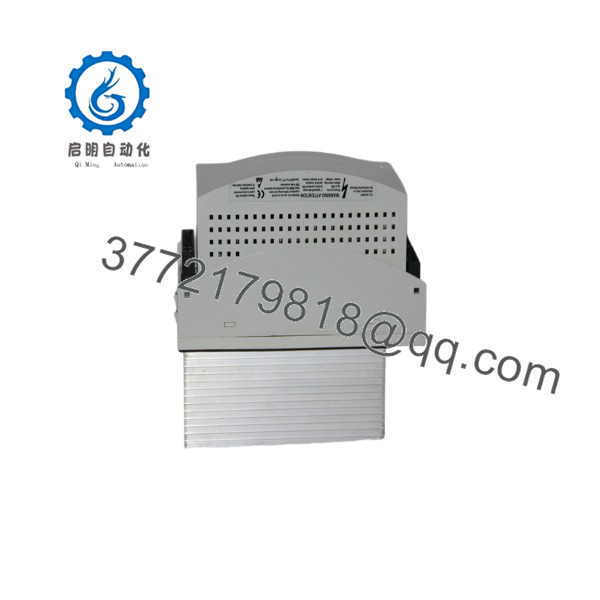
KSD1-48
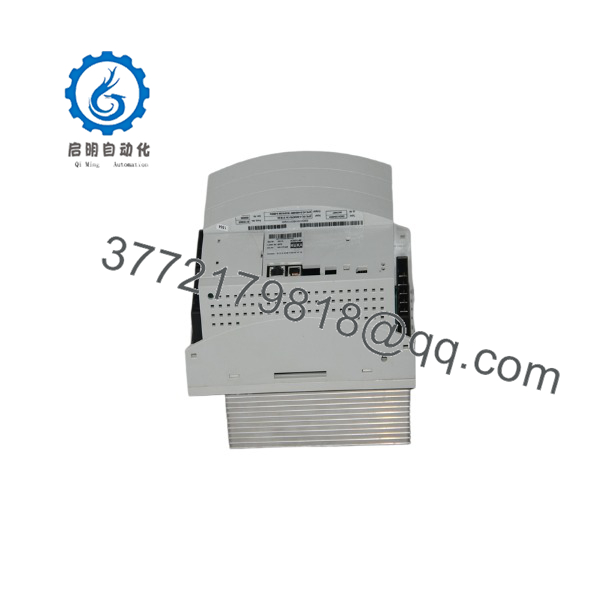
KSD1-48
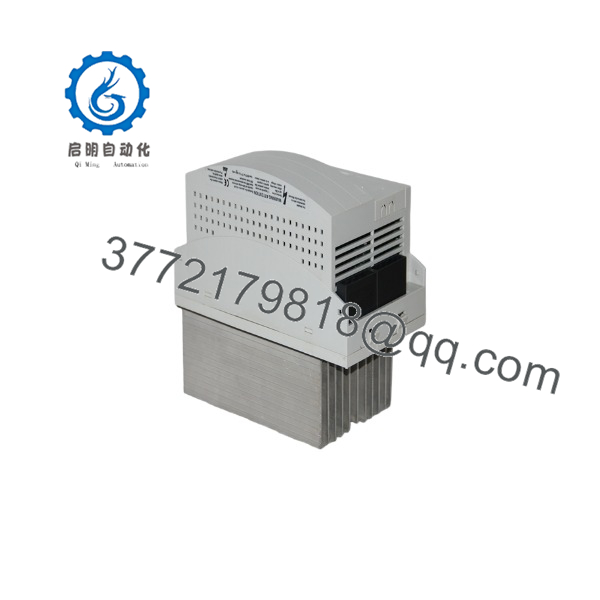
KSD1-48
Firmware/Software Versions & Upgrade Notes
- Parameter Backup: Always upload existing servo parameters via the CNC control interface before removing the original drive.
- Compatibility Notes: The KSD1-48 must match the current loop feedback configuration and motor series installed on the machine tool. Installing an incorrectly rated drive revision can result in axis oscillation or instant over-current trips.
- Upgrade/Downgrade Risks: Do not alter drive rotary selector positions while power is applied. Setting an incorrect axis address switch will cause the main CNC controller to throw a bus communication alarm upon initialization.
Frequently Asked Questions (FAQ)
Why is this New Surplus drive priced higher than refurbished units online? Refurbished servo drives are harvested from decommissioned machines and frequently contain aged power transistors and dried electrolytic capacitors that fail under full load. Our Mitsubishi inventory consists strictly of verified New Surplus—original, uninstalled units preserved in controlled environments. Paying a minor premium for New Surplus guarantees full power capacity and prevents machine downtime that can cost thousands of dollars per day.
Is this Mitsubishi guaranteed to be a genuine OEM product? Yes. We guarantee that every unit we supply is an authentic Mitsubishi Electric OEM drive. It is not a generic copy, repaired unit, or pulled part. All drives undergo thorough physical and insulation resistance inspections prior to dispatch.
What is the current manufacturing lifecycle status for the ? The is an EOL (End-of-Life) component discontinued by the manufacturer. Sourcing a new replacement directly from factory channels often requires a lengthy lead time or an expensive retrofit to modern drive families. Maintaining 1-2 spare units on-site acts as a vital buffer stock strategy to keep legacy production equipment running.
Can I hot-swap the drive while the CNC cabinet is energized? No. Hot-swapping servo drives is extremely dangerous and will result in arcing, severe electrical damage to terminal connectors, and potential injury from stored energy. Always perform LOTO and confirm DC bus discharge before servicing.
Will the new drive require parameter programming upon installation? Drive axis identification and basic operating modes are set directly via the onboard rotary switches and DIP banks. Machine-specific positioning parameters remain stored in the CNC master controller and will automatically sync with the drive upon successful boot, provided hardware switches are set correctly.
What warranty is provided with this New Surplus servo drive? This New Surplus Mitsubishi AC servo drive comes backed by a full 1-year operational replacement warranty, complete with a signed quality inspection document verifying physical condition and power rail integrity.



