
 WhatsApp: +86 16626708626
 Email:
  Phone: +86 16626708626
Description
Key Technical Specifications
| Parameter | Value |
|---|---|
| Manufacturer | MOELLER (Klockner Moeller) |
| Model Number | LE4-116-DX1 |
| Product Series | LE4-100 Series |
| Product Type | Local Digital Input Expansion Module |
| Compatible Systems | Moeller PS4 PLC / EM4 Expansion Systems |
| Digital Inputs | 16 channels |
| Input Voltage | 24 VDC |
| Input Type | Digital DC inputs |
| Power Supply | 24 VDC |
| Operating Voltage Range | 20.4–28.8 VDC |
| Protection Class | IP20 |
| Mounting Type | Control cabinet / panel mounting |
| Maximum Local Expansion | Up to 6 LE4 modules depending on controller configuration |
| Article Number | 061213 |
Product Introduction & Supply Chain Strategy
The MOELLER LE4-116-DX1 is a LE4-100 Series local expansion module designed for PS4 PLC and EM4 expansion systems. It provides 16 digital 24 VDC input channels for collecting field signals from sensors, switches, and industrial devices in automation applications.
For plants operating legacy Moeller PS4 controllers, maintaining New Original / New Surplus LE4-116-DX1 units reduces production risk caused by unexpected PLC I/O failures. A planned last-time-buy approach, controlled buffer stock, and lifecycle tracking can lower Total Cost of Ownership (TCO) compared with emergency sourcing during equipment downtime.
Installation & Configuration Guide
Stage 1: Pre-Installation (Prep & Safety)
- Apply plant lock-out/tag-out procedures before accessing the PLC cabinet.
- Verify the installed module label matches MOELLER LE4-116-DX1.
- Record:
- Input terminal wiring
- Module position in the LE4 expansion chain
- Controller model (PS4 or EM4)
- Existing LED status indicators
- Photograph:
- Terminal connections
- Module arrangement
- Address or configuration markings
- Wear an ESD grounding strap before handling the replacement module.
Required Tools:
- Insulated screwdriver
- Multimeter
- ESD wrist strap
- Wiring labels
- Documentation camera
Stage 2: Removal
- Confirm all power sources are isolated.
- Verify 24 VDC supply absence using a multimeter.
- Disconnect field wiring carefully and label each conductor.
- Release the module mounting mechanism.
- Remove the LE4 module without applying excessive force to connectors.
Avoid damaging the expansion bus connection. Legacy PLC hardware connectors can become brittle after years of operation.
Stage 3: Installation (Clone & Seat)
- Confirm the replacement module is the same model:
- MOELLER LE4-116-DX1
- Install the module in the same LE4 expansion position.
- Reconnect all input wiring according to recorded documentation.
- Verify terminal tightness.
- Confirm the expansion arrangement matches the original configuration.
The LE4-116-DX1 must be installed in a supported LE4 expansion position based on the connected PS4 or EM4 controller configuration.
Stage 4: Power-On & Testing
- Inspect wiring for shorts or incorrect polarity.
- Restore 24 VDC power.
- Check module LED indicators.
- Verify PLC recognizes the expansion module.
- Test each digital input channel:
- Sensor activation
- Switch operation
- PLC input status response
- Confirm machine sequence operation.
Record the final installation details for future maintenance.
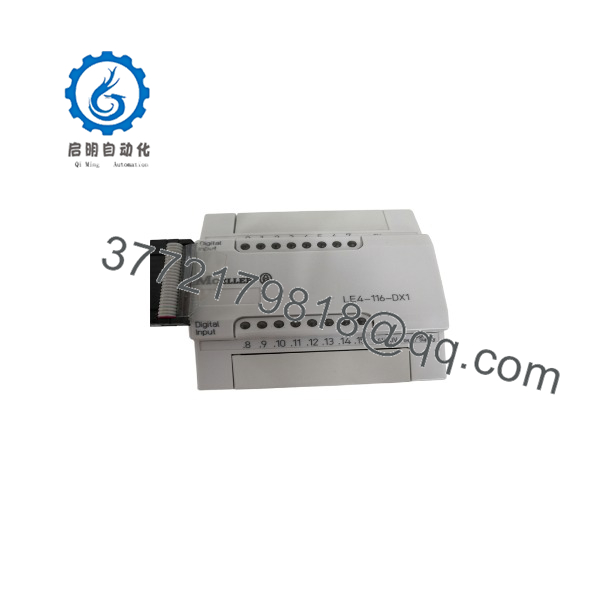
LE4-116-DX1
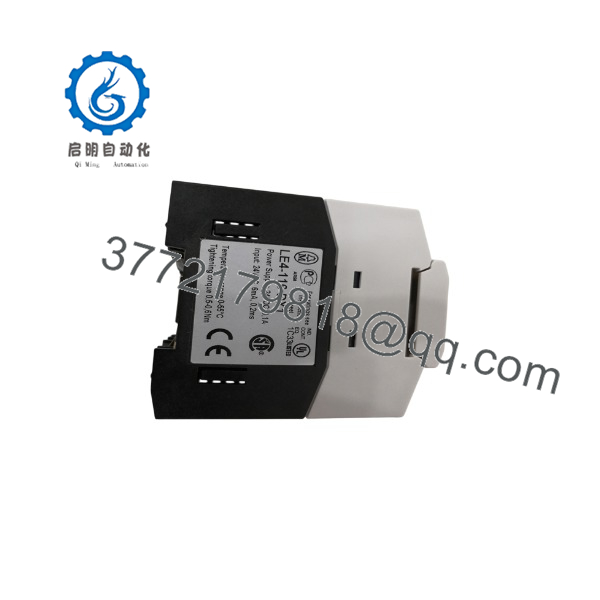
LE4-116-DX1
Firmware/Software Versions & Upgrade Notes
- Firmware Version: No user-upgradable firmware applies to the .
- Configuration Dependency: PLC hardware configuration must match the installed LE4 expansion module arrangement.
- Software Compatibility: Verify PS4/EM4 programming environment recognizes the module.
Compatibility Warning
Do not replace an LE4 input module with a similar-looking LE4 output module. The provides 16 digital inputs, while models such as the LE4-116-XD1 provide digital outputs. Incorrect module selection can prevent proper PLC operation.
Before replacing legacy modules:
- Save the existing PLC project.
- Document I/O assignments.
- Verify expansion slot configuration.
- Avoid unnecessary PLC firmware or software changes during hardware replacement.
Frequently Asked Questions (FAQ)
Q1: Is tLER a new unit or refurbished?
The supplied is a Brand New Surplus unit. It is not pulled from decommissioned equipment and is not refurbished. Inventory condition is maintained through inspection and traceability procedures.
Q2: Why is New Surplus pricing different from refurbished alternatives?
New Original inventory retains unused hardware condition and avoids unknown operating history. Refurbished modules may contain aging components or previous installation stress that cannot always be identified through visual inspection.
the obsolete?
The belongs to the legacy Moeller PS4/EM4 automation platform. Plants still operating these controllers should evaluate lifecycle risk and maintain appropriate spare inventory.
Qthe be hot-swapped?
Hot-swapping is not recommended unless the machine design specifically supports live module replacement. Always follow plant electrical safety procedures before removing PLC expansion hardware.
Q5: Will replacing the module delete PLC logic?
The is an I/O expansion module and does not store the main PLC program. However, incorrect I/O mapping or configuration changes can affect machine operation.
Q6: What should be checked before ordering?
Confirm:
- Exact model:
- Controller type: PS4 or EM4
- Required input count
- 24 VDC field wiring
- Existing expansion arrangement
- PLC project documentation
Q7: What is the recommended stocking strategy?
For production-critical machines, maintain 1–2 units of on-site buffer stock as an insurance policy. For lower-criticality applications, consider vendor-managed inventory or consolidated spare holding through vendor consolidation programs.



