
 WhatsApp: +86 16626708626
 Email:
  Phone: +86 16626708626
Description
Key Technical Specifications
| Parameter | Specification |
| Catalog Number | 5136-DNS-200S |
| Bus Interface | Standard 32-bit PCI bus (Universal 3.3V / 5V keying) |
| Network Protocol | DeviceNet Master (Scanner) and Slave |
| Network Channels | 1 DeviceNet CAN channel |
| Baud Rates | 125 Kbps, 250 Kbps, 500 Kbps (software selectable or auto-baud) |
| Network Connector | 5-pin open terminal Combicon plug |
| Isolation | 500 V optical isolation between CAN bus and PCI computer backplane |
| On-Board Memory | 512 KB shared dual-port RAM |
| Power Consumption | 5V DC @ 400 mA (from PCI bus) |
| Operating Temperature | 0 °C to +60 °C (32 °F to 140 °F) |
Product Introduction & Supply Chain Strategy
The Molex Brad SST 5136-DNS-200S is a high-performance 32-bit PCI-bus interface card designed to link industrial PCs, human-machine interfaces (HMIs), and PC-based controllers directly to DeviceNet networks. By handling low-level CAN protocol messaging on-board via shared memory architecture, the card offloads processing demand from the host PC CPU, enabling fast cyclic I/O scanning and diagnostics across complex distributed sensor and actuator networks.
Maintaining a New Surplus 5136-DNS-200S board in inventory is a vital risk mitigation strategy for facilities operating legacy PC-based control systems. Procuring Original New Surplus guarantees full physical backplane integrity and clean PCI gold fingers, completely bypassing the risks of cracked traces, thermal stress, or damaged CAN transceivers common in secondary-market refurbishments. This approach lowers Total Cost of Ownership (TCO) and prevents catastrophic plant downtime when an aging network interface card fails.
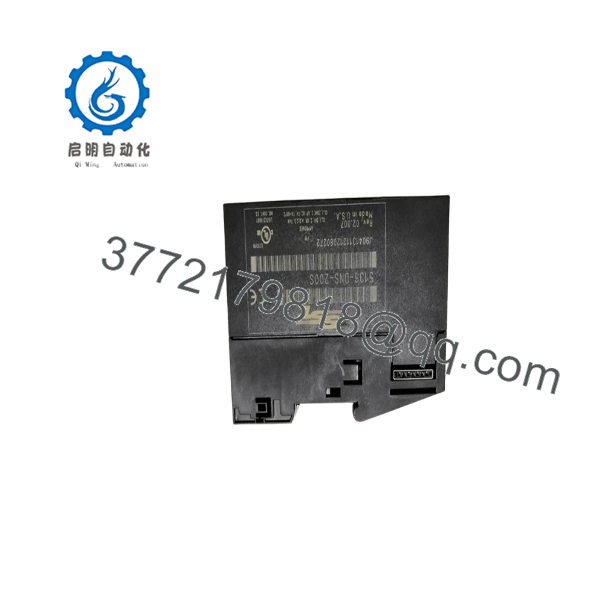
5136-DNS-200S
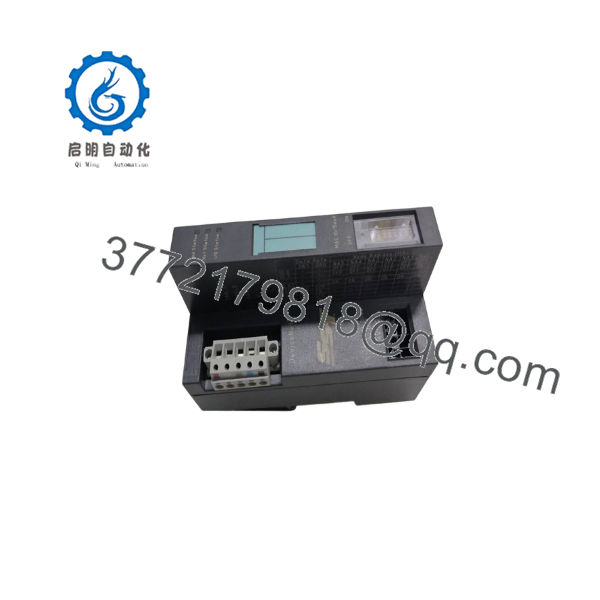
5136-DNS-200S
Installation & Configuration Guide
Stage 1: Pre-Installation (Prep & Safety)
- Shut down the host industrial PC, disconnect the main power supply, and observe Lock-Out/Tag-Out (LOTO) procedures.
- Wear a grounded ESD wrist strap before handling the PCI card to prevent static damage to sensitive onboard chips.
- Verify PCI slot availability (3.3V or 5V keying) and ensure the 5-pin DeviceNet network connector cable is powered with 24V DC network bus power.
- Record the MAC ID (Node Address) assigned to the card in your SST Console software configuration.
Stage 2: Removal
- Remove the hold-down screw securing the bracket of the defective PCI card to the chassis frame.
- Unplug the 5-pin Combicon terminal block from the card bracket.
- Gently pull the PCI card straight out of the expansion slot, applying equal upward pressure to both edges to prevent board flexing.
Stage 3: Installation (Clone & Seat)
- Align the gold-plated edge connector of the 5136-DNS-200S card with the open PCI expansion slot.
- Press the card firmly down into the slot until the bracket aligns flush with the chassis panel, then tighten the securing screw.
- Reattach the 5-pin DeviceNet network cable, ensuring correct pinout orientation (V−, CAN_L, Shield, CAN_H, V+).
Stage 4: Power-On & Testing
- Power up the host PC and open the Device Manager to verify correct hardware driver installation.
- Launch the SST DeviceNet Console / Configuration Utility to verify communication with local network nodes.
- Observe the card bracket status LEDs: verify a solid green Module Status (MS) and Network Status (NS) LED once network traffic resumes.
Firmware/Software Versions & Upgrade Notes
- Driver Compatibility: Supported by legacy SST DeviceNet Configuration Software (v3.x and higher), Console utilities, and OPC Server drivers for Windows NT/2000/XP/7 (32-bit).
- Memory Allocation: Ensure your PC BIOS assigns non-conflicting memory addresses and IRQ lines for the dual-port RAM interface card.
- Firmware Flashing: Onboard firmware is loaded via the host software initialization sequence; mismatch between driver versions and board firmware can cause driver initialization errors (Error code 0x02).
- Hot-Plugging Prohibition: Never insert or remove the 5136-DNS-200S PCI card while the host computer power is on, as this will destroy the PCI bus controller on both the card and the PC motherboard.
Frequently Asked Questions (FAQ)
Is this Molex 5136-DNS-200S card brand new or refurbished?
This product is a Brand New Surplus unit. It is not used, not pulled from a decommissioned computer, and not refurbished. All cards undergo rigorous quality verification to ensure OEM-level reliability.
Why shouldn’t I buy a cheaper refurbished or pulled DeviceNet card online?
Refurbished PCI network cards frequently suffer from hidden thermal degradation, micro-fractures in solder joints, or degraded optocouplers on the CAN transceiver circuitry. A failing network card can drop network packets, cause random node dropouts, or freeze PC-based control loops—costing thousands of dollars in emergency troubleshooting and lost production.
What is the difference between the 5136- and other SST DeviceNet cards?
The 5136- is a single-channel, standard PCI-bus board utilizing dual-port RAM architecture for high-speed scanning. It differs from ISA-bus variants (5136-DNS-100) or compact PCI/PC104 form factors by offering universal 3.3V/5V PCI slot compatibility.
Does this card supply power to the DeviceNet bus?
No. The 5136- requires external 24V DC bus power to be supplied through the DeviceNet trunk line (terminals V+ and V−) to power the isolated CAN transceiver circuitry on the board.
What warranty and quality testing supports this New Surplus board?
Every 5136- unit undergoes visual inspection, pin and connector verification, and full functional bench testing prior to shipment. We back our New Surplus stock with a solid 1-year replacement warranty for complete peace of mind.



