
 WhatsApp: +86 16626708626
 Email:
  Phone: +86 16626708626
Description
Key Technical Specifications
| Parameter | Value |
|---|---|
| Manufacturer | Moog |
| Ordering Number | D138-002-002 |
| Product Type | MACS runtime license key |
| License Designation | Motion |
| Color | Green |
| System | Moog M3000 |
| Associated Controller | Moog MSC motion controllers |
| Software | Moog Axis Control Software (MACS) |
| Base Functionality | Includes Controls-level functionality |
| Motion Library | Motion-control technology library |
| Motion Profiles | Motion profile generation |
| MATLAB/Simulink | Integration supported |
| Communication | Graphical communication configuration |
| Visualization | Web-based visualization package |
| IP Address | Stored as part of the license-key configuration |
| PROFIBUS-DP Address | Stored as part of the license-key configuration |
| CANopen Node ID | Stored as part of the license-key configuration |
Moog’s published documentation explicitly identifies D138-002-002 as the green Motion license key. It adds motion-control technology, motion-profile generation, communication configuration, and web-based visualization functions to the Controls-level license.
Product Introduction
The Moog D138-002-002 is a green Motion-level runtime license key for the M3000 automation system and MSC motion-controller platform. It is not a standalone PLC or I/O module. The key enables the corresponding MACS motion-control functionality on a compatible Moog controller.
Compared with the D138-002-001 Controls license, the D138-002-002 adds motion-control libraries, motion-profile generation, MATLAB/Simulink integration, graphical communication configuration, and web-based visualization.
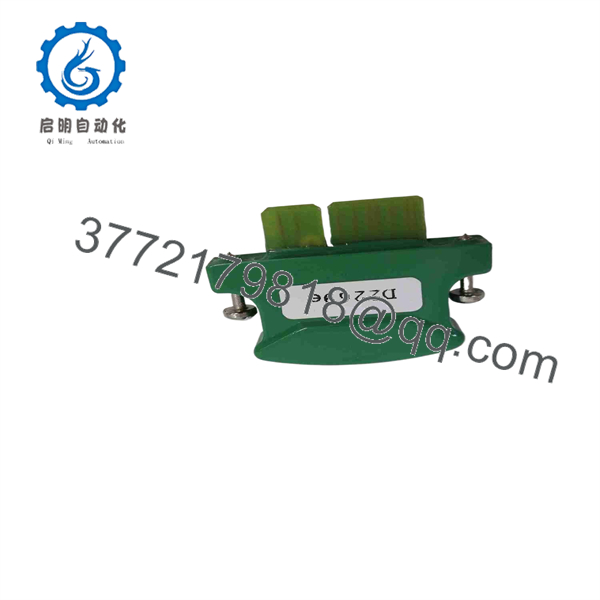
D138-002-002
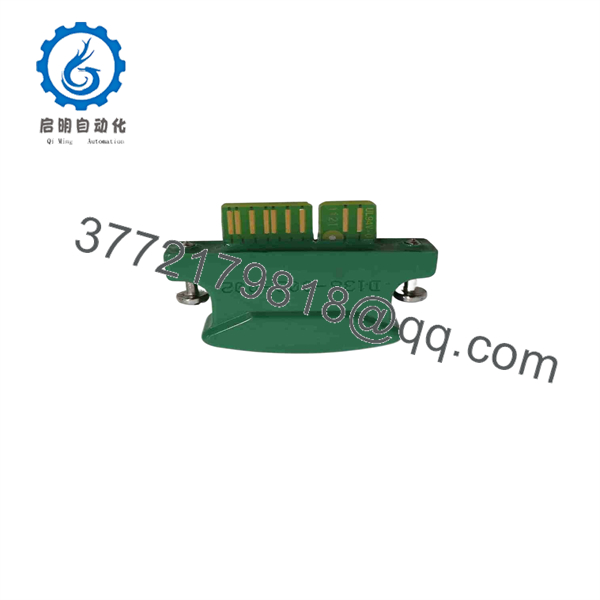
D138-002-002
Installation & Configuration Guide
Stage 1: Pre-Installation Preparation — 5–10 minutes
⚠️ Safety First: Put the machine into a controlled state before changing controller licensing. If the license key is physically installed in an energized controller, follow the Moog controller documentation for the specific MSC hardware.
Tools Required
- ESD wrist strap
- PH1 screwdriver where required by the controller enclosure
- Multimeter for supply verification
- Smartphone or camera
- Existing license key and controller documentation
- MACS engineering/configuration environment
Data Backup
- Record the complete controller model and hardware revision.
- Photograph the existing license key and its location.
- Record the MACS software version.
- Record the controller’s IP address.
- Record the PROFIBUS-DP station address if used.
- Record the CANopen node ID if used.
- Back up the existing application and configuration files.
⚠️ Important: The license key is part of the system’s authorization mechanism. Treat it as a configuration item, not as an ordinary removable I/O module.
Stage 2: Removing the Old License Key — 5 minutes
- Place the controller in a safe operating state.
- Isolate power if the applicable Moog hardware documentation requires de-energization for key removal.
- Locate the existing license-key interface.
- Photograph the installed key and its orientation.
- Carefully remove the existing key without bending or contaminating the connector.
- Keep the original key in a labeled ESD-safe container.
⚠️ Do not discard the original key. If the replacement fails authorization or contains an incompatible license level, the original key may be needed to restore the previous configuration.
Stage 3: Installing D138-002-002 — 5 minutes
- Verify the part number: D138-002-002.
- Confirm that the key is the green Motion version.
- Confirm that the target controller supports the applicable M3000/MACS license architecture.
- Compare the key with the original before installation.
- Insert the key in the correct orientation.
- Ensure the connector is fully seated.
- Close the controller enclosure if applicable.
Self-Checklist
- verified
- Green Motion license key confirmed
- Controller model documented
- MACS version documented
- IP address recorded
- PROFIBUS-DP address recorded
- CANopen node ID recorded
- Application backup completed
- License key seated correctly
Stage 4: Power-On & Software Verification — 10–15 minutes
- Restore controller power according to the site’s approved startup procedure.
- Connect to the controller using the applicable MACS engineering environment.
- Confirm that the controller recognizes the license.
- Verify that Motion-level functions are available.
- Check the motion-control library.
- Check motion-profile generation functions.
- Verify communication configuration.
- Confirm web-based visualization functions where used.
- Test the existing application without commanding hazardous movement.
- Perform a controlled motion test.
- Confirm feedback, limits, interlocks, and emergency-stop circuits before returning the machine to production.
⚠️ If the Motion functions remain unavailable, do not assume the license key is defective. Check the controller family, MACS version, license recognition, key seating, and application configuration first.
Frequently Asked Questions (FAQ)
1. Is a PLC or motion-controller module?
No. , not a standalone PLC, I/O card, or servo controller. Moog documentation classifies it as the Motion runtime license key for MACS.
2. What color is the license key?
The Moog documentation identifies the Motion license key as green. The Controls key is gray, while the Professional key is blue.
3. What functions does enable?
It includes the Controls-level functions and adds motion-control technology libraries, motion-profile generation, MATLAB/Simulink integration, graphical communication configuration, and web-based visualization.
4. What is the difference between D138-002-001 and ?
D138-002-001 is the gray Controls license. is the green Motion license and adds motion-control functionality. The distinction matters when restoring a controller because installing the wrong license level can leave required application functions unavailable.
5. Does contain the controller’s IP address?
Moog’s motion-controller documentation states that the license keys contain the IP address, PROFIBUS-DP station address, and CANopen node ID. Therefore, document these values before replacing a license key rather than assuming they are stored elsewhere.
6. Is still available as a new original part?
Third-party listings currently describe as available in new or used conditions, but those listings do not establish OEM factory stock or authenticity. For procurement, request photographs of the actual key, packaging, part number, and condition before accepting a “new original” claim.
7. Can I replace with D138-002-001?
Not as a functional equivalent. D138-002-001 is the Controls license, while is the Motion license. If the application uses motion-specific MACS functions, substituting the Controls-level key can remove the required software functionality.



