
 WhatsApp: +86 16626708626
 Email:
  Phone: +86 16626708626
Description
Key Technical Specifications
- Manufacturer: Motorola Solutions
- Part Number: FLN3524A
- Module Designation: CPU3640
- Product Family: ACE3600 remote terminal unit platform
- Product Type: Rack-mounted RTU CPU processor module
- Primary Role: Control-logic execution, data processing, remote telemetry, alarm handling, and communications scheduling
- Hardware Reference: F7502A; 16F 32SD marking appears in industrial stock listings
- Installation: Motorola ACE3600 rack/backplane slot
- Platform Compatibility: Requires an existing ACE3600 system with compatible rack hardware, application software, and site configuration
- Replacement Requirement: Match the complete FLN3524A label, CPU3640 designation, system firmware, and existing application backup
- Lifecycle Status: Discontinued by manufacturer; suitable for maintenance spare replacement rather than new system design
- Condition Verification: Confirm actual stock condition, firmware state, front-panel label, connector condition, and test documentation before purchase
Motorola identifies the ACE3600 as an RTU platform for industrial automation, control, and monitoring with digital and analog interface support. Industrial distributors identify FLN3524A specifically as a discontinued ACE3600 CPU module with the CPU3640 designation and F7502A reference.
Product Introduction
The Motorola FLN3524A is an ACE3600 CPU3640 processor module used as the central controller in legacy SCADA and remote terminal unit installations. It executes application logic, processes field data, handles alarms, and coordinates communications between the rack, remote I/O, and supervisory SCADA environment.
This module is normally purchased to restore an installed system after a confirmed CPU fault. It is not a generic PLC CPU or a universal RTU replacement. Verify the original FLN3524A label, rack type, installed firmware, communications configuration, and application backup before ordering. The unit is discontinued, so verified surplus inventory is typically the practical source.
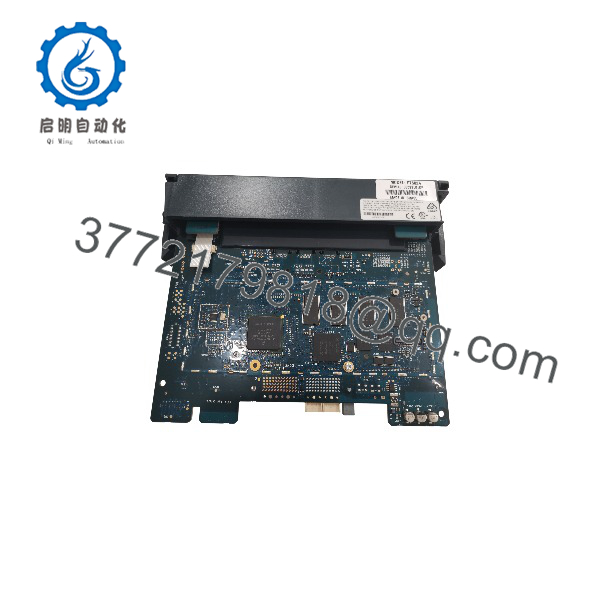
FLN3524A
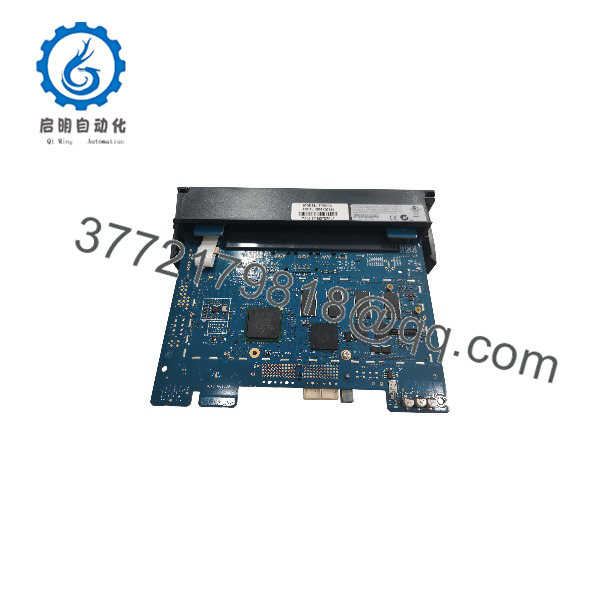
FLN3524A
Troubleshooting Quick Reference
| Symptom | Possible Cause | Relevance to This Part | Quick Check Method | Recommendation |
|---|---|---|---|---|
| No CPU LEDs after rack power-up | Failed rack power supply, blown fuse, poor backplane connection, failed CPU | ✅ Medium | Measure the specified rack supply at the power module and backplane; reseat the FLN3524A with power isolated; inspect contacts for oxidation | Verify rack power and backplane condition before replacing the CPU |
| CPU RUN indicator remains off or fault indicator stays active | Corrupt application, incompatible firmware, CPU hardware fault, startup configuration issue | ✅ High | Record every LED state; capture diagnostic messages from the engineering or SCADA workstation; attempt a controlled reboot only under site procedure | Back up accessible data and compare firmware/configuration before CPU replacement |
| SCADA communication lost at one RTU site | Radio, modem, Ethernet, serial cable, antenna, routing, protocol settings, CPU communications fault | ❌ Usually low | Check physical link status, radio/modem diagnostics, IP route or serial parameters, and communications module LEDs | Prove the communications path before condemning the |
| Local I/O remains frozen but CPU appears to run | I/O module fault, field power loss, backplane issue, task/application fault | ✅ Medium | Check adjacent I/O status LEDs; measure field supply; compare I/O diagnostics with CPU scan status | Check local I/O and field power first; investigate CPU only if logic execution or backplane data exchange has stopped |
| Unit repeatedly resets or loses runtime state | Unstable power, failing power module, loose backplane, degraded CPU memory, thermal issue | ✅ Medium to high | Trend rack voltage during load changes; inspect cabinet temperature; check event logs for brownout or watchdog indications | Correct the power or environmental problem before fitting a replacement CPU |
| Replacement CPU boots but process control does not resume | Missing application program, parameter mismatch, incorrect node identity, firmware incompatibility | ✅ High | Restore a verified application backup; compare controller identity, firmware revision, communications settings, and I/O mapping against records | Never treat the CPU swap as plug-and-play; prepare the complete recovery package first |
| Configuration download fails | Incorrect engineering connection, security/access issue, damaged programming cable, incompatible project version | ❌ Low to medium | Confirm PC interface, cable, software release, device address, and access credentials; test the engineering connection on a known-good station if available | Resolve the programming path before replacing hardware |
| Visible corrosion, heat discoloration, or damaged edge connector | Cabinet contamination, condensation, overvoltage, improper insertion, hardware failure | ✅ High | Isolate power; inspect front panel, PCB edge connector, rack slot, and adjacent modules under adequate lighting | Replace damaged equipment and correct the cabinet/environmental cause before energizing |
Field warning: Do not remove a working CPU before you have the application backup, communications settings, RTU/site address, I/O map, and a recovery method. I have seen a simple CPU replacement turn into a long outage because the only valid project file was sitting on an old engineering laptop nobody could find.
❗ Take photos before removal. Record the front label, rack slot, adjacent module labels, LEDs, all wiring, and any selector or configuration settings. Legacy RTU systems often contain site-specific settings that are not obvious from the hardware part number.
If the fault is unresolved, send technical support clear module photographs, the full label, rack/module inventory, LED pattern, power measurements, SCADA alarm text, communications diagnostics, and the available application/firmware details.
Frequently Asked Questions (FAQ)
What is the Motorola used for?
The is an CPU3640 processor module. It functions as the central processing unit for a legacy Motorola Solutions remote terminal unit system, where it runs control logic, processes telemetry, coordinates field I/O, and handles SCADA communications.
Is still manufactured?
No. Distributor records identify as discontinued by the manufacturer. It is normally sourced as new-surplus, refurbished, or tested used stock for maintenance of an installed system. For a critical outage spare, confirm actual availability before planning a shutdown.
Can I replace with any CPU module?
No. Match the exact and CPU3640 designation first. Then verify the rack, backplane arrangement, firmware revision, runtime/application compatibility, communications setup, and I/O configuration. A different CPU may physically fit but still fail to load the project or communicate correctly with existing modules.
Will the program remain after I replace the CPU?
Do not assume that it will. The application, operating parameters, firmware, communications database, and retained data may reside in different locations depending on how the system was engineered. Before removal, create or locate verified backups and document the active configuration. If the old CPU still communicates, extract everything you can before it fails completely.
Can I hot-swap the CPU module?
Do not hot-swap it unless the exact hardware documentation and the site’s approved maintenance procedure explicitly allow it. A CPU removal can stop control execution, interrupt remote communications, create false alarms, or leave outputs in their configured failure state. De-energize the applicable equipment, follow lockout/tagout procedures, and assess the process consequences before replacement.
Why does a replacement CPU boot but not communicate with SCADA?
The CPU itself may be healthy. Check the RTU identity, radio or modem settings, serial/Ethernet parameters, network addressing, protocol database, firmware compatibility, and application version. In many field cases, a lost communications path comes from a cable, radio, power supply, or configuration mismatch—not a failed CPU.
Is the unit new original or refurbished?
Condition must be confirmed per individual stock unit. New Original / New Surplus means unused original equipment that has been held in inventory, potentially for years. Refurbished means a previously used unit repaired or tested for resale. Request actual photographs, label verification, front-panel and connector inspection results, boot/diagnostic test evidence, warranty terms, and confirmation of whether configuration or firmware was altered.
Why is surplus stock cheaper than obtaining an OEM replacement?
The platform is legacy hardware, and is discontinued. Surplus pricing reflects availability, storage history, test level, warranty, and demand rather than a current factory production price. Lower cost does not prove compatibility. The useful questions are whether the seller matched the exact part number, inspected the unit for corrosion or rework, tested it in an -compatible setup, and will support a documented warranty.



