
 WhatsApp: +86 16626708626
 Email:
  Phone: +86 16626708626
Description
Key Technical Specifications
| Parameter | Value |
|---|---|
| Manufacturer | Motorola |
| Model | FPN1903A |
| Configuration Code | 085SKG02PG |
| Product Type | Industrial power supply module |
| Application | Motorola Ace3600 SCADA / RTU systems |
| Input Voltage | 100–240 VAC |
| Input Frequency | 50/60 Hz |
| Rated Current | 2 A |
| Power Supply Category | AC input power module |
| Replacement Model | FPN1903B |
| Installation Type | Control cabinet / RTU enclosure mounting |
| Weight | Approximately 1.78 lb (0.8 kg) |
| Manufacturer Status | Discontinued |
The Motorola FPN1903A is an industrial power supply module used with Motorola Ace3600 SCADA/RTU equipment. Available industrial records identify it as a 100–240 VAC, 2 A, 50/60 Hz power supply, with FPN1903B listed as the replacement model.
Product Introduction
The Motorola FPN1903A 085SKG02PG is an AC input power supply module designed for Motorola industrial remote terminal unit systems, including Ace3600 SCADA installations. It converts incoming 100–240 VAC power into regulated power required by the connected RTU electronics.
This legacy power module remains relevant for maintenance teams supporting installed Motorola field automation systems. Because FPN1903A has been discontinued and replaced by FPN1903B, engineers should verify connector layout, cabinet wiring, and system revision before replacement.
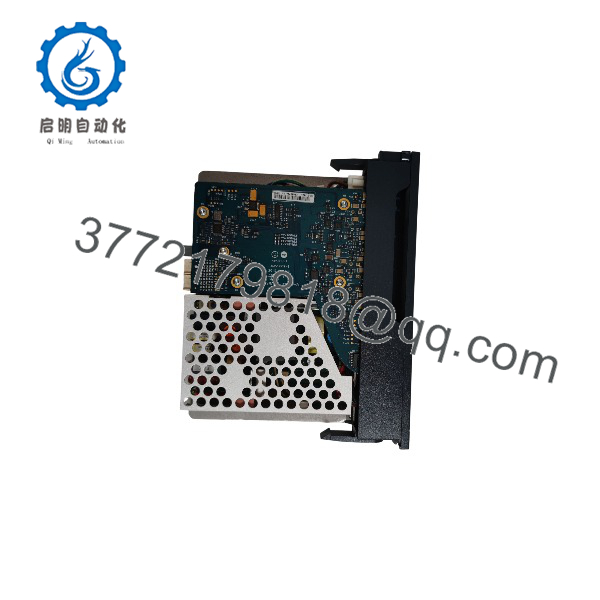
FPN1903A 085SKG02PG
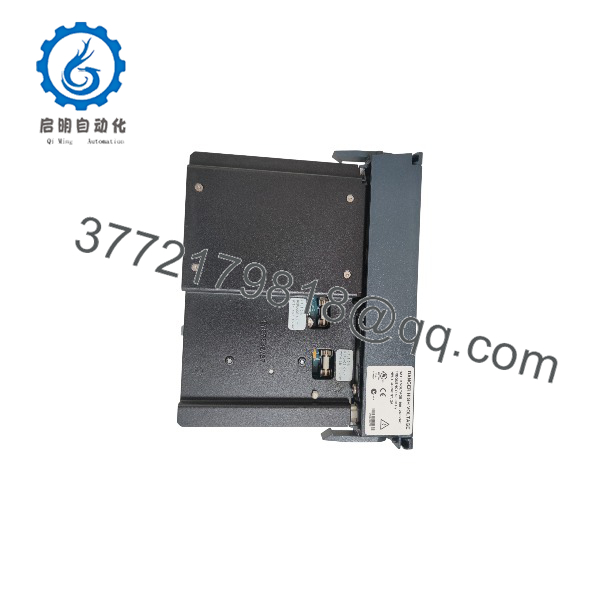
FPN1903A 085SKG02PG
Installation & Configuration Guide
Stage 1: Pre-Installation Preparation — Approximately 15 Minutes
⚠️ Safety First: Notify operations before removing the Motorola FPN1903A. Place the RTU or SCADA panel into a controlled maintenance state. Apply lockout/tagout procedures, disconnect AC supply, and wait at least 5 minutes for internal capacitor discharge.
Tools Required:
- ESD wrist strap
- Digital multimeter
- Insulated screwdriver set
- Wire labels
- Smartphone for wiring photographs
- Laptop for RTU documentation if required
Data Backup:
- Record all identification markings:
- FPN1903A
- 085SKG02PG
- Serial number/date code
- Photograph:
- AC input terminals
- DC output connections
- Grounding points
- Mounting arrangement
- Adjacent RTU modules
- Record existing input voltage.
- Document connected Motorola RTU model.
- Confirm whether the installed unit is part of an Ace3600 configuration.
⚠️ Important: Do not assume every FPN1903 series unit is interchangeable. Confirm the complete part number and wiring before installation.
Stage 2: Removing the Old Module — Approximately 10 Minutes
- Disconnect incoming AC power.
- Verify zero voltage with a multimeter.
- Allow discharge time before touching terminals.
- Label all wires before removal.
- Disconnect AC input wiring.
- Disconnect DC output wiring.
- Remove mounting screws or locking hardware.
- Remove the carefully.
- Inspect:
- Terminal condition
- Cable insulation
- Signs of overheating
- Cabinet ventilation
⚠️ Keep the original power supply until the replacement passes functional testing. The old unit is the most accurate wiring reference.
Stage 3: Installing the New — Approximately 10 Minutes
- Verify the replacement matches 085SKG02PG.
- Confirm condition:
- New Original / New Surplus
- Refurbished (tested)
- Install the module in the original mounting location.
- Connect protective earth where applicable.
- Reconnect AC input wiring.
- Reconnect DC output wiring.
- Verify polarity and terminal positions.
- Tighten terminals correctly.
Self-Checklist:
- Correct model confirmed
- 100–240 VAC input verified
- Wiring labels matched
- Output polarity checked
- Mounting secure
- Grounding verified
- No damaged cables
Stage 4: Power-On & Testing — Approximately 20 Minutes
- Inspect all wiring before energizing.
- Apply AC power to the RTU cabinet.
- Measure the power supply output.
- Observe RTU startup sequence.
- Check communication status with SCADA.
- Verify:
- CPU operation
- I/O module status
- Communication links
- Alarm conditions
- Monitor the system under normal load.
⚠️ Troubleshooting Note:
- RTU does not start: Check AC input, output voltage, and terminal connections.
- Repeated resets: Check power stability and downstream current demand.
- Communication loss after replacement: Confirm RTU configuration and module seating.
Frequently Asked Questions (FAQ)
Can the Motorola be hot-swapped?
No. The is an AC-powered supply module. Disconnect mains power before replacement. Removing the module under voltage can damage the supply and expose personnel to hazardous electrical energy.
Is Motorola obsolete?
Yes. Industrial spare-part listings identify as discontinued by the manufacturer, with FPN1903B listed as the replacement model.
What is the input specification of ?
The accepts 100–240 VAC input at 50/60 Hz and is rated at 2 A according to industrial component listings.
Is compatible with FPN1903B?
FPN1903B is identified as the replacement for , but verify the complete installation details before substitution. Check connectors, mounting arrangement, and system documentation before replacing a working field unit.
Will replacing erase RTU programming?
No. The is a power supply module, not the RTU CPU or application memory. However, always restore power carefully and confirm RTU operation after replacement.
Why is a surplus available if it is discontinued?
Legacy automation parts often remain available through unused inventory, spare-parts warehouses, and equipment retirement projects. Current listings show both unused original packaging and refurbished units in the aftermarket.
What should I verify before buying a Motorola ?
Request:
- Actual unit photos
- Full label including 085SKG02PG
- Condition confirmation:
- New Original / New Surplus
- Refurbished (tested)
- Power-on test record
- Warranty terms
For remote monitoring and SCADA applications, verify the exact RTU hardware configuration before installation.



