
 WhatsApp: +86 16626708626
 Email:
  Phone: +86 16626708626
Description
Key Technical Specifications
| Parameter | Specification |
| Manufacturer | Motorola Computer Group / Artesyn |
| Model / Part Number | IPMC761 / 01-W3416F 01A |
| Form Factor | PCI Mezzanine Card (PMC) / Single-Slot Transition |
| Host System Interface | VMEbus Single-Board Computer (SBC) Mezzanine Connector |
| Communication Ports | Asynchronous Serial Ports (RS232/RS422/RS485), IEEE 1284 Parallel Port |
| Network & Storage | 10/100Base-TX Ethernet, Ultra SCSI Interface |
| Operating Voltage | +5 V DC and +3.3 V DC (Supplied via VME backplane/host card) |
| Power Consumption | Low-power solid-state architecture (~3.5 W typical) |
| Operating Temperature | 0°C to +55°C |
| Mounting Format | Direct mounting on host SBC or rear transition module (RTM) |
Product Introduction & Supply Chain Strategy
The Motorola IPMC761 is a high-reliability PCI Mezzanine Card (PMC) engineered to expand I/O capabilities for Motorola MVME series single-board computers (such as MVME2600, MVME2700, and MVME5100). It breaks out essential industrial communications including high-speed serial links, Ethernet, SCSI storage interfaces, and parallel communication ports in critical defense, transport, and industrial automation sub-racks.
This product is a Brand New Surplus unit. It is not used, not pulled from a decommissioned plant, and not refurbished. All modules undergo rigorous quality verification to ensure OEM-level reliability.
Refurbished mezzanine cards often suffer from invisible thermal stress on controller ICs, oxidation on high-density interconnect pins, and degraded bus transceiver logic. Installing a refurbished mezzanine board into an active VME sub-rack risks sporadic bus timeouts, serial communication drops, and critical system freezes during continuous process operations. Securing genuine New Surplus inventory protects your baseline Total Cost of Ownership (TCO), prevents unexpected system lockups, and provides immediate drop-in replacement without expensive VME backplane re-architecture.
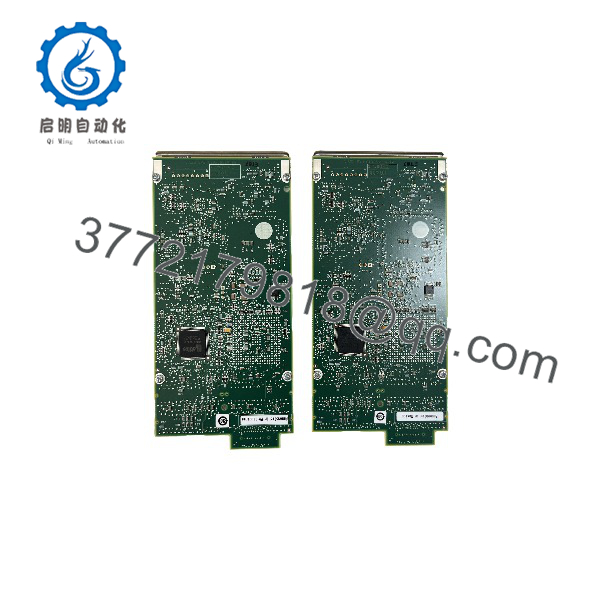
IPMC761
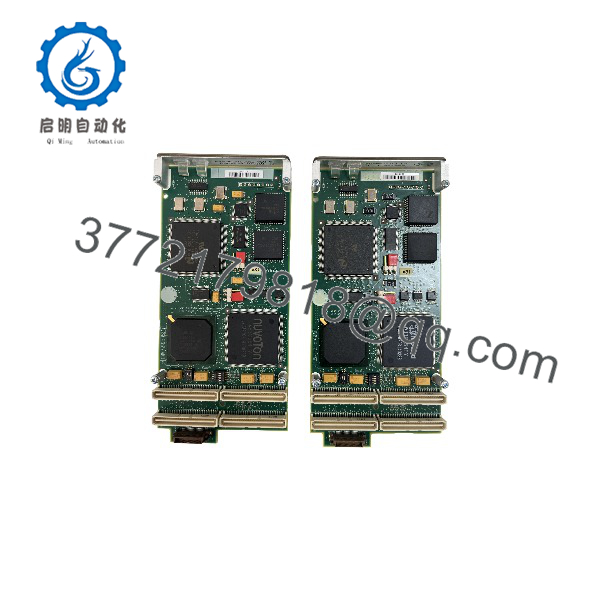
IPMC761
Installation & Configuration Guide
Stage 1: Pre-Installation (Prep & Safety)
- Perform Lock-Out/Tag-Out (LOTO) procedures on the main VME chassis power supply.
- Wear an anti-static grounded wrist strap to prevent electrostatic discharge (ESD) from damaging sensitive PMC controllers.
- Document jumper positions and termination resistor configurations on the host single-board computer and existing IPMC761 module.
Stage 2: Removal
- Loosen the front panel retaining screws on the host VME single-board computer.
- Carefully pull the ejection levers to unseat the host card from the VME backplane, then slide the card onto an ESD-safe workbench.
- Remove the mounting standoffs securing the IPMC761 mezzanine card to the host board and gently disengage the PMC multi-pin interconnect connectors.
Stage 3: Installation (Clone & Seat)
- Align the jumper blocks and config headers on the new IPMC761 to mirror the original hardware setup exactly.
- Carefully align the PMC multi-pin connectors on the IPMC761 with the mating sockets on the host SBC.
- Press firmly and evenly until the connectors lock completely into place, then tighten the standoff retaining screws to secure the mezzanine assembly.
- Slide the combined SBC/ assembly back into the VME chassis guide rails and lock the card cage levers.
Stage 4: Power-On & Testing
- Confirm chassis backplane voltages (+5V, +3.3V, ±12V) are within specification before powering on.
- Apply power and monitor the boot phase in the system console terminal (e.g., PPCBug or VxWorks diagnostic shell).
- Verify that the bootloader detects all onboard controllers (Ethernet, SCSI, Serial) without device initialization or interrupt routing errors.
Firmware/Software Versions & Upgrade Notes
- System Compatibility: Confirm that your host SBC firmware (e.g., PPCBug BIOS or VxWorks BSP drivers) supports the specific hardware revision of the card.
- Backward Compatibility: The maintains direct hardware interchangeability across classic Motorola MVME host boards, maintaining pin-for-pin signal compatibility.
- Firmware Risks: Never attempt to flash board controllers or host SBC boot codes on active VME sub-racks. An interrupted flash write corrupts the onboard NVRAM/PROM logic, requiring off-site chip reprogramming.
Frequently Asked Questions (FAQ)
Q: Is this Motorola module genuine New Surplus or a refurbished board?
A: This unit is 100% genuine New Surplus. It has zero operational runtime hours, pristine multi-pin PMC connectors without socket wear, and was stored in ESD-safe packaging since manufacture. It is not refurbished, repaired, or pulled from active equipment.
Q: Why choose New Surplus over a cheaper refurbished card?
A: Refurbished PMC boards carry hidden risks of thermal fatigue on surface-mount bus transceivers and oxidized connector pins. A mezzanine failure on a live VME controller brings down the entire processor node, causing costly unplanned downtime. New Surplus guarantees full factory operational lifespan and instant drop-in reliability.
Q: How is the module tested prior to dispatch?
A: Every unit undergoes rigorous Quality Control inspection. Our technicians conduct visual component checks, verify pin integrity, perform power-on self-test checks mounted on a host test card, and validate multi-channel communication handshake routines.
Q: Is the Motorola series still in active production?
A: The is an obsolete/legacy VME mezzanine module. Sourcing New Surplus stock allows plant engineers and systems integrators to maintain buffer stock, avoiding expensive redesigns or complete architecture migrations.
Q: Do I need to reconfigure jumpers when installing this replacement card?
A: Yes. You must inspect and match all jumper headers and routing links on the replacement to match your original module to ensure proper interrupt vector assignment and interface mode operation (e.g., RS232 vs RS482/422).
Q: What warranty coverage applies to this module?
A: This New Surplus Motorola includes a standard 1-Year functional warranty against electronic defects and component failures.



