
 WhatsApp: +86 16626708626
 Email:
  Phone: +86 16626708626
Description
Key Technical Specifications
| Parameter | Value |
|---|---|
| Manufacturer | Motorola / Motorola Computer Group |
| Model | IPMC7616E-002 |
| Product Type | Multifunction rear I/O PMC module |
| I/O Family | MVME761 compatible I/O |
| Architecture | PowerPlus II |
| Host Platform | Motorola MVME single-board computers |
| Compatible Host Families | MVME5100, MVME5500, MVME6100 variants |
| SCSI Interface | Ultra-Wide SCSI / 8-bit SCSI implementation |
| Parallel Interface | 1 parallel port |
| Asynchronous Serial Ports | 2 |
| Synchronous/Asynchronous Serial Ports | 2 |
| Installation Position | Rear I/O / PMC interface |
| Related Transition Module | MVME7616E-001 / MVME7616E-011 |
| Documentation | IPMC7126E/7616E I/O Module Installation and Use |
| Document Number | 6806800A45B |
Motorola’s MVME5100 documentation identifies IPMC7616E-002 specifically as a “Multifunction rear I/O PMC module” with 8-bit SCSI, one parallel port, two asynchronous serial ports, and two synchronous/asynchronous serial ports.
The IPMC7616E/7126E installation manual explains that these modules are optional I/O modules installed on applicable MVME5100, MVME5500, and MVME6100 Single Board Computers and use the PowerPlus II architecture.
Product Introduction
The Motorola IPMC7616E-002 is a multifunction rear-I/O PMC module designed for compatible Motorola MVME single-board computers. It provides the host SBC with Ultra-Wide SCSI, one parallel interface, two asynchronous serial interfaces, and two synchronous/asynchronous serial interfaces.
This module is particularly relevant when maintaining legacy MVME5100/MVME5500/MVME6100 embedded systems where the original rear-I/O architecture must remain intact. Do not confuse IPMC7616E-002 with the MVME7616E-001 or -011 transition modules; those are separate rear transition/interface assemblies.
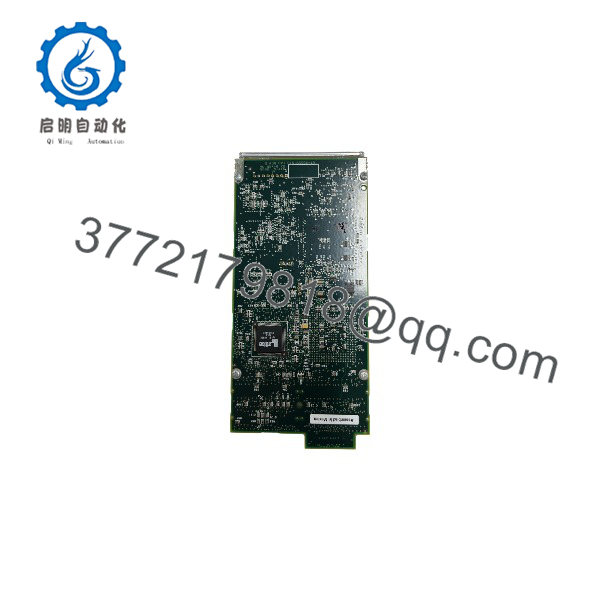
IPMC7616E-002
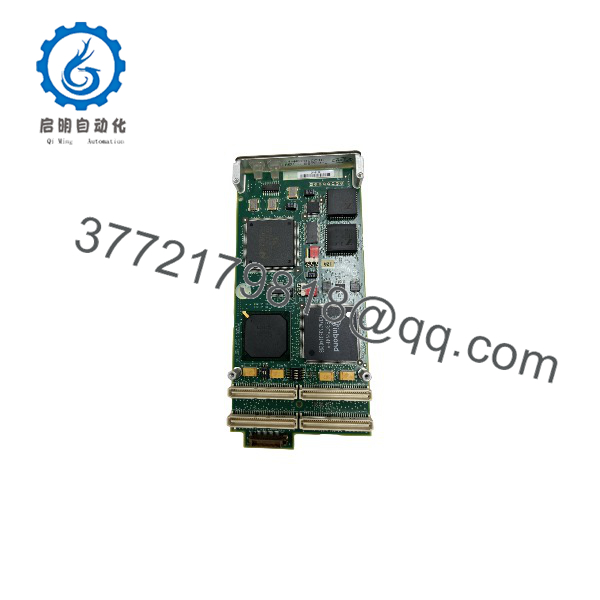
IPMC7616E-002
Installation & Configuration Guide
Stage 1: Pre-Installation Preparation — 5–10 minutes
⚠️ Safety First: Power down the host VME system according to the equipment manufacturer’s maintenance procedure. Do not treat a conventional VME/PMC installation as hot-swappable unless the complete system documentation explicitly specifies live replacement.
Tools Required:
- ESD wrist strap
- Appropriate screwdriver
- Digital multimeter
- Camera or smartphone
- Magnification/light for connector inspection
- Wire labels where external cabling is involved
Data Backup:
- Record the host SBC model and complete assembly number.
- Confirm whether the host is an MVME5100, MVME5500, MVME6100, or another supported platform.
- Photograph the existing IPMC7616E-002.
- Record all connected rear-I/O cables.
- Identify the associated MVME761 transition module, if installed.
- Record the operating system and firmware/boot-monitor configuration where applicable.
- Photograph jumper or configuration settings before removal.
⚠️ Do not substitute an IPMC7126E-002 simply because its model number looks similar. Motorola documentation identifies different serial-port and physical-interface arrangements between the IPMC712 and IPMC761 variants.
Stage 2: Removing the Old Module — 5 minutes
- Shut down the operating system cleanly where possible.
- Remove system power.
- Confirm the VME chassis is de-energized.
- Apply ESD protection.
- Disconnect external rear-I/O cabling carefully.
- Release the PMC retaining hardware.
- Remove the IPMC7616E-002 without applying lateral force to the connector.
- Inspect the PMC connector and host board for bent pins, contamination, or mechanical damage.
⚠️ Do not pull on SCSI or multi-pin cables by the cable itself. Legacy SCSI connectors can suffer mechanical damage when excessive force is applied.
Stage 3: Installing the New Module — 5–10 minutes
- Compare the replacement with the original .
- Verify the connector layout and PCB revision.
- Inspect the PMC mating connector.
- Align the module carefully with the host-board connector.
- Seat the module evenly without forcing it.
- Secure the PMC retaining hardware.
- Reconnect the rear-I/O cabling.
- Verify that each cable returns to its original interface.
Self-Checklist:
- verified
- Host SBC model verified
- PMC connector inspected
- Module fully seated
- Retaining hardware secured
- SCSI cable restored
- Parallel cable restored
- Serial cables restored
- Transition module compatibility confirmed
Stage 4: Power-On & Testing — 10–15 minutes
- Perform a final connector inspection.
- Energize the VME chassis.
- Observe the host SBC boot sequence.
- Confirm that the system reaches the expected firmware/boot-monitor stage.
- Check the operating system’s detection of the associated I/O interfaces.
- Test the asynchronous serial ports individually.
- Test the synchronous/asynchronous serial interfaces according to the application configuration.
- Verify the parallel interface if used.
- Verify SCSI communication if the application uses the interface.
- Run the application-level diagnostics.
Motorola documentation provides a dedicated IPMC7126E/7616E I/O Module Installation and Use manual covering installation, programming, connector pin assignments, and specifications. The document number is 6806800A45B.
⚠️ If the host boots but an interface disappears, do not immediately assume the IPMC board is defective. Check the host SBC variant, rear transition module, cable type, connector mapping, device-tree/OS configuration, and interface-specific software configuration first.
Frequently Asked Questions (FAQ)
Q1. What is ola ?
It is a multifunction rear-I/O PMC module for compatible Motorola MVME single-board computers. Its documented interfaces include Ultra-Wide/8-bit SCSI, one parallel port, two asynchronous serial ports, and two synchronous/asynchronous serial ports.
Is a CPU board?
No. This distinction matters during procurement. The , while the MVME5100/MVME5500/MVME6100 board provides the main SBC processing platform.
Q3. Which Motorola MVMEuse ?
Motorola documentation identifies the /7126E modules as optional I/O modules for variants of the , MVME5500, and MVME6100 SBC families. The documentation specifsts under the MVME761 Compatible I/O section.
Is interchangeable with MVME7616E-001?
No. They are different assemblies with different functions. is the rear-I/O PMC module, while MVME7616E-001 is a transition module providing external connectors for the associated I/O interfaces.
Q5. What is the differeen and IPMC7126E-002?
Both belong to the same general PowerPlus II rear-I/O family, but their interfaces differ. The documentation lists IPMC7126E-002 with Ultra-Wide SCSI, one parallel port, three asynchronous serial ports, and one synchronous/asynchronous serial port. instead provides two asynchronous and two synchronous/asynchronous serial ports.
Can be hot-swapped?
Treat it as a power-off replacement unless the complete MVME chassis and host documentation explicitly authorizes live PMC replacement. A standard VME/PMC maintenance procedure should include controlled shutdown and ESD protection.
Q7. Is ola obsolete?
It is a legacy Motorola/Emerson embedded-computing component, and current availability is primarily through legacy inventory and specialist suppliers. A current datasheet still documents the part number as an MVME761-compatible I/O option.
For procurement, specify the complete number and request a photograph of the actual board. Do not accept an “IPMC761” substitute without checking the suffix, connector configuration, and host SBC compatibility.



