
 WhatsApp: +86 16626708626
 Email:
  Phone: +86 16626708626
Description
3. Key Technical Specifications
| Parameter | Specification / Value |
| Manufacturer | Motorola Computer Group |
| Model Number | MPMC221 |
| Form Factor | IEEE P1386.1 PCI Mezzanine Card (PMC) |
| Bus Interface | 32-bit / 33 MHz PCI Bus Interface |
| Graphics Controller | Peritek Custom Video Acceleration Processor |
| Video Channels | 2 Independent Display Channels |
| Maximum Resolution | Up to 1280 × 1024 at 75 Hz refresh rates |
| On-Board Video RAM | 4 MB Frame Buffer SDRAM |
| Signaling Voltage | 5 V signaling or 3.3 V signaling compatible layouts |
| Output Formats | Analog RGB / High-density analog video routing via front panel or P4 backplane |
| Power Requirements | +5 VDC (±5%), 1.5 A maximum |
4. Product Introduction & Supply Chain Strategy
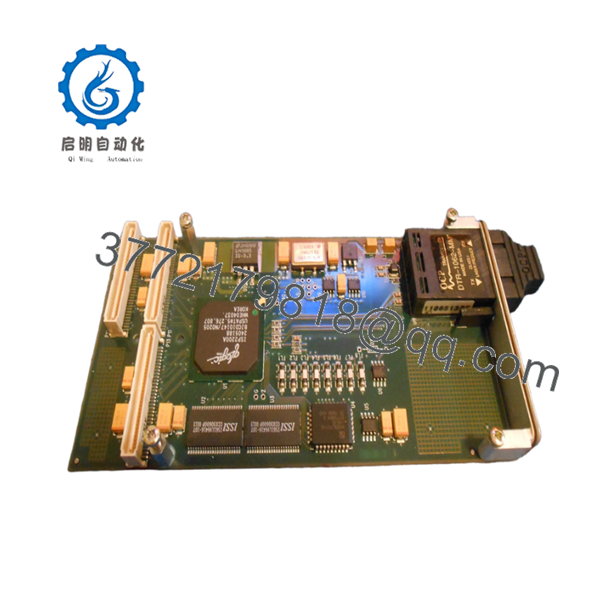
The Motorola MPMC221 is a high-performance, industrial-grade graphics controller designed as a PCI Mezzanine Card (PMC) compliant with the IEEE P1386.1 standard. Engineered to mount directly onto VMEbus host single-board computers (such as the MVME2600 or MVME5100 series), this module provides the hardware acceleration needed to run dual, independent, high-resolution human-machine interfaces (HMI), aerospace cockpit simulators, and maritime radar tracking terminals. By managing intensive video rendering tasks locally on its 4 MB frame buffer, it unburdens the main host CPU from graphic display overhead.
Procuring the MPMC221 as a New Surplus asset represents a critical strategic intervention regarding your system’s Total Cost of Ownership (TCO). Since this platform has long been categorized as End-of-Life (EOL), maintenance teams often resort to used or refurbished boards. These used boards frequently carry high risk due to hidden thermal fatigue beneath the surface-mounted BGA graphics chips, which leads to sudden video signal loss or display artifacting under typical cabinet temperatures. A zero-hour New Surplus replacement module completely mitigates this lead time variability, delivering factory-level reliability and serving as an essential insurance policy against terminal operational blindness.

- MPMC221
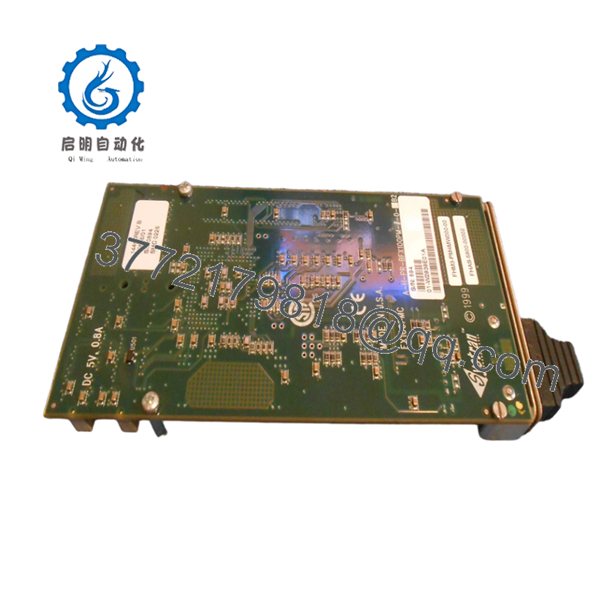
- MPMC221
5. Installation & Configuration Guide
Stage 1: Pre-Installation (Prep & Safety)
- Completely power down the VMEbus chassis hosting the parent single-board computer (SBC). Apply lock-out/tag-out (LOTO) procedures.
- Put on a grounded ESD wrist strap and verify its connection to a bare metal portion of the equipment frame to prevent static damage to the dense surface-mount arrays.
- Remove the parent VME board from the chassis and place it flat on a static-dissipating mat.
- Verify the signal voltage configuration jumpers on the parent board match the 3.3 V or 5 V mechanical and electrical keying pins of the MPMC221 module.
Stage 2: Removal (If replacing an existing PMC)
- Unthread the four mounting screws from the underside of the parent VME single-board computer that anchor the PMC spacers.
- Carefully unmate the high-density PMC connectors (P11, P12, and P13) by pulling the mezzanine card straight up from the parent board, keeping it strictly parallel to avoid bending the interface pins.
- Remove the PMC front panel bezel from the host card’s cutout.
Stage 3: Installation (Clone & Seat)
- Align the front-panel I/O bezel of the new surplus MPMC221 with the front-panel window of the host VME card.
- Match the physical PMC connectors on the bottom of the MPMC221 with the mating sockets on the host board.
- Press downward firmly and evenly on the mezzanine card directly above the connector zones until the board is completely seated against its standoff spacers.
- Flip the assembly over and install the four factory mounting screws from the backside of the host card to lock the MPMC221 securely into place.
Stage 4: Power-On & Testing
- Slide the combined host card and MPMC221 assembly back into its designated chassis card slot and lock the injector handles.
- Secure the external display cables to the front panel video ports.
- Re-energize the VME chassis power rails. Monitor the boot display screen or host OS terminal; the system must initialize the graphics card without throwing bus configuration or memory mapping allocation faults.
6. Firmware/Software Versions & Upgrade Notes
The MPMC221 relies on a combination of onboard Video BIOS code and specialized OS-level driver sets (such as those written for VxWorks, LynxOS, or legacy Windows NT Embedded systems). The underlying graphics layout utilizes specific Peritek acceleration microcode that interacts directly with the system’s memory map.
When replacing this card, you must verify that the driver version compiled into your real-time operating system (RTOS) kernel matches the revision of the hardware. Substituting different hardware layout revisions without confirming driver compatibility can result in missing video sync signals, corrupted fonts, or an immediate CPU exception halt during boot. Always backup your operating system boot parameters before executing a swap, and ensure your system configuration file allocates the precise base memory address range required by the MPMC221 frame buffer.
7. Frequently Asked Questions (FAQ)
Q: Why should we buy a New Surplus MPMC221 instead of a lower-priced refurbished graphics card?
A: Industrial display modules operate under high thermal stress inside tightly enclosed VME rack environments. Refurbished or second-hand graphics cards have already seen years of operation, meaning their onboard capacitors and solder balls under the main processor are deeply fatigued. A refurbished card failure will drop your primary HMI screen instantly, triggering an unscheduled plant shutdown. Our New Surplus stock provides zero-hour components that guarantee long-term reliability and complete peace of mind.
Q: Does this mezzanine card support independent video outputs, or do both ports show the same image?
A: The MPMC221 features true dual-channel architecture. It is fully capable of running two separate, independent video streams with different resolutions and refresh rates simultaneously. This allows a single VME slot to drive two distinct operator interface screens or diagnostic monitoring displays.
Q: Can this card be installed on any brand of VME single-board computer?
A: Yes, provided the host board complies with the standard IEEE P1386.1 PMC specification and has the required open mezzanine slots. It is fully compatible with Motorola MVME boards, as well as third-party VME and CompactPCI processor cards that supply standard PMC expansion interfaces with matching voltage signaling levels.
Q: Does the MPMC221 support hot-swapping while the system is running?
A: Absolutely not. The PMC standard does not support hot-plug operations. Attempting to remove or mount this mezzanine card while the host board is powered will result in an immediate electrical short. This can permanently destroy the MPMC221, the host processor card, and potentially corrupt the entire active VME backplane bus.
Q: What kind of warranty do you provide on this New Surplus module?
A: We provide an absolute 1-year warranty on this Motorola MPMC221 module. Because this unit is verified New Surplus inventory sourced from secure storage, it has zero operating hours and has never been subjected to harsh industrial conditions, ensuring a projected active operational lifespan of 10 to 15 years.



