
 WhatsApp: +86 16626708626
 Email:
  Phone: +86 16626708626
Description
Key Technical Specifications
- Model: MPMC222
- Brand: Motorola
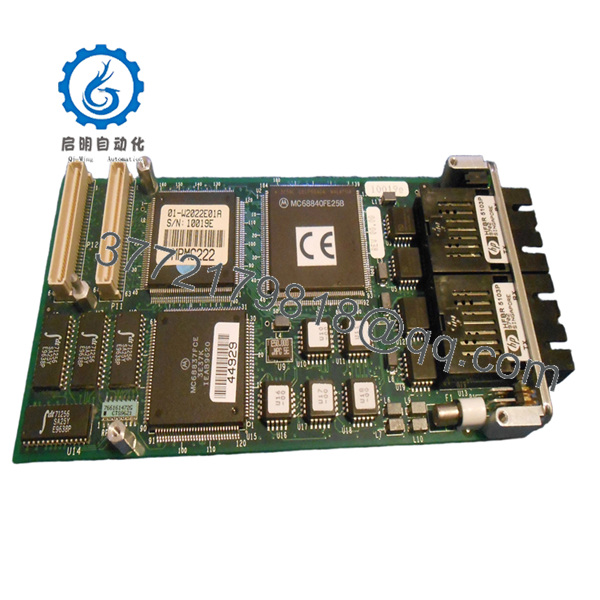
- Product category: VME PMC dual fiber optic card
- Module type: PCI Mezzanine Card (PMC)
- Fiber ports: Dual fiber optic interfaces
- Bus interface: PCI (via PMC slot on VME SBC)
- Form factor: Standard PMC form factor
- Use case: Fiber optic communication in VME-based industrial control, SCADA, and data acquisition systems
- Compatibility note: Requires a VME SBC with PMC slot support; verify host board compatibility before installation
- Warranty typically offered: 90 days (varies by supplier)
- ⚠️ Obsolete Model – Limited Stock Available
Product Introduction
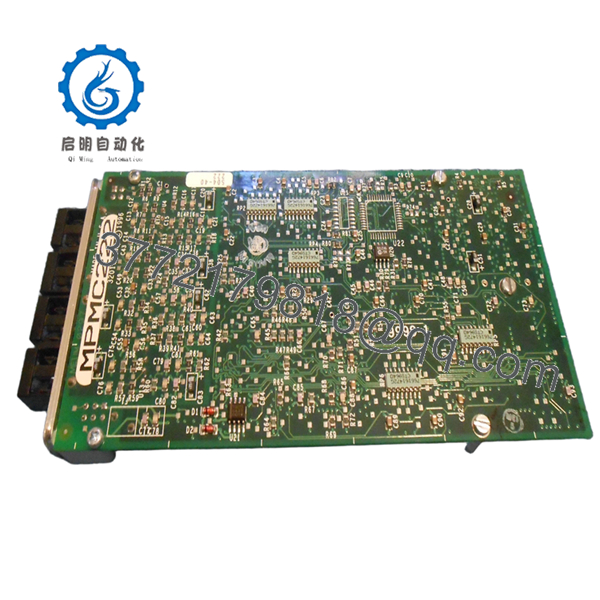
Motorola MPMC222 is a dual fiber optic PMC (PCI Mezzanine Card) module designed for VME-based industrial control and communication systems. It provides two fiber optic ports for high-speed, electrically isolated data transmission in harsh industrial environments.
This card is chosen when a VME system needs fiber optic connectivity for EMI immunity, long-distance communication, or electrical isolation. Buyers focus on PMC slot compatibility with their host VME SBC and verifying the exact fiber type (multimode vs. single-mode) before ordering.
Troubleshooting Quick Reference
| Symptom | Possible Cause | Relevance to this Part | Quick Check Method | Recommendation |
|---|---|---|---|---|
| No link light on fiber ports | Fiber cable, transceiver, or card fault | ✅ High | Check fiber cable connection, verify transceiver type, and test with known-good cable | If no link still, the card’s optical transceiver may be faulty |
| PMC module not detected | Poor seating or host SBC issue | ✅ High | Reseat the PMC module in the slot, verify host SBC recognizes PMC slot | Clean contacts and reseat firmly; test host SBC PMC slot |
| Intermittent communication | Fiber cable damage or connector contamination | ⚠️ Medium | Inspect fiber connectors for dirt, clean with fiber cleaning kit, and swap cable | Replace cable if contamination persists or link drops |
| Host SBC doesn’t recognize PMC | Driver/firmware mismatch or slot power issue | ✅ High | Check host SBC driver config and verify PMC slot power rails | Load correct driver and verify PMC slot voltage |
| Random packet loss | Cable quality, distance limit, or card degradation | ⚠️ Medium | Measure fiber link quality, check distance vs. fiber spec, and test with another card | Replace cable first; if drops continue, test with known-good PMC module |
Contact technical support with clear photos of fiber connections, PMC seating, and any diagnostic logs if the fault is unclear.

- MPMC222
- MPMC222
Frequently Asked Questions
Q: What SBCs are compatible with the MPMC222 PMC module?
A: The MPMC222 requires a VME SBC with an IEEE P1386.1-compliant PMC slot. Verify your host board’s PMC slot specifications before ordering, as not all PMC slots support all module types.
Q: Is MPMC222 multimode or single-mode fiber?
A: That information is not publicly confirmed in accessible datasheets. You must verify the exact fiber type (multimode vs. single-mode) and connector type on the exact unit before ordering.
Q: Can I hot-swap this PMC module?
A: It depends on your host SBC. Many VME SBCs do not support hot-swapping PMC modules. Power down the system before inserting or removing the PMC to avoid damage.
Q: Will my existing driver work with this PMC card?
A: Only if the driver and firmware version match. Legacy PMC modules often require specific drivers for your RTOS (VxWorks, OS-9). Confirm the exact driver version before ordering.
Q: Why is this card cheaper than a new OEM part?
A: Because it’s obsolete and typically sold as used/tested stock. New OEM units are no longer in mass production, so prices drop but availability is limited.
Q: What condition should I expect?
A: Most units are used and tested. You’ll get a PMC module with visible signs of prior use, but functional. Ask for test photos and fiber port status before purchase.
Q: What warranty do suppliers usually offer?
A: Common warranties range from 90 days. Check the specific supplier’s terms, as obsolete stock often carries shorter coverage than new production.
Q: What should I verify before ordering?
A: Confirm the exact part number, fiber type (multimode/single-mode), connector type, host SBC PMC slot compatibility, and driver requirements. A mismatch here is the fastest way to lose time during installation.



