WhatsApp: +86 16626708626
 Email:
 Phone: +86 16626708626
Description
Key Technical Specifications
| Parameter | Specification |
|---|---|
| Model | MVIP302 |
| Manufacturer | Motorola / Emerson |
| Product family | IndustryPack (IP) |
| Serial controller | Signetics SCC2698 octal UART |
| Serial channels | 8 asynchronous channels |
| Electrical interface | EIA-232-D |
| Communication mode | Full duplex, automatic echo, local loopback, remote loopback |
| Baud rates | 18 fixed rates from 50 to 38,400 baud; 4 user-defined rates |
| Data path | 16-bit |
| Connectors | Two 50-pin connectors, as listed in product references |
| Timers | 4 programmable 16-bit multifunction timers |
| Interrupts | 32 maskable, vectored interrupt sources |
| Auxiliary inputs | 8 TTL/CMOS-level input lines |
| Stop bits | 1, 1.5, or 2, with configurable increments documented by the manufacturer |
| Error detection | Parity, framing, overrun, false start bit, and break |
| Clock source | Local crystal oscillator or external clock |
| Carrier compatibility | Requires a compatible IndustryPack carrier and host system |
Sources: product listing and MVIP302/MVIP303 user manual. Confirm the exact hardware revision and mechanical variant before ordering.
Product Introduction
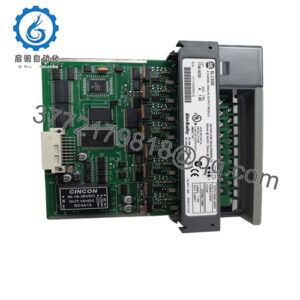
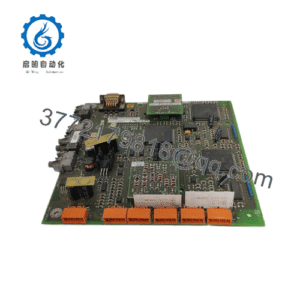
The Motorola MVIP302 provides eight asynchronous serial communication channels in a compact IndustryPack module. Built around the SCC2698 octal UART, it supports full-duplex EIA-232-D communication, programmable baud-rate generation, hardware handshaking signals, and interrupt-driven channel operation. These capabilities make it useful in embedded systems that must maintain multiple serial connections without replacing established host hardware or redesigning existing device interfaces.
For maintenance teams, the key consideration is compatibility with the installed carrier board, host bus interface, connector arrangement, and software driver. The MVIP302 is a legacy component, so replacement planning should include verification of the original part number, board dimensions, interface requirements, and operating configuration.
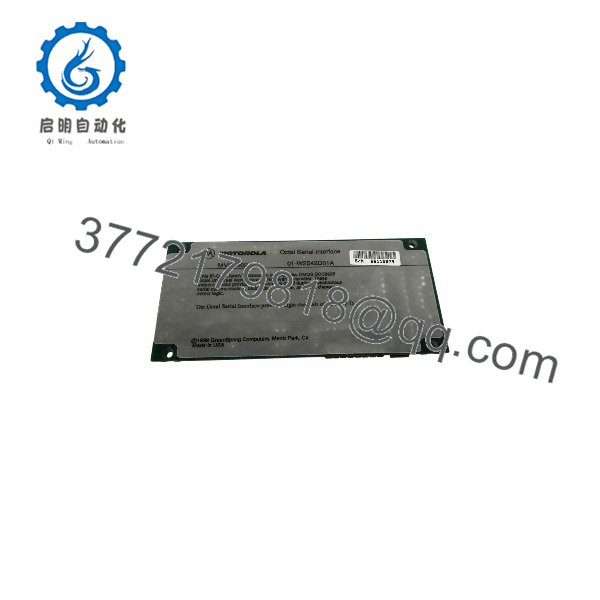
MVIP302
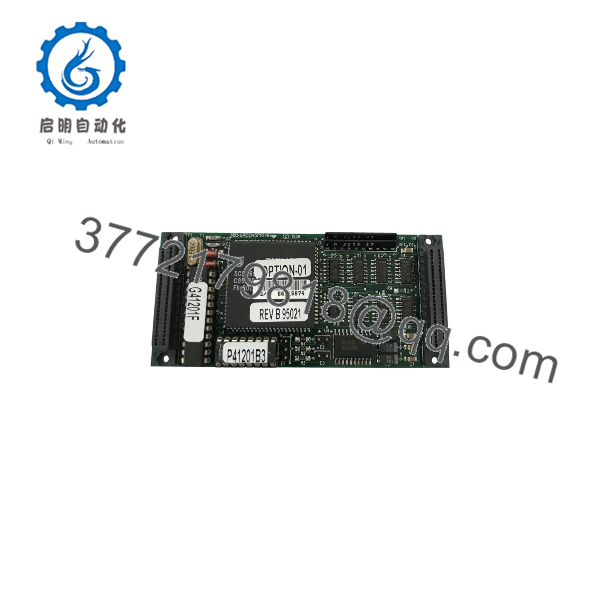
MVIP302
Installation and Configuration Guide
Estimated time: 30–60 minutes for inspection and installation when the correct carrier, documentation, and software are already available. Actual commissioning time depends on the host system.
Stage 1 — Verify hardware compatibility
- Confirm that the host supports the IndustryPack interface and the MVIP302 module.
- Check the module label, revision, physical dimensions, and connector arrangement.
- Verify that the application requires EIA-232-D signaling rather than the EIA-422 interface associated with the related MVIP303 model.
- Check the host and carrier documentation for supported modules and installation requirements.
Stage 2 — Prepare the system safely
- Shut down the host system using the equipment manufacturer’s procedure.
- Isolate power before removing or installing the module.
- Use appropriate electrostatic-discharge protection.
- Inspect the module and connectors for bent pins, corrosion, contamination, or physical damage.
Safety note: Do not insert or remove the module while powered unless the specific host and carrier documentation explicitly supports hot swapping.
Stage 3 — Install and configure
- Install the module in the supported IndustryPack carrier position.
- Secure the module according to the carrier’s mechanical requirements.
- Connect the serial equipment using the documented pin assignments and appropriate EIA-232 cabling.
- Configure baud rate, data format, stop bits, parity, handshaking, and interrupt behavior in the host software.
Do not assume that a modern serial cable or connector adapter uses the correct pin mapping. Check the MVIP302 manual and the connected equipment’s interface specification.
Stage 4 — Commission and validate
- Confirm that the host can identify and access the module.
- Test each required channel individually.
- Verify transmit and receive operation, handshake signals, and error reporting.
- Check for framing errors, overruns, unexpected interrupts, and communication failures under normal operating load.
- Record the working configuration and retain the original module information for future replacement.
Frequently Asked Questions
Q1. What is the Motorola MVIP302 used for?
It provides eight asynchronous EIA-232-D serial channels for compatible embedded systems. Typical use cases include connecting multiple serial instruments, controllers, and other devices to an embedded host.
Q2. How many serial ports does the MVIP302 provide?
The MVIP302 is documented as an eight-channel serial interface. Confirm the external connector and cable arrangement for the particular carrier and installed system.
Q3. Does the MVIP302 support RS-232?
Yes. The MVIP302 uses the EIA-232-D electrical interface, commonly referred to as RS-232. The related MVIP303 is the EIA-422 version, so the two models should not be treated as electrically interchangeable.
Q4. What is its maximum communication speed?
Published documentation lists fixed baud rates up to 38.4 kbps, plus four user-defined rates. Actual supported settings depend on the module configuration and host software.
Q5. Is the MVIP302 compatible with every IndustryPack carrier?
No universal compatibility should be assumed. Verify the carrier’s IndustryPack implementation, mechanical fit, host interface, and software support before installation.
Q6. Can the MVIP302 replace an MVIP303?
Not as a direct electrical substitute in every application. The MVIP302 uses EIA-232, while the MVIP303 uses EIA-422. The replacement must match the connected equipment’s signaling standard, wiring, and communication requirements.
Q7. What should buyers confirm before purchasing?
Confirm the complete model marking, hardware revision, physical condition, included accessories, and compatibility with the target carrier and host. For a legacy module, also request clear photographs and verify the seller’s stated test status and return terms.