
 WhatsApp: +86 16626708626
 Email:
  Phone: +86 16626708626
Description
3. Key Technical Specifications
| Parameter | Specification Value |
| Manufacturer | Motorola (Embedded Computing Division) |
| Model Part Number | 64-W5882B01B (MVME 300A Series) |
| Bus Compatibility | VMEbus (Standard IEEE 1014) |
| Interface Protocol | IEEE-488 (GPIB / HPIB) |
| Data Transfer Mode | Direct Memory Access (DMA) or Programmed I/O |
| Maximum Data Rate | Up to 1 MB/sec (Hardware dependent) |
| Device Support | Supports up to 15 instruments on a single bus |
| Connectors | Standard 24-pin IEEE-488 connector on front panel |
| Address Space | Short I/O (A16) addressable |
| Operating Voltage | +5 V DC (Current draw varies by revision) |
| MTBF | High-reliability industrial grade component |
4. Product Introduction & Supply Chain Strategy
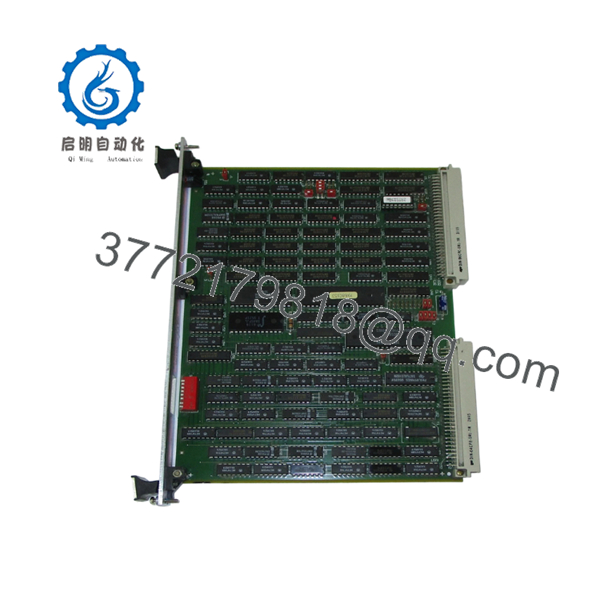
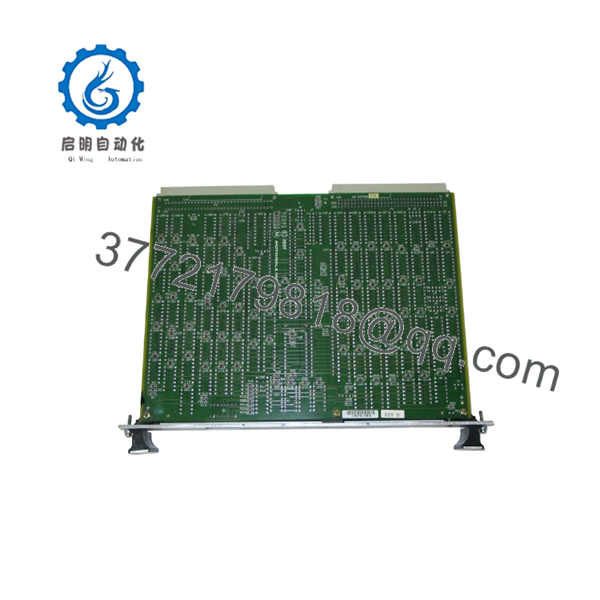
The Motorola MVME 300A (64-W5882B01B) is a specialized VMEbus communications controller designed to bridge the gap between high-level industrial computing and lab-grade instrumentation. By providing a dedicated IEEE-488 (GPIB) interface, this module allows a VMEbus system to act as a master controller for up to 15 external devices, such as oscilloscopes, signal generators, and power supplies. It is a staple in legacy aerospace testing, semiconductor manufacturing, and automated test equipment (ATE) environments where deterministic communication is mandatory.
From a procurement perspective, the MVME 300A 64-W5882B01B represents a significant single-point-of-failure risk in aging test stands. Since these modules are long discontinued, the market is flooded with “refurbished” units that are often just cleaned-up pulls from salvaged racks with unknown stress cycles. Choosing this New Surplus unit is a strategic move to lower the Total Cost of Ownership (TCO). By installing a factory-new, zero-hour module, you bypass the hidden reliability risks of component aging (capacitor drift, trace oxidation) and secure another decade of system stability, avoiding the five-figure costs of a complete system migration or unplanned production outages.
5. Installation & Configuration Guide
Stage 1: Pre-Installation (Prep & Safety)
- Follow full lock-out/tag-out (LOTO) procedures on the VME chassis.
- Ensure you are wearing a grounded ESD wrist strap before handling the board.
- Before removing the old card, document the specific GPIB address and interrupt level settings—typically controlled by the onboard DIP switches or jumper blocks.
Stage 2: Removal
- Unscrew the captive front-panel screws.
- Use the injector/ejector handles to unseat the 96-pin DIN connectors from the backplane.
- Slide the board out smoothly along the card guides.
- Inspect the backplane slot for any dust or debris that could impede the connection of the new module.
Stage 3: Installation (Clone & Seat)
- Set the DIP switches on the new 64-W5882B01B to match the address map of the replaced unit.
- Align the PCB with the card guide rails and slide it into the chassis.
- Firmly push the handles inward to lock the module into the VME backplane.
- Tighten the front-panel screws to ensure proper grounding and mechanical stability.
Stage 4: Power-On & Testing
- Power up the chassis and check for the “READY” or “SYSFAIL” status indicators on the front panel.
- Use your VME-based software (e.g., VxWorks or OS-9) to ping the GPIB address.
- Verify that connected instruments are “seen” by the controller and that data transfer handshakes are successful.

- MVME 300A 64-W5882B01B
- MVME 300A 64-W5882B01B
6. Firmware/Software Versions & Upgrade Notes
The MVME 300A utilizes localized logic for handling the IEEE-488 protocol. Compatibility is largely driven by the driver version residing in your VME host processor (such as an MVME 147 or 167).
⚠️ CRITICAL WARNING: Ensure your software drivers are configured for the correct base address set on the board’s DIP switches. If you are replacing an older MVME 300 (non-A) version, verify that your software doesn’t rely on specific timing quirks of the older silicon. While the “A” revision is generally backward compatible, check for any legacy “Software Patches” in your system documentation that might need to be removed or updated for the 64-W5882B01B revision.
7. Frequently Asked Questions (FAQ)
Is this board a “pull” from a working system?
No. This is a New Surplus unit. It has never been installed in a production environment and has zero operational hours. Unlike “pulled” or “used” units, this board has been stored in a climate-controlled, ESD-safe environment since its manufacture, ensuring the highest possible reliability.
Does this 64-W5882B01B revision support modern GPIB instruments?
Yes, as long as the instrument adheres to the IEEE-488 standard, this module can communicate with it. However, the software layer on your VME host must have the appropriate drivers to interpret the commands of the modern device.
Why does a legacy board cost more than some modern controllers?
The price reflects the scarcity of New Surplus (unused) stock for critical infrastructure. While used boards are available cheaply, they carry the risk of “latent defects” that can fail at any moment. For mission-critical plants, the premium for a new board is an insurance payment against the high cost of unplanned downtime.
Can I change the GPIB address via software?
The base hardware address of the MVME 300A is typically set via hardware jumpers or DIP switches on the board itself. Once the hardware address is set, your system software uses that address to communicate with the controller.
What is the warranty for this Motorola module?
We provide a 1-year warranty on all New Surplus Motorola modules. If the board fails to perform according to OEM specifications during this period, we offer a replacement or a full refund, ensuring your investment is protected.



