
 WhatsApp: +86 16626708626
 Email:
  Phone: +86 16626708626
Description
3. Key Technical Specifications
| Parameter | Specification Value |
| Manufacturer | Motorola (Embedded Computing Division) |
| Model Number | 01-W3840B (MVME 381) |
| Function | Graphics Controller / Video Interface |
| Bus Type | VMEbus (Standard IEEE 1014) |
| Output Type | Monochrome / High-Resolution Video |
| Resolution Support | Optimized for 1024 x 1024 or 1280 x 1024 (Monitor Dependent) |
| Form Factor | Single-slot VME module |
| Onboard Memory | Dedicated high-speed Video RAM |
| Power Requirements | +5 V DC from backplane |
| I/O Connectors | Front-panel video output (typically BNC or D-sub) |
4. Product Introduction & Supply Chain Strategy
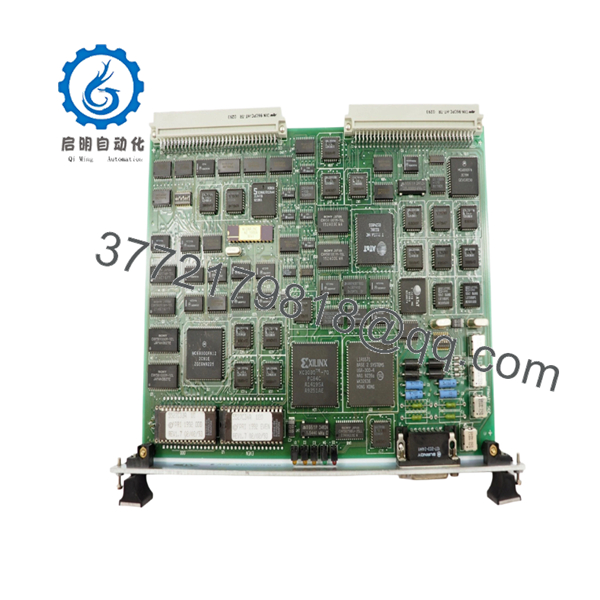
The Motorola MVME 381 (01-W3840B) is a specialized graphics controller board designed for high-resolution monochrome displays within VMEbus-based systems. Primarily utilized in medical imaging (MRI/CT), radar monitoring, and advanced industrial HMI (Human Machine Interface) workstations, this module offloads the intensive task of video memory management from the main system processor. Its robust architecture ensures a stable, flicker-free display output required for precision diagnostic and monitoring environments.
For procurement managers, the MVME 381 represents a high-risk obsolescence point. Because these modules drive the visual interface of the machine, a failure often renders the entire system unusable, regardless of the health of the underlying processor. Sourcing this unit as “New Surplus” is a vital supply-chain maneuver to avoid the instability of refurbished boards. Used units in the display category are prone to video artifacts and timing drift caused by component aging. By stocking a factory-fresh, unused 01-W3840B, you secure 100% video signal integrity and eliminate the risk of “latent failures” that frequently plague second-hand graphics hardware.

- MVME 381 01-W3840B
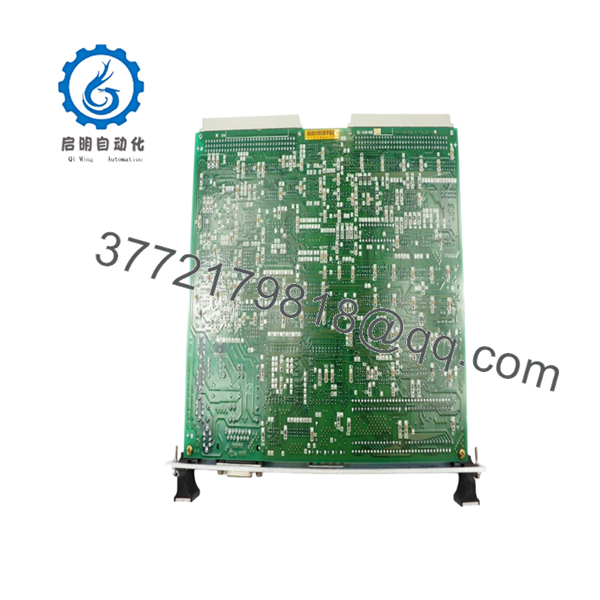
- MVME 381 01-W3840B
5. Installation & Configuration Guide
Stage 1: Pre-Installation (Prep & Safety)
- Power down the VME rack and follow all standard safety protocols.
- Use a grounded ESD wrist strap to prevent static discharge to the sensitive video RAM.
- Record the positions of any configuration jumpers on the old board, as these often define the video timing and base memory address.
Stage 2: Removal
- Unscrew the front-panel fasteners.
- Disconnect the video output cables (BNC or D-sub) from the module faceplate.
- Use the ejector handles to pull the module forward, disengaging it from the backplane.
- Inspect the video cable connectors for oxidation or pin damage before re-installation.
Stage 3: Installation (Clone & Seat)
- Set the jumpers on the new 01-W3840B to mirror the original unit’s configuration.
- Slide the board into the designated VME slot, ensuring it is seated firmly in the card guides.
- Engage the ejector handles inward to lock the module into the backplane.
- Reconnect the video cables and tighten the faceplate screws.
Stage 4: Power-On & Testing
- Re-energize the chassis and monitor the initialization sequence.
- Observe the display for synchronization; if the image is rolling or distorted, re-verify the jumper settings for horizontal/vertical sync.
- Run a standard system diagnostic to confirm the host processor can write to the MVME 381 video memory space.
6. Firmware/Software Versions & Upgrade Notes
The MVME 381 graphics module is heavily dependent on the display drivers embedded within your real-time operating system (RTOS).
⚠️ CRITICAL WARNING: High-resolution graphics boards are sensitive to bus timing. If your system has been upgraded to a faster host processor (e.g., upgrading from an MVME 147 to an MVME 167), ensure the bus timing on the MVME 381 is correctly configured via jumpers to prevent “bus errors” during high-speed display updates. Additionally, if the video output appears blank despite a “RUN” status, verify that your software is pointing to the correct A16 or A24 address space assigned to the new hardware.
7. Frequently Asked Questions (FAQ)
Is this board “New Surplus” or just a cleaned-up used part?
This is a New Surplus unit. It has never been installed in a system and contains no operational hours. We strictly distinguish between used/refurbished parts and genuine New Surplus to ensure our clients receive components with their full original lifespan intact.
Will this work with a standard VGA monitor?
Generally, no. The MVME 381 is designed for high-resolution industrial monochrome monitors. The sync rates and signal levels (often ECL or non-standard TTL) are typically not compatible with modern consumer VGA or HDMI displays without a specialized signal converter.
Why is it important to buy “New” for a graphics board?
Graphics boards generate significant heat during operation, which accelerates the drying of electrolytic capacitors and the degradation of integrated circuits. A used graphics board is far more likely to experience “thermal runaway” or video noise. A New Surplus board provides the clean, stable signal required for high-precision imaging.
Does the 01-W3840B revision support color output?
The MVME 381 series is specifically optimized for high-performance monochrome displays. If your system requires RGB color output, you may need an MVME 390 or 391 series board. Please verify your system’s output requirements before procurement.
What happens if the board doesn’t sync with my monitor?
Video sync issues are usually related to jumper configurations (J-settings) on the board that define the signal polarity and frequency. We provide a 1-year warranty and technical support to help ensure the replacement module integrates correctly with your existing monitor setup.



