
 WhatsApp: +86 16626708626
 Email:
  Phone: +86 16626708626
Description
3. Key Technical Specifications
| Parameter | Value |
| Microprocessor | Motorola MC68020 (32-bit) |
| Clock Speed | 12.5 MHz |
| Memory (DRAM) | 1 MB Shared Dual-Ported RAM |
| Floating Point | Socket for MC68881 FPU |
| ROM/EPROM Sockets | Four 28-pin sockets (up to 256 KB) |
| Serial I/O | One RS-232-C Debug Port |
| Timers | Three 16-bit Programmable Timers |
| Bus Interface | VMEbus (Double-Height, A32:D32) |
| Operating Voltage | +5 VDC, +12 VDC, -12 VDC |
| Typical Current Draw | 6.5 A @ +5 VDC |
4. Product Introduction & Supply Chain Strategy
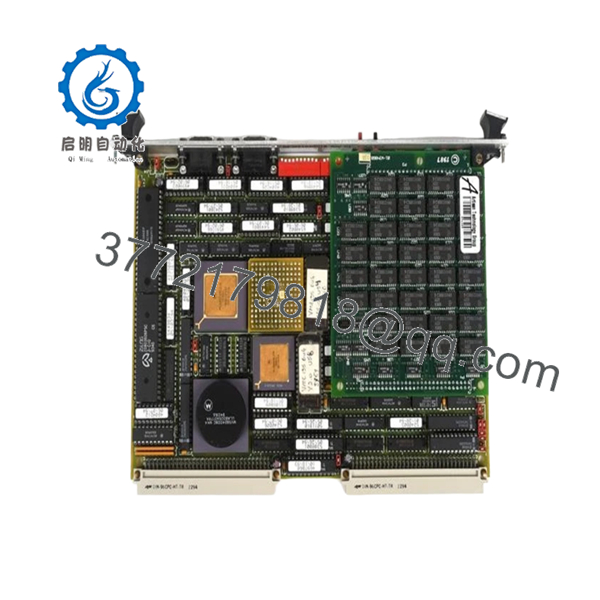
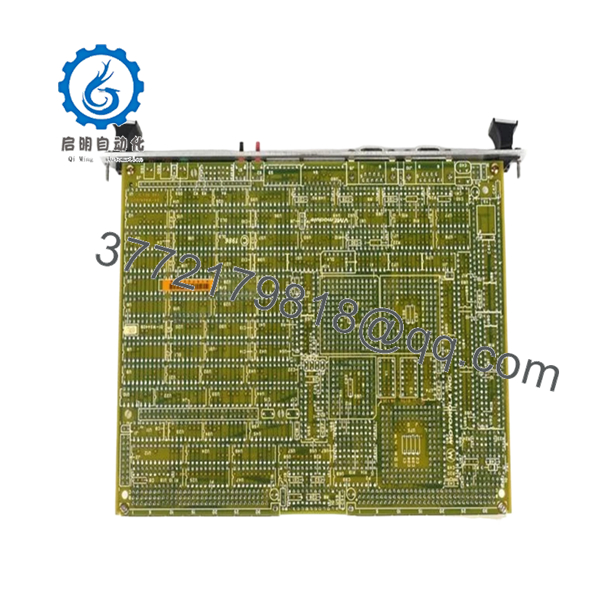
The Motorola MVME135-1 is a foundational 32-bit VMEbus processor module utilizing the MC68020 microprocessor. Engineered for high-speed industrial computation and real-time control, it features 1MB of dual-ported DRAM, providing seamless data exchange between the local MPU and the VMEbus. This module is frequently found in mission-critical aerospace, defense, and power plant control systems where timing and bus arbitration logic are non-negotiable.
Procuring the MVME135-1 as New Surplus is a high-ROI strategy for plant managers dealing with obsolescence. Because these boards are no longer in production, relying on refurbished units introduces significant risk due to aged solder joints and thermal fatigue in the MC68020 MPU. By stocking a New Original unit, you secure a 100% reliable replacement that eliminates lead time variability and mitigates the risk of catastrophic downtime in legacy environments where modern upgrades are not yet feasible.

- MVME135-1
5. Installation & Configuration Guide
Stage 1: Pre-Installation (Prep & Safety)
- De-energize the VME rack and apply lock-out/tag-out (LOTO) procedures.
- Use a grounded ESD wrist strap before handling the card.
- Crucial: Document all jumper settings (J1 through J20) on the original board. These govern the VMEbus address modifiers and interrupt levels.
Stage 2: Removal
- Loosen the front panel captive screws.
- Carefully pull the board forward using the ejector handles to disengage the P1 and P2 connectors from the backplane.
- Inspect the backplane for any bent pins or dust accumulation before inserting the new module.
Stage 3: Installation (Clone & Seat)
- Set the jumpers on the New Surplus MVME135-1 to exactly match the board being replaced.
- Ensure the EPROMs (if required) are firmly seated in their sockets or transferred from the old board using an ESD-safe extraction tool.
- Slide the module into the chassis guides and push firmly until the handles click into place, ensuring a full seat on the backplane.
Stage 4: Power-On & Testing
- Restore power to the chassis.
- Monitor the front panel LEDs. The “HALT” and “RUN” indicators provide immediate feedback on the processor’s state.
- Access the system via the serial debug port to verify that the self-diagnostics pass and the 1MB DRAM is fully recognized.
6. Firmware/Software Versions & Upgrade Notes
The MVME135-1 typically utilizes 135Bug or custom application EPROMs for system initialization. When swapping hardware, verify that the ROM version is compatible with your current software environment. Note that the MVME135-1 may have different timing characteristics than earlier MVME130 or MVME131 boards; ensure your software drivers are configured for the 12.5 MHz MC68020 execution speed. If transferring EPROMs, inspect the pins for oxidation and clean them with electronics-grade contact cleaner to prevent intermittent boot failures.
7. Frequently Asked Questions (FAQ)
- Why should I buy “New Surplus” instead of a cheaper refurbished MVME135-1?
Refurbished VME cards have often endured thousands of thermal cycles, which weakens the internal architecture of the MC68020 processor and the multilayer PCB. Our New Surplus units have zero hours of operational wear, ensuring a significantly longer Mean Time Between Failures (MTBF) and a much lower Total Cost of Ownership.
- Is the MC68881 Floating Point Coprocessor included?
Most MVME135-1 boards come with an empty socket for the FPU. If your application requires high-speed math functions, you may need to transfer the MC68881 from your existing board or request one specifically with your order.
- How do I verify the condition of the DRAM on this module?
Upon power-up, the resident firmware (135Bug) executes a memory diagnostic. You can run extended memory tests through the console port to ensure all 1MB of shared RAM is functioning without parity errors.
- Can I replace an MVME133 with this MVME135-1?
While both are MC68020-based, the MVME135-1 has specific memory and I/O configurations that may differ from the 133 series. Always verify the memory map and jumper requirements in the Motorola Technical Manual before attempting a cross-model replacement.
- What is the warranty on this legacy part?
Despite its EOL status, we provide a 1-year functional warranty on all New Surplus MVME135-1 modules, guaranteeing that the board meets OEM performance specifications out of the box.



