
 WhatsApp: +86 16626708626
 Email:
  Phone: +86 16626708626
Description
3. Key Technical Specifications
| Parameter | Specification / Value |
| Manufacturer | Motorola Computer Group |
| Model Number | MVME162-01 |
| Microprocessor | Motorola MC68040 (Integrated Floating-Point Unit and MMU) |
| Clock Speed | 25 MHz |
| On-Board DRAM | 4 MB Shared Dynamic RAM (with parity protection) |
| SRAM Memory | 128 KB Static RAM (Battery-Backed / Non-Volatile) |
| Flash Memory | 1 MB On-Board Flash EEPROM (Organized as two 512 KB banks) |
| Mezzanine Expansion | 4 IndustryPack (IP) Interface Slots (Type A/B compatible) |
| Serial Ports | 4 Programmable Serial Channels (via Zilog Z85230 SCC) |
| Ethernet Interface | 1 Local Area Network Interface (Intel 82596CA Local Bus DMA) |
| SCSI Interface | Integrated 8-bit Fast SCSI-2 interface (NCR 53C710 DMA) |
| VMEbus Interface | VME64 Master/Slave Interface (MCECC ASIC Gate Array) |
4. Product Introduction & Supply Chain Strategy
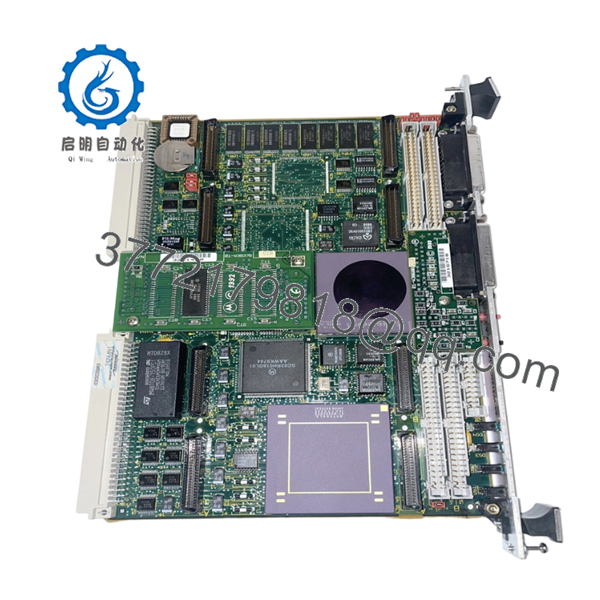
The Motorola MVME162-01 is a highly modular, double-height VMEbus single-board computer built around the 32-bit MC68040 CISC microprocessor operating at 25 MHz. Designed to handle dense real-time workloads, it features an integrated floating-point processor, local DMA channels for Ethernet and SCSI-2 storage, and an advanced MCECC ASIC for stable VMEbus arbitration. Its primary engineering advantage is the inclusion of four IndustryPack (IP) mezzanine slots, allowing automation systems to directly customize digital, analog, or motion-control fieldbus I/O layouts on a single VME slot without increasing rack width.
Choosing this module as a New Surplus purchase is a vital tactic for stabilizing your plant’s Total Cost of Ownership (TCO). Because the MVME162 series has long been out of production, the gray market is heavily flooded with used or repaired cards that are prone to immediate failure due to crystalline breakdown in vintage solder points or dried electrolytic capacitors. Maintaining an original, zero-hour surplus card in stock serves as a robust insurance policy for legacy infrastructure. It guarantees immediate drop-in compatibility, preserves software timing loops, and completely eliminates the extreme lead time variability linked to sourcing components during a critical system outage.

- MVME162-01
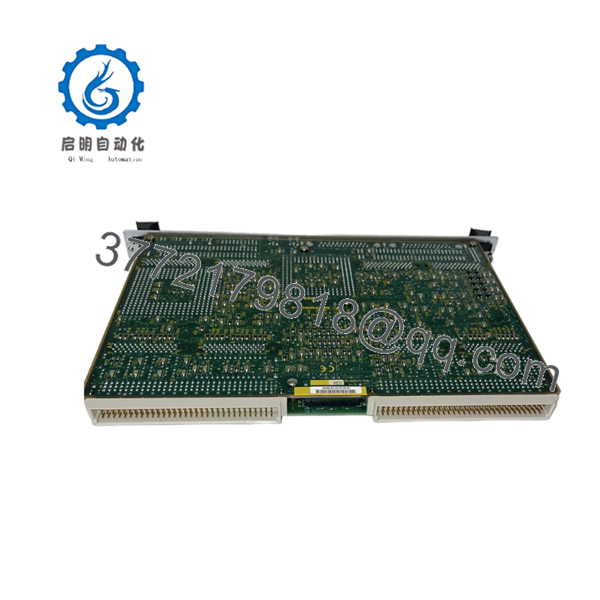
- MVME162-01
5. Installation & Configuration Guide
Stage 1: Pre-Installation (Prep & Safety)
- Completely power down the VME rack enclosure hosting your automation application. Follow strict lock-out/tag-out (LOTO) safety standards.
- Put on a grounded static-control wrist strap and attach it to an unpainted metal surface on the chassis enclosure to manage ESD hazards.
- Extract the failed card and document its exact layout using a high-resolution camera.
- Chart the state of all onboard jumpers (such as J1 through J22), focusing on those controlling VMEbus system controller mode (SCON), Flash memory write protection, and SRAM battery links.
Stage 2: Removal
- Unthread the upper and lower faceplate locking hardware fixing the board to the rack rails.
- Unlatch the upper and lower injector handles outward simultaneously to free the board pins from the deep P1 and P2 backplane slots.
- Pull the module straight out along the chassis tracking grooves, ensuring its surface-mount components do not brush against neighboring cards. Store it inside a protective ESD bag.
Stage 3: Installation (Clone & Seat)
- Configure the jumper links on the new surplus MVME162-01 so they replicate your original board settings down to the individual pin.
- If your application uses IndustryPack daughterboards, mount them carefully onto the new carrier sockets (Slots A, B, C, or D) and fasten the factory nylon spacer screws from the backside before mounting the main board.
- Slide the board smoothly along the card cage tracks until the P1/P2 pins contact the backplane receptacles.
- Press both front panel handles inward until the card clicks home, then secure the faceplate mounting screws.
Stage 4: Power-On & Testing
- Re-energize the VME chassis primary power supplies.
- Observe the front panel LED matrix immediately. The amber board status indicators should stabilize, and the red FAIL lamp must shut off once the internal 162Bug diagnostic sequence executes successfully.
- Attach a console terminal to Serial Port 1 (Console) to monitor the kernel boot handshake, checking that all four IndustryPack modules clear self-tests without triggering system address exceptions.
6. Firmware/Software Versions & Upgrade Notes
The MVME162-01 depends heavily on the Motorola 162Bug system diagnostic monitor stored in physical, socketed EPROM memory chips. System initialization and address decoding errors frequently arise when a replacement board ships with a standard firmware version (e.g., 162Bug V3.x) that differs from the customized driver layers coded into your legacy real-time operating system environment (such as vintage VxWorks or OS-9 builds).
To bypass compiler and device-driver conflicts during a hardware swap, examine the labels on the socketed EPROMs of your original processor board. If your software requires a specific, customized firmware revision to map the Intel Ethernet controller or handle custom memory blocks, you must extract those EPROM chips using an IC extraction tool and carefully seat them into the corresponding sockets on the new surplus replacement card. This ensures full software and configuration parity without needing to recompile target code.
7. Frequently Asked Questions (FAQ)
Q: Why should we buy a New Surplus MVME162-01 instead of a lower-priced refurbished card?
A: Refurbished or used VME cards have already spent years under thermal stress inside cramped, hot industrial cabinets. This exposure leaves their multi-layer PCBs and microchips highly vulnerable to sudden failure from trace degradation and component fatigue. Sparing an operating asset with a used card exposes your process to immediate secondary failures. Our New Surplus stock provides zero-hour components that match factory specs, ensuring full long-term reliability and protecting your operation from thousands of dollars in lost production time.
Q: Does the MVME162-01 include the IndustryPack (IP) daughterboards?
A: No, the MVME162-01 is the primary processing carrier card and single-board computer. It provides the core CPU, RAM, Flash, and the four empty physical mezzanine sockets needed to host IndustryPack modules. Your existing, working IP modules can be safely unbolted from your failed board and mounted directly onto this new surplus base board.
Q: What is the purpose of the onboard SRAM battery link jumper?
A: This jumper isolates or connects the onboard lithium battery backup to the 128 KB Static RAM chip. During storage, this jumper is kept open to preserve the shelf life of the lithium battery. Before installing the new surplus module into active service, you must close this jumper to ensure the board can retain system configurations and real-time clock tracking data during planned power cycles.
Q: Can this card be hot-swapped while the VME backplane is live?
A: Absolutely not. The standard VMEbus backplane design used by the MVME162-01 does not support live insertions or hot-plug operations. Inserting or removing this board while the chassis power rails are live will generate dangerous electrical arcs. These transients can instantly destroy the board’s onboard ASIC controllers, damage adjacent cards, and corrupt active data paths.
Q: What exact warranty policy applies to this product?
A: We provide a comprehensive 1-year warranty on this Motorola MVME162-01 module. Because this card is verified New Surplus inventory sourced from pristine climate-controlled storage, it contains zero runtime wear on its gold backplane pins and components, delivering a projected active operational lifespan of 10 to 15 years.



