
 WhatsApp: +86 16626708626
 Email:
  Phone: +86 16626708626
Description
3. Key Technical Specifications
| Parameter | Value |
|---|---|
| Processor | 33 MHz MC68040 (with floating-point unit) |
| Memory | 16 MB SDRAM |
| IndustryPack Sites | 4 (DMA-capable) |
| Serial Ports | 2 |
| Ethernet | Yes (onboard) |
| ASIC | Petra II |
| Form Factor | Double-high 6U VME |
| VMEbus Interface | Yes (A16/A24/A32, D8/D16/D32) |
| Typical Power | +5 V (primary), ±12 V |
| Operating Temperature | 0 °C to +55 °C (with forced-air cooling) |
| Storage Temperature | –40 °C to +85 °C |
| Relative Humidity | 5 % to 90 % (non-condensing) |
| Status | Discontinued / End-of-Life |
4. Product Introduction & Supply Chain Strategy
The Motorola MVME162PA-344E is a double-high 6U VME embedded controller built around a 33 MHz MC68040 processor with 16 MB of SDRAM, four IndustryPack sites, dual serial ports, and onboard Ethernet. It belongs to the widely deployed MVME162 family used in industrial automation, transportation, and defense systems.
Because the entire MVME162 platform is obsolete, genuine New Surplus boards represent critical strategic inventory. Securing new, unused units avoids the high failure risk and limited remaining life of refurbished boards, protecting against extended downtime and supporting lower total cost of ownership through reliable long-term operation.
5. Installation & Configuration Guide
Stage 1: Pre-Installation (Prep & Safety)
Power down and lock out the VME chassis. Wear a grounded ESD wrist strap. Record the existing board’s firmware revision, IndustryPack configuration, and any jumper or switch settings. Photograph cable connections and front-panel orientation.
Stage 2: Removal
Release the injector/ejector handles and carefully slide the existing board out of the VME slot. Support the board evenly to avoid bending connectors or damaging adjacent modules.
Stage 3: Installation (Clone & Seat)
Verify that any required jumpers or configuration switches on the new MVME162PA-344E match the original board. Align the board with the VME card guides and seat it firmly into the backplane connectors until the ejector handles lock. Reinstall any IndustryPack modules and reconnect front-panel or P2 transition cables.
Stage 4: Power-On & Testing
Restore chassis power. Observe front-panel LEDs (RUN, FAIL, status indicators). Verify processor boot, Ethernet link, serial console access, and IndustryPack functionality. Run system diagnostics and confirm application software loads correctly before returning the system to service.
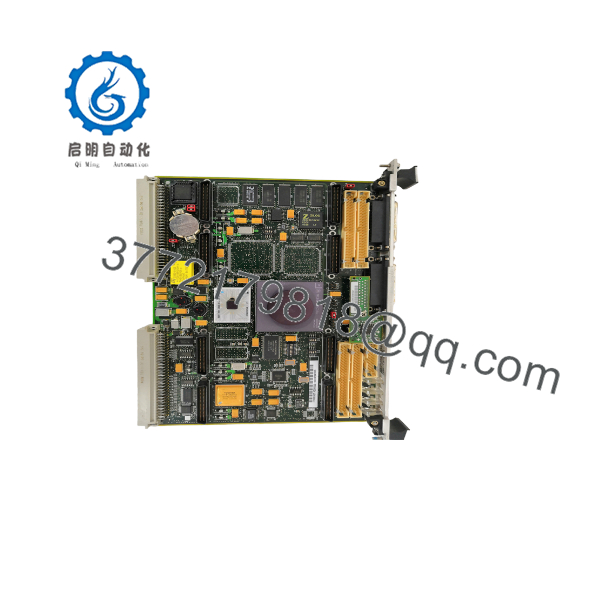
MVME162PA-344E
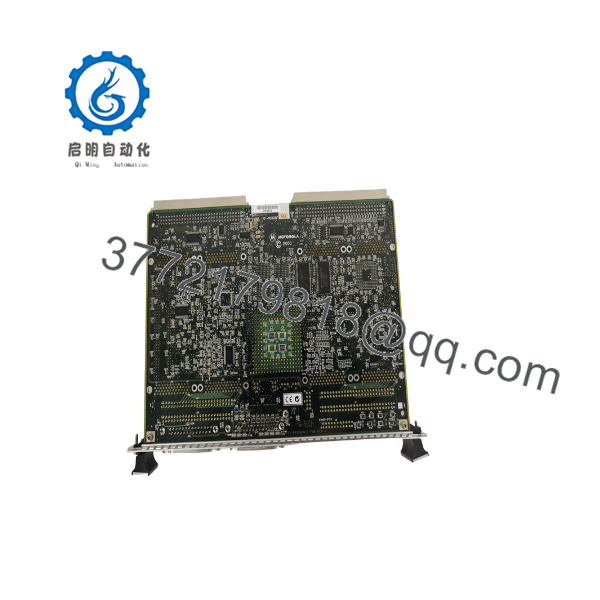
MVME162PA-344E
6. Firmware/Software Versions & Upgrade Notes
The MVME162PA-344E typically runs Motorola or third-party firmware/boot ROMs specific to the Petra II ASIC generation. Always document the exact firmware revision and any custom configuration before replacement.
Do not mix firmware images intended for earlier non-PA (Petra) or different memory configurations. After installation, verify that the board correctly identifies the 16 MB SDRAM, Ethernet controller, and IndustryPack sites. Incorrect firmware can prevent proper VMEbus participation or IP module enumeration.
7. Frequently Asked Questions (FAQ)
Is this board new or refurbished?
This is Brand New Surplus / Original New. It has never been installed in a system and is not a repaired or refurbished unit.
Why is pricing higher than typical used VME boards?
New Surplus boards carry the full remaining service life of unused hardware. Used or refurbished MVME162 boards often have aged electrolytic capacitors and unknown thermal history, increasing the risk of field failure.
Does the “E” in the model number indicate Ethernet?
Yes. The MVME162PA-344E includes the onboard Ethernet interface in addition to the 33 MHz 68040, 16 MB SDRAM, and four IndustryPack sites.
Can I hot-swap this board in a live VME chassis?
No. Always power down the chassis and follow proper lock-out/tag-out procedures before removal or installation.
Is this board still supported by the original manufacturer?
The MVME162 family is fully obsolete. Support is limited to remaining New Surplus inventory and third-party repair specialists.
What is the main risk of installing a used or refurbished board?
Older VME boards frequently suffer from capacitor degradation and connector wear. A failure after installation can take an entire control system offline for an extended period.
What warranty is provided on New Surplus units?
New Surplus units typically carry a 1 year warranty covering defects in materials and workmanship under normal operating conditions.



