WhatsApp: +86 16626708626
 Email:
 Phone: +86 16626708626
Description
Key Technical Specifications
| Parameter | Value |
|---|---|
| Manufacturer | Motorola |
| Full Model Number | MVME162PA-344E |
| Product Family | MVME162P4 |
| Product Type | VMEbus embedded controller |
| Processor | Motorola MC68040 |
| Processor Clock | 32 MHz |
| Main Memory | 16 MB SDRAM |
| Application-Specific ASIC | Second-generation Petra ASIC |
| Serial Interfaces | 2 |
| IndustryPack Interfaces | 4 DMA-capable IP interfaces |
| Ethernet | Included in the -344E configuration |
| SCSI | Not listed for the -344E configuration |
| System Bus | VMEbus |
| Firmware | Verify installed firmware and boot-monitor version |
| Operating System | Application-dependent; verify existing software requirements |
| Power Requirements | Confirm against the applicable MVME162P4 hardware manual |
| Operating Temperature | Confirm against the applicable hardware manual and cooling configuration |
| Mechanical Format | VME embedded controller; verify chassis and slot requirements |
| Lifecycle | Legacy product |
The principal hardware details above come from Motorola’s MVME162P4 VME Embedded Controller Installation and Use documentation. The manual lists the -344E configuration with Ethernet and distinguishes it from the -344SE variant, which adds SCSI. The PA designation identifies the second-generation Petra ASIC without otherwise changing the listed board characteristics.
Procurement note: Confirm the precise assembly number, PCB revision, installed memory, and Ethernet hardware before treating another MVME162P4 board as an equivalent replacement. Do not infer unlisted electrical ratings or environmental limits from another MVME162 model.
Product Introduction
The Motorola MVME162PA-344E is a VMEbus embedded controller for legacy industrial computing, equipment control, and OEM systems. Its documented configuration combines a 32 MHz MC68040 processor, 16 MB SDRAM, Ethernet connectivity, two serial interfaces, and four DMA-capable IndustryPack interfaces. The PA suffix denotes the second-generation Petra ASIC.
For maintenance teams supporting an existing VME chassis, the key procurement issue is configuration matching rather than the family name alone. Verify the Ethernet interface, backplane requirements, firmware, IndustryPack modules, and application software before installation. This helps avoid commissioning delays caused by an apparently compatible board with a different hardware configuration.
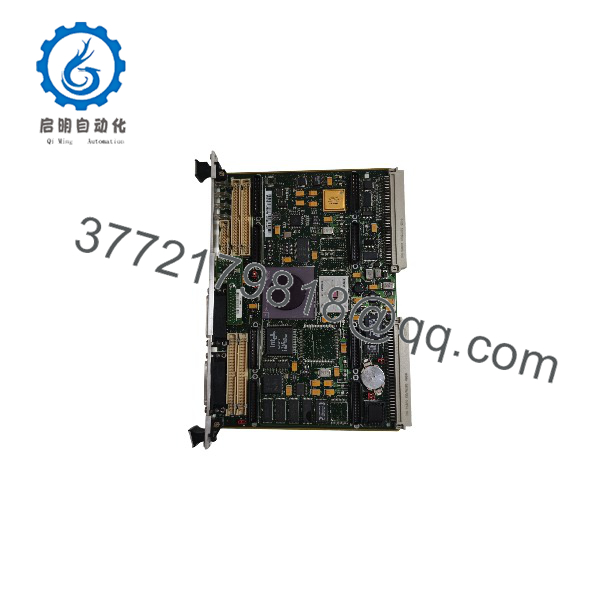
MVME162PA-344E
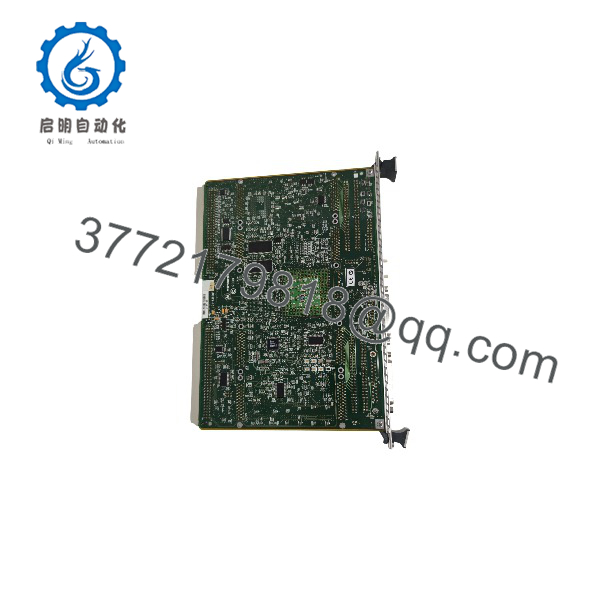
MVME162PA-344E
Installation & Configuration Guide
Estimated replacement time: 30–60 minutes for a straightforward hardware exchange, excluding application recovery and extended fault diagnosis. This is a planning estimate, not a guaranteed restoration time.
Stage 1: Pre-Installation Preparation
- Coordinate the shutdown. Notify operations and place the controlled equipment in its approved safe state.
- Isolate chassis power. Apply the site’s lockout/tagout procedure and verify that the chassis is de-energized. Do not assume the board supports hot swapping.
- Prepare the tools. Use an ESD wrist strap, suitable screwdriver, inspection light, camera, and cable labels as required.
- Record the existing configuration. Photograph the board label, assembly number, jumpers, switches, transition-module connections, and cable routing.
- Back up the software environment. Preserve application software, boot settings, firmware information, and configuration files. Confirm that the recovery procedure is available before removing the original board.
- Verify the replacement. Compare the full model number, including the PA suffix, and check the Ethernet configuration, memory, and board revision.
Stage 2: Removing the Old Module
- Confirm that the chassis is isolated and the board is safe to handle.
- Label and disconnect external cables. Record serial connections and Ethernet cabling before removal.
- Release the board’s retaining hardware and ejector handles according to the chassis instructions.
- Withdraw the board evenly without twisting or forcing the VMEbus connector.
- Inspect the backplane connector and board contacts for damage, contamination, or overheating.
- Keep the original board until the replacement has passed functional testing.
Warning: Do not force the board into or out of its slot. Damaged backplane contacts can create additional faults beyond the original controller failure.
Stage 3: Installing the Replacement Module
- Verify the hardware identity. Confirm MVME162PA-344E and compare the assembly and PCB revision with the original.
- Check configuration settings. Use the correct Motorola manual to verify jumper positions, system-controller settings, and other board-specific options.
- Inspect associated hardware. Confirm that the existing transition module, serial wiring, Ethernet connection, and installed IndustryPack modules are compatible.
- Install the board. Align it with the chassis guides and insert it evenly. Secure the ejector handles and retaining hardware according to the manufacturer’s instructions.
- Reconnect external interfaces. Restore the documented cabling and verify connector orientation.
- Check the installation. Confirm that the board is seated correctly and that no cables or hardware obstruct the chassis airflow.
Installation checklist:
Stage 4: Power-On and Functional Testing
- Perform a pre-power inspection. Check for loose hardware, misplaced cables, and visible connector damage.
- Restore chassis power following the system’s approved startup sequence.
- Observe the board status indicators and compare them with the applicable Motorola manual.
- Connect through the established maintenance console using the documented interface and terminal settings.
- Verify processor startup, memory detection, firmware or boot-monitor version, and boot configuration where supported.
- Test Ethernet connectivity using the system’s established network configuration.
- Verify serial communications and the required IndustryPack interfaces.
- Start the existing application and conduct a controlled functional test of the equipment.
- Record the test results and obtain the responsible engineer’s approval before returning the system to normal operation.
Troubleshooting considerations
- No startup: Check board seating, chassis power, boot configuration, and the applicable status indicators.
- Memory initialization failure: Confirm that the replacement matches the documented 16 MB SDRAM configuration and investigate hardware or firmware errors.
- Ethernet communication failure: Verify cabling, network settings, interface configuration, and associated transition hardware.
- Serial communication failure: Check the interface wiring, terminal settings, and the selected serial port.
- IndustryPack device failure: Verify module seating, compatibility, configuration, and application-level initialization.
- Application startup failure: Check boot settings, firmware compatibility, software dependencies, and the original system configuration.
Commissioning requirement: Use the MVME162P4 installation manual for hardware-specific settings. Do not copy jumper positions or firmware assumptions from a different MVME162 variant without verification. The manufacturer’s documentation covers the -2xx and -3xx controller series and their hardware preparation and startup procedures.
Frequently Asked Questions (FAQ)
Is the Motorola MVME162PA-344E obsolete?
The MVME162PA-344E belongs to a legacy embedded-controller family. Buyers should verify current OEM support, repair options, and actual stock availability. For an operating system that depends on this hardware, holding a tested spare may reduce downtime while a longer-term migration is evaluated.
What are the main specifications of the MVME162PA-344E?
The documented -344E configuration uses a 32 MHz MC68040 processor and 16 MB SDRAM. It includes Ethernet, two serial interfaces, and four DMA-capable IndustryPack interfaces. The PA suffix identifies the second-generation Petra ASIC. Confirm these details against the physical board label and applicable manual before ordering.
Is the MVME162PA-344E equipped with Ethernet and SCSI?
The documented -344E configuration includes Ethernet but does not list SCSI. The related -344SE configuration includes both SCSI and Ethernet. If the existing application requires SCSI storage, do not assume the -344E is a direct replacement for an -344SE board.
Can I replace the MVME162PA-344E with an MVME162P-344E?
The documented configurations share the listed processor, memory, serial interfaces, IndustryPack interfaces, and Ethernet capability. The PA suffix identifies the second-generation Petra ASIC. However, confirm the full board assembly number, PCB revision, firmware, and application compatibility before treating the boards as interchangeable. Similar model numbers alone do not establish drop-in compatibility.
Can this controller be hot-swapped?
Do not assume live replacement is supported. Unless the complete chassis and system documentation explicitly authorizes live insertion and removal, shut down and isolate the chassis before extracting the controller. Removing a board under power can disrupt the VMEbus or damage equipment.
Does replacing the controller preserve the existing application software?
Not necessarily. Software and configuration may reside in onboard nonvolatile memory, boot media, or other system storage, depending on the installation. Back up available application files, document the boot configuration, and establish a recovery procedure before removing the original board. Verify the replacement’s firmware and software compatibility before returning the system to service.
How do I verify the condition and authenticity of a replacement board?
Ask the supplier for:
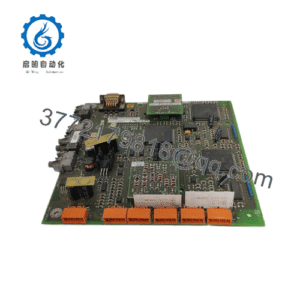
- Photographs of the actual MVME162PA-344E board and identification labels
- Assembly number, serial number, and PCB revision
- Confirmation of the 32 MHz MC68040 and 16 MB SDRAM configuration
- Confirmation that Ethernet is present
- A functional test report describing the tests actually performed
- Written condition classification: New Original, New Surplus, or Refurbished (tested)
- Warranty terms, return conditions, and dispatch lead time