WhatsApp: +86 16626708626
 Email:
 Phone: +86 16626708626
Description
Key Technical Specifications
| Parameter | Value |
| Microprocessor | PowerPC 603 (32-bit) at 200 MHz |
| Level 1 Cache | 16 KB instruction cache / 16 KB data cache |
| System Memory (DRAM) | 16MB on-board ECC DRAM |
| Flash Memory | 5MB total (4MB user-specified + 1MB firmware sockets) |
| VMEbus Interface | A32/D32/BLT64 master/slave with system controller functions |
| Ethernet Interface | 10/100 Mb/s with auto-negotiate speed select |
| Mezzanine Expansion | Two IEEE P1386.1 compliant PMC slots (32/64-bit PCI) |
| Serial Ports | One asynchronous serial debug port |
| Non-Volatile Storage | 8K x 8 NVRAM with time-of-day clock and battery backup |
| Timers & Watchdog | Four 32-bit timers, one 16-bit timer, one watchdog timer |
| Operating Temperature | 0 to +55°C (Standard industrial ambient) |
| Power Requirements | +5V, +12V, −12V DC backplane supply |
Product Introduction & Supply Chain Strategy
The Motorola MVME2301 is a 32-bit VMEbus processor module built around the PowerPC 603 architecture, designed for mission-critical industrial automation, defense, and telecommunications infrastructure. It executes deterministic real-time control, manages system-level VMEbus arbitration, and interfaces with high-speed peripheral mezzanine cards via dual PMC expansion slots. Plant engineers deploy this controller to run legacy supervisory software and maintain high-availability I/O loops across distributed automation chassis without undertaking costly complete system overhauls.
Securing this module as a Brand New Surplus unit mitigates the severe operational risks associated with aging legacy hardware. Because the MVME2301 is long past its original end-of-life date, open-market alternatives are flooded with second-hand pulls carrying degraded electrolytic capacitors and unverified operating hours. Deploying a certified New Surplus unit guarantees OEM-level reliability, eliminates unexpected infant mortality failures, and controls Total Cost of Ownership (TCO) by protecting against catastrophic plant downtime.
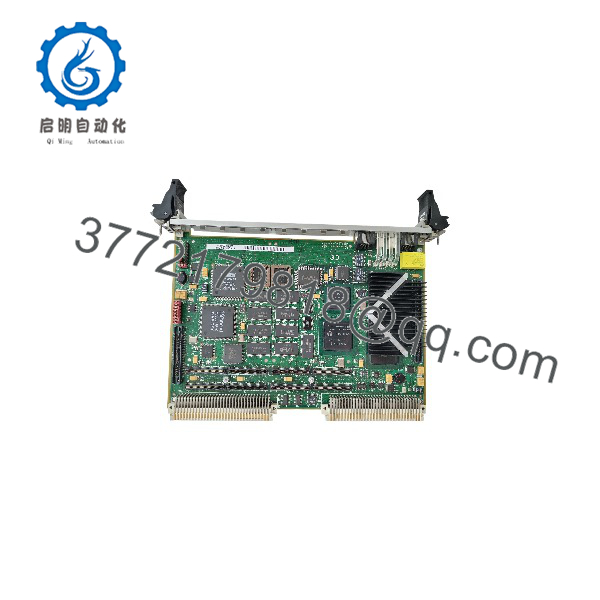
MVME2301
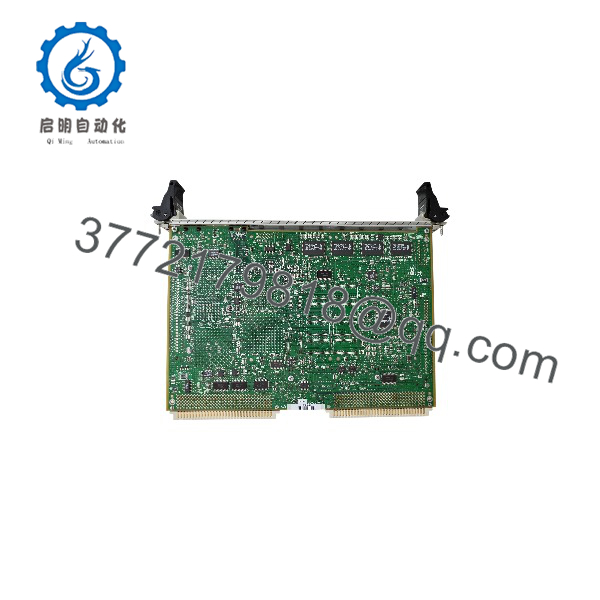
MVME2301
Installation & Configuration Guide
Stage 1: Pre-Installation (Prep & Safety)
- Execute plant Lock-Out/Tag-Out (LOTO) procedures for the targeted VME rack.
- Put on an ESD-safe grounded wrist strap before touching any electronic hardware.
- Record all current switch settings, jumper configurations, and take a clear photograph of the front-panel wiring harness.
Stage 2: Removal
- Loosen the top and bottom front-panel ejector handles to disengage the board from the VME backplane connectors (P1 and P2).
- Pull the module straight out of the card cage smoothly, taking care not to scrape adjacent cards or bend backplane connector pins.
Stage 3: Installation (Clone & Seat)
- Match all onboard switches and jumper blocks (including system controller and flash memory configurations) on the new MVME2301 to your pre-removal documentation.
- Align the module with the top and bottom card guides of the target VME slot.
- Push the board firmly and evenly into the rack until the connectors seat completely, then snap the ejector handles closed to lock it in place.
Stage 4: Power-On & Testing
- Restore rack power and monitor the front-panel status LEDs (BFL, CPU, and PMC indicators) during the power-on self-test (POST) sequence.
- Connect a terminal to the front asynchronous debug port to verify bootloader initialization and check PPCBUG diagnostics.
- Validate network handshakes, download the production application image, and verify that all VMEbus communication paths return healthy states.
Firmware/Software Versions & Upgrade Notes
- Recommended Firmware: PPCBUG monitor firmware matching the legacy baseline established by your application image.
- Compatibility Warnings: Verify that the system image compiled for older board revisions aligns correctly with the 200 MHz MPC603 core and memory map. Modifying firmware versions across major revisions can introduce memory offset shifts or protocol timing discrepancies.
- Upgrade Risk Advisory: Avoid unverified field firmware flashes during corrective maintenance windows. Always flash and bench-test replacement modules offline in a controlled maintenance environment before dropping them into a live production chassis.
Frequently Asked Questions (FAQ)
Why is this unit priced higher than refurbished alternatives found online?
Our pricing reflects the strict cost of sourcing genuine New Surplus inventory from verified global channels. While a refurbished module may save initial capital, it introduces severe operational risk. Our inventory buys you zero operational wear, original anti-static packaging, and 100% peace of mind.
Is this unit an original factory-sealed part?
Yes. This product is a Brand New Surplus unit. It has never been used, never installed in a decommissioned facility, and never subjected to third-rail component repair. It arrives in original manufacturing condition with zero backplane wear.
What is the obsolescence status of the MVME2301?
This module is officially obsolete and discontinued by the original manufacturer. Because active factory channels are closed, maintaining an on-site buffer stock of 1-2 new units is vital to prevent extended downtime during unexpected hardware faults.
Can I hot-swap this VME processor module?
No. VMEbus architecture and the physical P1/P2 connector pins on the MVME2301 do not support safe electrical hot-swapping. You must power down the VME chassis completely before extracting or inserting the module.
Will my application binaries and configurations be retained?
The board ships in a virgin state or with baseline factory diagnostic firmware. User applications and specific configurations must be loaded via the debug port or network interface following installation. Non-volatile parameters are saved to the on-board NVRAM.
What warranty terms apply to this New Surplus module?
This unit includes a comprehensive 1-year replacement warranty, validating our commitment to uncompromised industrial reliability and supply-chain transparency.