
 WhatsApp: +86 16626708626
 Email:
  Phone: +86 16626708626
Description
Key Technical Specifications
| Parameter | Value |
| Microprocessor | PowerPC 604e |
| Clock Speed | 300 MHz |
| L2 Cache | 1 MB |
| On-board DRAM | 32 MB ECC (expandable) |
| Flash Memory | 4 MB (On-board) |
| PCI Interface | PMC (PCI Mezzanine Card) Slot |
| Ethernet | 10/100 Mbps (RJ-45) |
| Serial Ports | (1) RS-232 Port |
| VMEbus Interface | VME64 (Universe II Controller) |
| Battery-Backed SRAM | 8 KB |
Product Introduction & Supply Chain Strategy
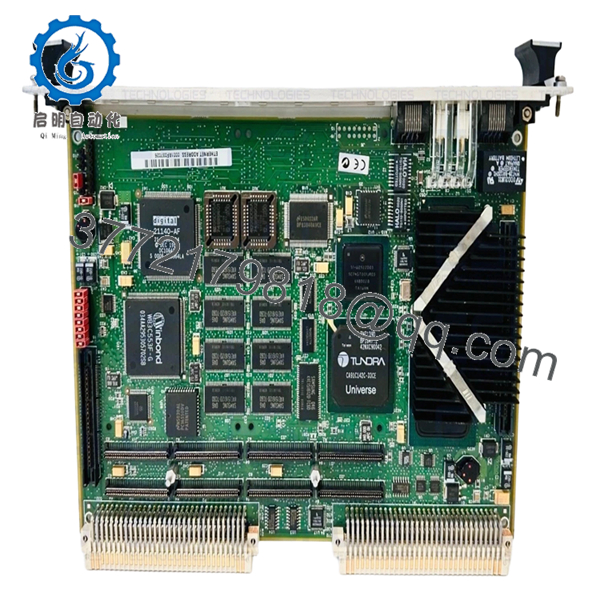
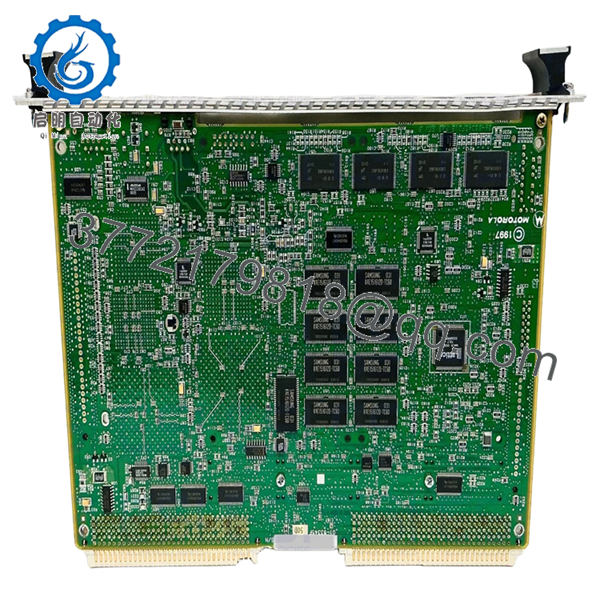
The Motorola MVME2306 is a high-performance PowerPC 604e processor module designed to provide a seamless upgrade path for legacy VMEbus systems requiring increased computational throughput. Utilizing the Universe II VME-to-PCI bridge, it facilitates high-speed data transfers, making it an ideal controller for defense, telecommunications, and complex industrial simulation systems.
Maintaining an inventory of New Surplus MVME2306 modules is a vital component of a resilient Supply Chain Strategy. As these boards move further into the obsolescence lifecycle, the availability of factory-original hardware diminishes. Choosing New Surplus over refurbished alternatives eliminates the “wear-out” variables—such as degraded memory cells or solder fatigue—ensuring a predicted 15-year lifecycle. This proactive procurement strategy drastically reduces the Total Cost of Ownership (TCO) by preventing the catastrophic financial impact of a site-wide control system failure.
Installation & Configuration Guide
Stage 1: Pre-Installation (Prep & Safety)
Identify the target VME slot and verify the backplane is de-energized via LOTO procedures. Wear a grounded ESD wrist strap. Use the original system documentation to note existing PMC module configurations and front-panel cabling. Photograph the old board’s jumper block (J2) to ensure a 1:1 configuration match.
Stage 2: Removal
Unfasten the top and bottom front-panel screws. Firmly grasp the ejector handles and pivot them outward simultaneously to disengage the board from the VMEbus backplane. Slide the module out of the rack, holding it by the edges to avoid contact with the surface-mount components.
Stage 3: Installation (Clone & Seat)
Transfer any PMC mezzanine cards from the old module to the new MVME2306, ensuring the connectors are fully seated and the standoffs are secured. Match the jumper settings on the new board to the original. Align the module with the card guides and push until the ejector handles lock the board into the backplane.
Stage 4: Power-On & Testing
Secure the module and apply power. Observe the “FAIL” LED; it should cycle on and then off within seconds. Use the serial console (9600 baud, N-8-1) to access the PPCBug firmware. Run the env command to verify the system parameters and ensure the Ethernet controller is recognized by the network.

- MVME2306
- MVME2306
Firmware/Software Versions & Upgrade Notes
The MVME2306 typically operates using the PPCBug debug monitor. It is essential that the firmware version (e.g., V3.x) aligns with your existing software environment, particularly if you are running real-time operating systems like VxWorks or LynxOS.
Note on Compatibility: Differences in the PCI bridge configuration between firmware revisions can cause driver-level conflicts in the OS. We recommend backing up the NVRAM settings from your old board and replicating them on the new module to ensure a transparent hardware swap without the need for logic reconfiguration.
Frequently Asked Questions (FAQ)
Is this unit “New Surplus” or “Refurbished”?
This is a New Surplus unit. It has never been deployed in an active system. While refurbished boards are often “pulled” from scrap machines and cleaned, our units are sourced from strategic OEM reserves and have zero operational hours on the processor and bus controllers.
What is the benefit of the ECC DRAM on this board?
Error Correction Code (ECC) memory is critical for industrial reliability. It detects and corrects single-bit errors in real-time, preventing system crashes caused by cosmic rays or electrical interference—a feature not found in standard consumer-grade boards.
Does this board support hot-swapping?
No. The VMEbus architecture used in the MVME2306 requires a complete power-down of the chassis before insertion or removal. Hot-swapping risks a “bus hang” or permanent electrical damage to the Universe II bridge chip.
Can I use my existing PMC modules on this board?
Yes, the MVME2306 features a standard PMC slot that supports a wide range of I/O, networking, and graphics mezzanine cards, provided they are compliant with the PCI 2.1 specification.
How do you ensure the board hasn’t degraded in storage?
Every New Surplus module undergoes a rigorous SOP Quality check, including a power-on self-test and visual inspection of the surface-mount components and backplane pins, ensuring it meets original factory specifications before it leaves our facility.



