WhatsApp: +86 16626708626
 Email:
 Phone: +86 16626708626
Description
Key Technical Specifications
| Parameter | Value |
|---|---|
| Processor | Motorola/Freescale MPC7455 PowerPC |
| Processor speed | 1 GHz |
| L1 cache | 32 KB instruction / 32 KB data |
| L2 cache | 256 KB on-chip |
| L3 cache | 2 MB DDR SRAM, 200 MHz bus |
| Vector processing | AltiVec coprocessor |
| Main memory | 512 MB 133 MHz ECC SDRAM, expandable to 1 GB with memory mezzanine |
| Flash memory | 8 MB boot Flash plus 32 MB expansion Flash |
| NVRAM / RTC | Battery-backed NVRAM and real-time clock |
| VMEbus interface | VME64 via Tundra Universe II |
| PCI architecture | Two independent 64-bit PCI buses, 33/66 MHz |
| PMC expansion | Two IEEE P1386.1 PMC slots, 33/66 MHz capable |
| PCI expansion | 64-bit PCI expansion mezzanine connector |
| Ethernet | One 10/100/1000Base-T port plus one 10/100Base-TX port |
| Serial ports | Two configurable RS-232/RS-422/RS-485 ports |
| System controller | Marvell GT-64260B host bridge |
| Form factor | 6U VME, single slot even when populated with PMC modules |
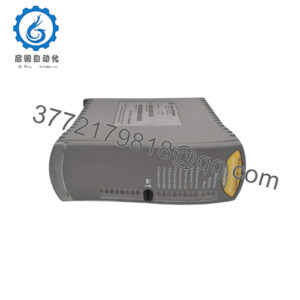
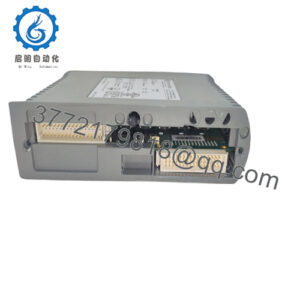
The MVME5500 is built around a 1 GHz MPC7455 PowerPC processor, 512 MB ECC SDRAM, 2 MB L3 cache, and the Marvell GT-64260B host bridge. It provides two independent 64-bit PCI interfaces, two PMC slots, Gigabit Ethernet, a second 10/100 Ethernet port, and VME64 connectivity through the Universe II controller.
Product Introduction
The Motorola MVME5500 is a 6U VMEbus single-board computer designed for data-intensive embedded control, test, communications, and industrial-automation applications. Its MPC7455 processor, ECC memory, dual PCI buses, and PMC expansion make it suitable for systems that require both compute performance and flexible I/O.
The MVME5500 also serves as a migration platform from older Motorola MVME2300, MVME2400, MVME2600, MVME2700, and MVME5100 systems. It retains a single VME slot even with PMC modules installed, which is useful when replacing legacy boards in space-constrained VME chassis.
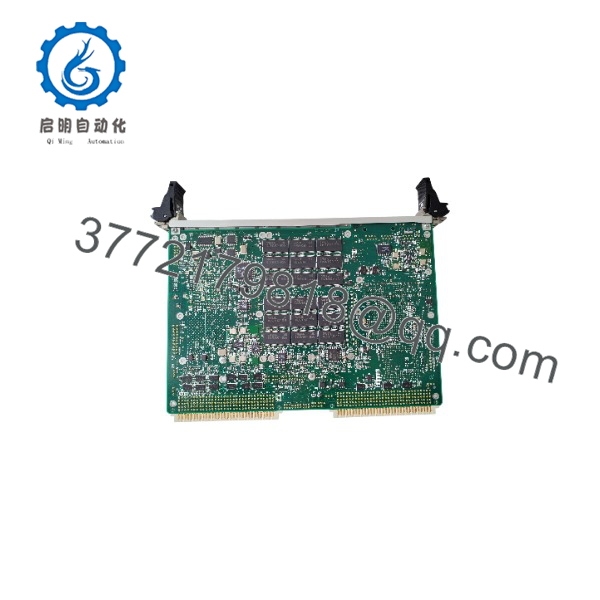
MVME5500
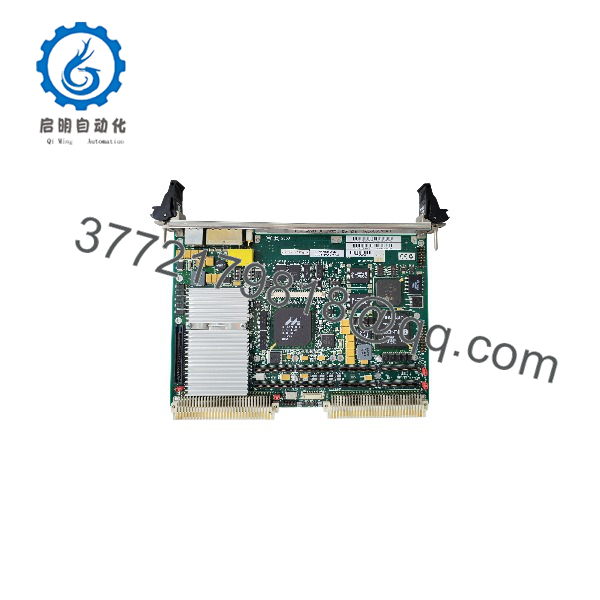
MVME5500
Troubleshooting Quick Reference
| Symptom | Possible Cause | Relevance to this Part | Quick Check Method | Recommendation |
|---|---|---|---|---|
| No LEDs on power-up | Chassis power, fuse, backplane fault, or poor P1/P2 seating | ❌ Low | Measure +5 V and +3.3 V at the VME backplane; reseat the board with power off | Check PSU, fuses, and connector seating before replacing the SBC |
| Board powers up but does not boot | Corrupt Flash, failed boot device, or firmware/configuration fault | ✅ High | Connect to the serial debug port and capture the boot messages | Restore firmware or boot image; replace the board if Flash is damaged |
| No Ethernet link | Cable, switch port, PHY configuration, or driver issue | ❌ Low | Swap cable and switch port; verify link LEDs and IP settings | Test both Ethernet ports before condemning the board |
| VME communication timeout | VME address map, terminator, bus grant, or master/slave configuration mismatch | ✅ High | Inspect VME jumpers and confirm the address map against system documentation | Correct configuration first; do not assume the board is failed |
| PMC module not recognized | PMC seating, PCI bus configuration, or incompatible PMC card | ❌ Low | Power down, reseat PMC, and test it in another known-good MVME5500 system | Verify PMC compatibility and PCI bus settings |
| ECC memory errors or random resets | Weak RTC battery, overheating, poor contact, or failing SDRAM | ✅ Medium | Check battery voltage, clean contacts, verify airflow, and run memory diagnostics | Replace the board if ECC errors persist after environmental checks |
| Intermittent operation after installation | ESD damage, bent pins, or incomplete connector engagement | ✅ High | Inspect P1/P2 and PMC connectors; reseat with ESD protection | Replace only after connector, power, and configuration checks pass |
If the issue persists, send photos of the board and chassis, jumper settings, serial boot output, and diagnostic logs before ordering a replacement.
Frequently Asked Questions
Can I hot-swap the MVME5500?
No. Power down the VME chassis before removing or installing the board. This is a conventional VME processor module, not a hot-swap design. Use a grounded ESD wrist strap and avoid touching connector pins or components.
Is the MVME5500 obsolete?
Yes. Motorola originally produced the MVME5500 series, and the product line later passed through Emerson ownership. Original manufacturing has ended, so dependable supply generally comes from controlled surplus or tested refurbished inventory.
What is the difference between MVME5500 and MVME5500-0163?
MVME5500 is the product family; MVME5500-0163 is a specific factory configuration with a 1 GHz MPC7455 processor, 512 MB SDRAM, and IEEE-style front-panel handles. Always match the full suffix when replacing an existing board.
Will it directly replace an MVME5100 or MVME2700?
It is intended as a migration path from those families, but it is not a blind drop-in replacement in every application. Confirm the operating system, BSP, VME address map, PMC hardware, firmware, and front-panel requirements before installation.
Will my application software remain after a board swap?
Not automatically. The application may reside in Flash, NVRAM, a PMC storage module, or another device in the VME chassis. Back up the boot image, application files, network settings, and VME configuration before removing the old board.
Why is this surplus board less expensive than a new OEM unit?
Because Motorola no longer manufactures it, pricing reflects available surplus inventory rather than current OEM production. New Surplus stock is unused original product; it may have older date codes but should not have field-operating hours.
What should I check before ordering?
Confirm the required processor type, SDRAM capacity, front-panel handle style, PMC cards, VME system-controller role, firmware/boot image, and chassis power budget. The MVME5500 uses a GT-64260B memory controller and supports up to 1 GB total SDRAM with the documented memory mezzanine.