WhatsApp: +86 16626708626
 Email:
 Phone: +86 16626708626
Description
Key Technical Specifications
| Parameter | Value |
|---|---|
| Processor | Freescale MPC7455 (MPC7450 family) PowerPC at 1 GHz; late production builds use the MPC7457 |
| On-Chip Cache | 256 KB L2; 2 MB L3 backside cache |
| Coprocessor | AltiVec vector unit for data-intensive computational workloads |
| DRAM | 512 MB onboard ECC SDRAM; expandable to 1 GB with the RAM5500-007 memory mezzanine card |
| Flash Memory | 40 MB total (32 MB soldered + 8 MB socketed, two banks) |
| NVRAM / RTC | Battery-backed NVRAM with real-time clock; cell capacity life 5 years at 100 % duty, 25 °C |
| VMEbus Interface | Universe II VME64x PCI-to-VME bridge ASIC on a dedicated 33 MHz PCI segment; master/slave, A32/D64 |
| PCI Buses | Dual independent 64-bit, 33/66 MHz PCI buses; both PMC sites support 66 MHz operation |
| PMC Expansion | Two PMC sites plus PMCspan connector (64-bit PCI mezzanine expansion) allowing up to four additional PMCs |
| Ethernet | One Gigabit Ethernet (10/100/1000) + one 10/100BaseTX port |
| Serial Ports | Two serial ports |
| Real-Time Timers | Eight 32-bit programmable timers/counters |
| Handles | IEEE handles (“−0163”; the “−0161” configuration uses Scanbe handles) |
| Rear I/O | I/O compatible with the MVME51xx family: MVME712M, MVME761 transition modules and IPMC761/IPMC712 mezzanines via P2 |
| Form Factor | Single VME slot (6U VME64x, double-height) even fully configured with two PMCs or one PMC plus memory mezzanine |
| Operating Systems | VxWorks, Linux, QNX; PPCBug firmware and onboard diagnostics |
| Operating Temperature | 0 to +55 °C with forced-air cooling (extended ranges on “E” variants — verify against datasheet) |
| Part Numbering | “6E” designator = Emerson-era production revision of MVME5500-0163; functionally equivalent in the same slot |
⚠️ Compatibility note: The “6E” suffix denotes the later Emerson production revision. It is a direct slot replacement for the original MVME5500-0163. Two caveats: late boards may carry the MPC7457 instead of the MPC7455 (same core at 1 GHz, silicon revision differences), and PPCBug firmware revisions differ between Motorola and Emerson builds. Verify the installed option stickers and firmware baseline against the OEM datasheet (document MVME5500-D8) before ordering.
Product Introduction
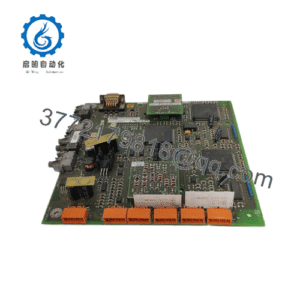
The Motorola MVME55006E-0163 is the Emerson-era production revision of the MVME5500-0163: a single-slot VME64x single-board computer built on the MPC7455 PowerPC processor at 1 GHz, with 256 KB L2 cache, 2 MB L3 backside cache, the AltiVec vector unit, and 512 MB of ECC SDRAM expandable to 1 GB. It serves data-intensive embedded applications — industrial automation, defense and aerospace, transportation, and high-throughput data acquisition.
What distinguishes this board from the MVME5100 generation is subsystem balance: dual independent 64-bit PCI buses running up to 66 MHz, with the Universe II VME interface and PMCspan isolated on a dedicated 33 MHz PCI segment so VMEbus traffic never stalls the PMC sites. Combined with I/O compatibility with the MVME51xx transition module family, it lets plants refresh processor performance without touching existing chassis wiring — which is why the MVME5500 became the standard VME refresh board and why it still commands real demand today.
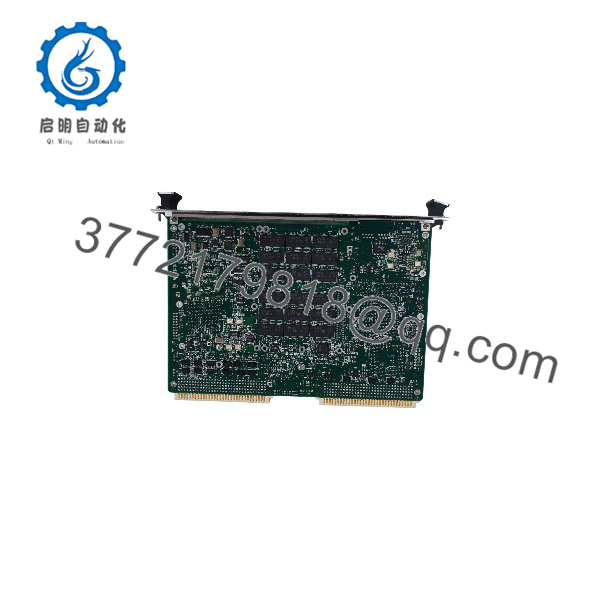
MVME55006E-0163
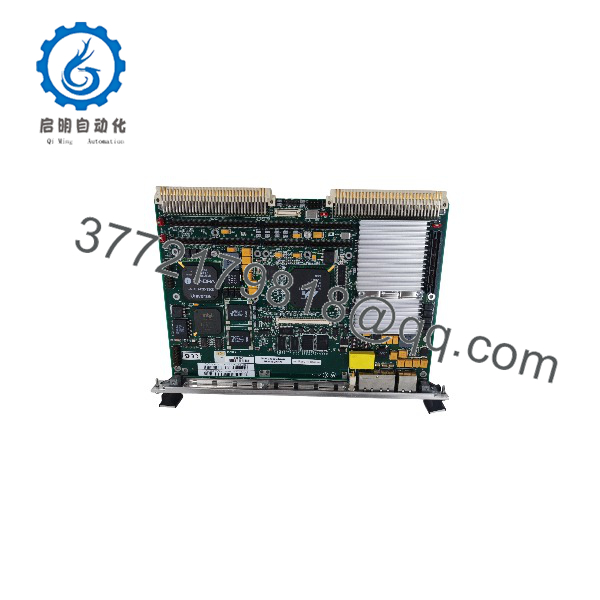
MVME55006E-0163
Installation & Configuration Guide
Realistic time budget: 45–60 minutes for a like-for-like swap, plus application reload and soak testing. This board carries more configuration state than a plain I/O module — respect it.
Stage 1: Pre-Installation Preparation (10–15 min)
- ⚠️ Safety First: Notify operations of the downtime window. Put the process in a safe state. Lock out/tag out chassis power. Wait 5 minutes for backplane capacitor discharge.
- Tools Required: Grounded ESD wrist strap, ESD mat, flat-blade screwdriver for injector/ejector screws, Fluke 115-class multimeter, cable labels, smartphone for photos.
- Data Backup — before touching hardware:
- Photograph the front panel, all cabling, PMC occupants, and configuration stickers.
- Record the PPCBug firmware version and dump the environment variables (ENV/CNFG) over the debug serial console while the old board still boots. Note whether it’s a Motorola- or Emerson-revision firmware — defaults differ.
- Back up the 40 MB Flash image (application plus loader) and confirm your boot source: Flash, network, or disk.
- ❗ Battery warning: The RTC/NVRAM lithium cell has a 5-year design life at full duty. Assume the one on your old board is dead or dying. Copy down every environment setting before removing power — VMEbus address windows, boot parameters, IP settings all live in NVRAM.
Stage 2: Removing the Old Module (10 min)
- Full chassis power-down at the breaker. No soft-off.
- Label and disconnect front panel Ethernet and serial cables; disconnect P2 transition module cabling.
- If PMC modules are installed, photograph seating and jumpers, then move them to labeled positions on the ESD mat.
- Loosen both injector/ejector screws alternately and pull the board straight out. Never cock it sideways — P1/P2 pins on a VME64x backplane bend easily, and a bent pin can mean backplane replacement.
- Inspect the slot for dust, bent pins, heat discoloration. Clean with dry air if needed.
- ⚠️ Keep the old board on the bench until the replacement passes full functional test.
Stage 3: Installing the New Module (10–15 min)
- ESD strap on, board on the mat. Verify the part number: MVME55006E-0163, 1 GHz, 512 MB, IEEE handles. Check the CPU marking — MPC7455 vs MPC7457 — and note the PPCBug revision.
- Configuration clone: Restore NVRAM environment settings from your documented baseline. Verify system controller designation (one system controller per chassis, normally slot 1). Confirm Flash contents match your backup image.
- Reinstall PMC modules into their original sites per your photos — a PMC in the wrong site changes PCI loading and can break 66 MHz bus timing.
- Seat the board and tighten both injector/ejector screws evenly until P1/P2 seat fully.
- Reattach all cabling per your labels.
Self-checklist: [ ] Part number and CPU variant documented [ ] NVRAM settings restored [ ] System controller designation correct [ ] PMCs in original sites [ ] Cables per photos [ ] Ejector screws tight
Stage 4: Power-On & Testing (15–20 min)
- Before power-up, meter the +5 V rail at the backplane for shorts to ground.
- Power the chassis. Watch the debug serial port (9,600 baud) for the PPCBug banner and memory sizing — should report 512 MB ECC.
- Verify the firmware version against your baseline. A Motorola-to-Emerson firmware jump means changed default environment variables — enter your documented settings, don’t accept defaults.
- Reload the application image to Flash or confirm the network/disk boot path.
- Dry-run test: Gigabit and 10/100 Ethernet, both serial ports, a VMEbus window access to a known slave board, and each PMC.
- ⚠️ Troubleshooting note: Boots but fails VMEbus access? Check Universe II window configuration in NVRAM before blaming hardware. Crashes under compute load? The MPC7455 at 1 GHz dissipates real heat and requires the chassis forced-air spec — convection cooling won’t cut it. And if the board runs 10 minutes then hangs, check airflow and the PMC seating before RMA-ing a good board.
Frequently Asked Questions (FAQ)
Q1: Is the MVME55006E-0163 the same as the MVME5500-0163?
Yes, functionally. The “6E” is the Emerson-era production designator; the original Motorola part number was MVME5500-0163. Same board class: 1 GHz MPC7455, 512 MB SDRAM, IEEE handles. Two differences worth knowing: late 6E builds may carry the MPC7457 instead of the MPC7455 (same 1 GHz core, silicon revision update), and the PPCBug firmware revision can differ from the Motorola build. Both work as direct slot replacements — just plan to re-enter your documented NVRAM environment if the firmware differs.
Q2: Can I hot-swap this board under power?
No. It’s a standard VME64x board, not a live-insertion design. Hot-pulling risks bent P1 pins, damaged backplane drivers, and crashing every board on the bus. Power the chassis down first and schedule the downtime honestly.
Q3: Is this model obsolete, and is it genuinely new?
Yes, discontinued — Motorola exited embedded computing, the line passed to Emerson (later branded Penguin Edge), and production ended. Factory-new doesn’t exist. Our stock is New Original / New Surplus: OEM-packaged boards with traceable packing lists and customs documentation, serial-verified against counterfeits. Straight talk about this market: MVME5500 boards are widely refurbished and resold as “new.” Ask any seller for the test report and packaging photos. We provide both on request.
Q4: Will I lose my program when I pull the old CPU?
Not if you’ve prepared. The application lives in Flash, NVRAM, or a network/disk boot image — image the Flash and dump the ENV settings while the board still boots, and you lose only uptime. The genuine risk on a board this age is the NVRAM battery: 5-year design life, so on a 15-year-old board assume it’s shot. I’ve seen sites lose VMEbus address maps and boot parameters at a power cycle because nobody documented the environment. Do it while it runs.
Q5: What’s the difference between this and the MVME5500-0161?
Handles only. The -0161 uses Scanbe front panel handles; the -0163 uses IEEE handles. Functionally identical boards, same slot, same firmware. Pick the handle style that matches your chassis retention hardware. The memory, CPU, and PCI configuration are the same across both.
Q6: What condition are your boards in, and how are they tested?
Incoming inspection covers source traceability (OEM packing lists, customs declarations), serial number and anti-counterfeit verification, and visual inspection for corrosion, rework marks, or component tampering. Every board gets a live functional test on a genuine VME64x test chassis: power-on self-test and PPCBug banner verification on the debug port, ECC memory test, Flash bank verification, both Ethernet ports, serial loopback, a VMEbus master/slave access test through the Universe II, and a minimum 24-hour powered soak with thermal monitoring. Electrical checks include a 500 V Megger insulation test (>10 MΩ) and rail voltage measurement with a Fluke multimeter. Firmware revision, CPU marking (MPC7455 vs 7457), memory size, and handle configuration are documented and photographed. Boards ship in ESD bagging with a dated QC Passed label and a full test report. Test photos and videos available on request.
Q7: Why is your price lower than the original OEM list price?
Because the OEM no longer makes or supports this board — the list price is a historical catalog number, not today’s market. Our New Surplus stock came through authorized distribution closures and OEM excess inventory, so we price against real availability. Condition is stated plainly on every listing: New Surplus, tested, 1-Year Warranty. If a unit is Refurbished (tested) rather than new surplus, the listing says so. No ambiguous grades.