WhatsApp: +86 16626708626
 Email:
 Phone: +86 16626708626
Description
Key Technical Specifications
| Parameter | Value |
|---|---|
| Processor | Freescale/NXP MPC8641D integrated PowerPC processor |
| Processor architecture | Dual PowerPC e600 cores |
| Processor speed | 1.0 GHz or 1.3 GHz, configuration-dependent |
| L2 cache | 1 MB per core |
| Main memory | 1 GB or 2 GB DDR2 ECC SDRAM, configuration-dependent |
| NOR Flash | 128 MB firmware/boot Flash |
| NAND Flash | 2 GB, 4 GB, or 8 GB user Flash, configuration-dependent |
| NVRAM | 32 KB battery-backed NVRAM |
| VMEbus interface | VME64x with 2eSST protocol; up to 320 MB/s |
| VME bridge | Tundra Tsi148 PCI-X to VMEbus bridge |
| Backward compatibility | VME32 and VME64 systems |
| Ethernet | Four 10/100/1000 Mbps Gigabit Ethernet ports |
| Serial ports | Five RS-232 ports: one DUART plus four QUART ports |
| USB | USB 2.0 interface |
| Expansion | Two PMC-X sites, 33/66/100 MHz capable |
| Form factor | 6U VME, single slot even with PMC cards installed |
The MVME7100 uses the MPC8641D system-on-chip with two PowerPC e600 cores, dual integrated DDR2 memory controllers, PCI Express, Gigabit Ethernet, and a 2eSST-capable VME interface. The Tundra Tsi148 bridge enables 2eSST transfers up to 320 MB/s while retaining compatibility with older VME32 and VME64 backplanes.
Product Introduction
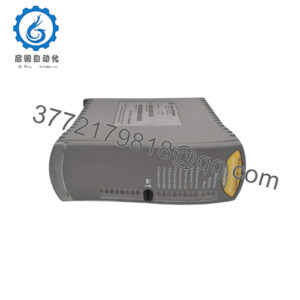
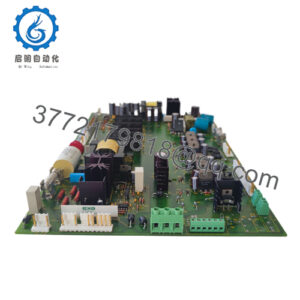
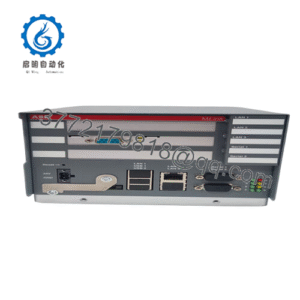
The Motorola MVME7100 is a 6U VMEbus single-board computer built around the dual-core MPC8641D PowerPC processor and the Tundra Tsi148 VME bridge. It is intended for high-throughput industrial-control, defense, medical, and data-acquisition systems that still require VME compatibility.
Its main advantage over earlier MVME boards is processing and backplane bandwidth: the dual e600 cores, DDR2 ECC memory, four Gigabit Ethernet ports, and 2eSST VME transfers support demanding applications without abandoning the installed VME infrastructure. The board occupies one VME slot even when PMC cards are installed.
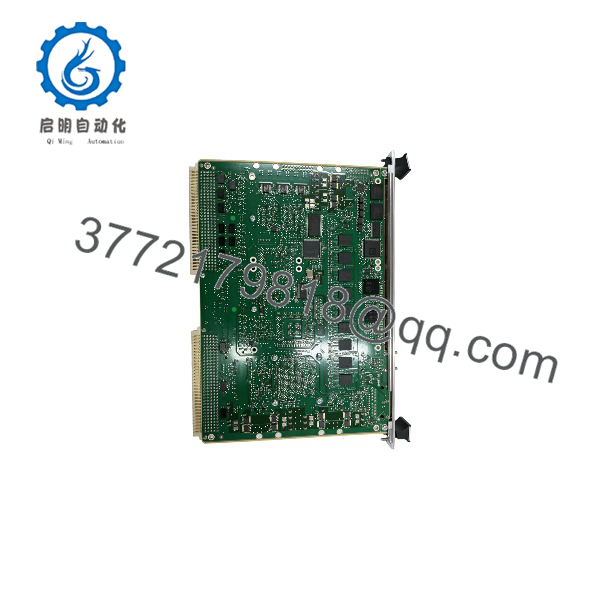
MVME7100
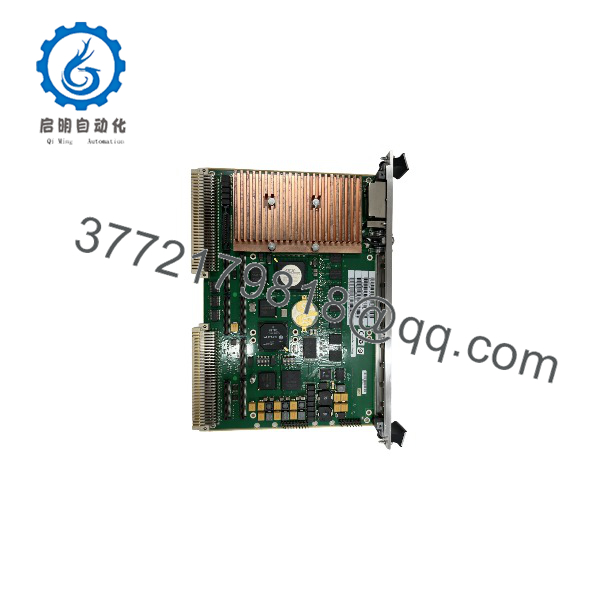
MVME7100
Troubleshooting Quick Reference
| Symptom | Possible Cause | Relevance to this Part | Quick Check Method | Recommendation |
|---|---|---|---|---|
| No LEDs or no boot activity | Chassis power, fuse, backplane fault, or poor P1/P2 seating | ❌ Low | Measure +5 V and +3.3 V at the VME backplane; reseat the board with power off | Check PSU, fuses, and connector engagement before replacing the SBC |
| Board powers up but does not boot | Corrupt NOR/NAND Flash, failed boot device, or firmware/configuration fault | ✅ High | Connect to the serial console at 115200 baud and capture MOTLoad or bootloader output | Restore firmware or boot image; replace the board if Flash is damaged |
| No Ethernet link | Cable, switch port, PHY configuration, or driver issue | ❌ Low | Swap cable and switch port; verify link LEDs and IP settings | Test each Ethernet port before condemning the board |
| VME bus timeout or low transfer rate | Incorrect 2eSST/VME64x configuration, backplane limitation, or address-map mismatch | ✅ High | Verify VME jumpers, backplane capability, and 2eSST settings against system documentation | Use standard VME64 mode if the backplane does not support 2eSST |
| PMC/XMC card not recognized | PMC not seated, incompatible card, or PCI/PMC configuration mismatch | ❌ Low | Power down, reseat PMC, and test it in another known-good MVME7100 system | Verify PMC-X electrical and software compatibility |
| Random resets or memory faults | Weak RTC battery, overheating, poor contact, or failing DDR2 ECC memory | ✅ Medium | Check battery voltage, clean contacts, verify airflow, and run memory diagnostics | Replace the board if ECC errors persist after environmental checks |
| Intermittent faults after installation | ESD damage, bent pins, or incomplete connector insertion | ✅ High | Inspect P1/P2 and PMC connectors; reseat using ESD protection | Replace only after connector, power, and configuration checks pass |
If the fault remains unresolved, send photos of the board and chassis, jumper settings, serial console output, and diagnostic logs before ordering a replacement.
Frequently Asked Questions
Can I hot-swap the MVME7100?
No. Power down the VME chassis before removing or installing the board or PMC modules. Use a grounded ESD wrist strap and avoid touching connector pins or exposed components.
Is the MVME7100 obsolete?
Yes. Motorola originally produced the MVME7100, and the product line later passed through Emerson ownership. Original production has ended, so current supply is generally limited to New Surplus, refurbished, or tested pre-owned inventory.
What are the main MVME7100 configuration differences?
Common variants include MVME7100-0161/0163 with a 1 GHz MPC8641D, 1 GB DDR2, and 2 GB NAND Flash, and MVME7100-0171/0173 with a 1.3 GHz MPC8641D, 2 GB DDR2, and 8 GB NAND Flash. The 0161/0171 versions use Scanbe handles, while 0163/0173 versions use IEEE handles.
Will it work in my existing VME64 backplane?
Usually yes. The MVME7100 is backward-compatible with VME32 and VME64 systems, but full 2eSST performance requires a backplane and installed cards that support the 2eSST protocol. If your chassis does not support 2eSST, configure the board for the highest mutually supported VME mode.
Will my application software remain after a board swap?
Not automatically. The application may reside in NOR Flash, NAND Flash, NVRAM, a PMC module, or another storage device in the VME chassis. Back up the boot image, application files, network settings, and VME configuration before removing the old board.
Why is this surplus board less expensive than a new OEM unit?
Because Motorola no longer manufactures it, pricing reflects available surplus inventory rather than current OEM production. New Surplus stock is unused original product; it may have older date codes but should not have field-operating hours.
What should I check before ordering?
Confirm the required MPC8641D clock speed, DDR2 capacity, NAND Flash size, front-panel handle style, PMC/XMC hardware, VME backplane capability, firmware/boot image, and operating-system support. The MVME7100 supports VxWorks and Linux packages, but verify the exact BSP and software release against your application.