
 WhatsApp: +86 16626708626
 Email:
  Phone: +86 16626708626
Description
3. Key Technical Specifications
| Parameter | Value |
| Part Number | MVME712A-AM |
| Form Factor | VMEbus Double-Height (6U Rear-Mount Panel) |
| Serial Ports | 4 Channels (RS-232-D Async/Sync via 25-pin Sub-D) |
| SCSI Interface | 1 Internal 50-pin ribbon / 1 External high-density connector |
| Parallel Port | Centronics-compatible interface |
| LAN Connection | Ethernet transceiver interface pass-through |
| Cabling Support | Direct interface to MVME147, MVME167, and MVME177 boards |
| Operating Temperature | 0 to +55 °C |
| Storage Temperature | −40 to +85 °C |
4. Product Introduction & Supply Chain Strategy
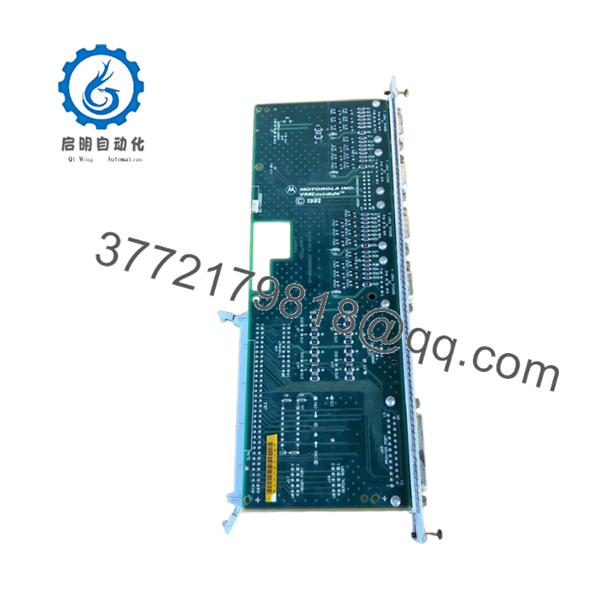
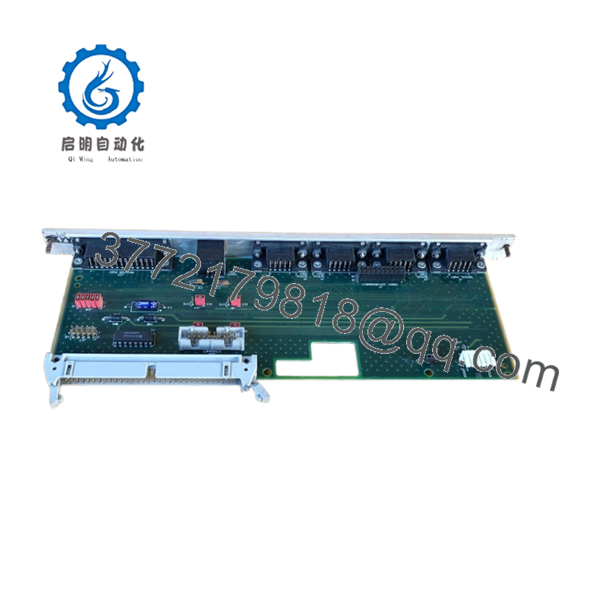
The Motorola MVME712A-AM is a standard 6U rear-panel transition board that acts as the hardware bridge between core VME processing cards and external field devices. It safely splits high-density backplane I/O lines into distinct industry-standard connectors, providing secure connection points for four RS-232 serial devices, a Centronics parallel printer, a SCSI peripheral string, and a standard network interface. This board is critical for stabilizing signals and eliminating wiring clutter in heavy industrial automated lines, paper mill automation controllers, and maritime defense installations.
From a procurement perspective, the MVME712A-AM represents a key risk factor for legacy automated systems. Because these physical interfaces handle constant cable connection cycles, mechanical strain, and localized field voltage surges, they are prone to hidden damage that causes intermittent signaling dropouts. Opting for a New Surplus unit rather than a used or repaired part is essential to protect your baseline operations. A New Surplus board ensures clean trace pathways, perfect connection integrity, and no micro-fractures from material aging, keeping your Total Cost of Ownership (TCO) low and completely avoiding the high costs of unplanned factory shutdowns.
- MVME712A-AM

- MVME712A-AM
5. Installation & Configuration Guide
Stage 1: Pre-Installation (Prep & Safety)
- Turn off all power to the main VMEbus enclosure, disconnect the main supply breaker, and follow your plant’s lock-out/tag-out rules.
- Put on an ESD-preventive wrist strap and connect it directly to an unpainted metal surface on the machine rack frame.
- Take a high-resolution photo of the existing interior ribbon cables and exterior serial/SCSI wiring to map out the exact connector paths.
Stage 2: Removal
- Unfasten all external data lines from the front of the MVME712A-AM panel faceplate.
- Carefully unscrew the top and bottom panel mounting screws that secure the card inside the rear chassis slot.
- Slide the transition board partially out of the chassis guides, reach inside to release the internal flat ribbon cables from the back-facing pin rows, and then remove the board completely.
Stage 3: Installation (Clone & Seat)
- Remove the New Surplus MVME712A-AM from its static-shielded packaging.
- Check and match any configuration jumpers on the board surface to make sure they mirror the original unit’s settings for grounding and interrupt options.
- Attach the internal ribbon cables to the back of the card, confirming that the colored Pin 1 marking on the cable line aligns perfectly with the Pin 1 marker on the connector. Slide the board into the slot tracks and tighten the faceplate screws.
Stage 4: Power-On & Testing
- Reconnect all external serial, parallel, and SCSI data cables to their correct ports.
- Re-energize the master VME system rack.
- Monitor the boot display on your main system monitor via the terminal connection. Verify that the primary processing card detects the SCSI bus lines and serial channels through the new transition panel without reporting any communication faults or timeout errors.
6. Firmware/Software Versions & Upgrade Notes
The MVME712A-AM operates primarily as a passive routing and trace breakout assembly, meaning it does not contain local onboard flash firmware or microcode. However, its copper trace pathways are engineered to align with specific hardware layouts on major processing units like the MVME147 and MVME167. You must verify that the “-AM” configuration matches your system’s exact internal wiring layout documentation. Substituting a different variant of the MVME712 module family can cause signal mismatches, which can trigger system communication faults or prevent the host operating system from recognizing your external peripheral devices.
7. Frequently Asked Questions (FAQ)
- What makes the “-AM” version different from a standard MVME712 module?
The “-AM” suffix specifies a particular combination of shielding, grounding, and connector layout variations intended for specific industrial configurations. Using a standard non-AM variant can lead to grounding loop issues or require you to modify your internal ribbon routing cables.
- Can I leave the internal SCSI connection unhooked if we only use the serial ports?
Yes. The SCSI channel runs entirely separate from the serial and parallel port pathways. If your system application does not require external storage media or tape drives, you can leave the internal SCSI ribbon cable disconnected without affecting the rest of the board’s serial line performance.
- Is this transition card designed to allow hot-swapping during operations?
Absolutely not. The VME backplane connections and physical lines running to this module carry active data signals and power links. Connecting or removing lines or pulling the module while the system is live can cause immediate data corruption, trip out the main CPU card, or cause electrical damage to your connected instruments.
- Why should we stock a New Surplus unit instead of keeping a repaired backup on hand?
Repaired transition boards often have hidden problems like solder pads weakened by thermal stress, or internal cracks in the multi-layer PCB traces from heavy cable vibrations. These issues are difficult to catch with simple testing and often cause sudden failures later on. A New Surplus unit provides a brand-new, zero-hour part that guarantees true system reliability.
- What type of warranty protection do you provide with this module?
Every New Surplus Motorola MVME712A-AM component we supply comes with a full 1-year functional replacement warranty, ensuring your long-term operations remain fully protected.



