
 WhatsApp: +86 16626708626
 Email:
  Phone: +86 16626708626
Description
3. Key Technical Specifications
⚠️ Important: Detailed OEM datasheets for this exact variant are scarce. Specifications below are based on PMC architecture and field identification. Always verify against your system manual.
- Module Type: PMC (PCI Mezzanine Card) processor module
- Bus Interface: PCI (32-bit/33 MHz typical PMC standard)
- Form Factor: PMC (IEEE 1386.1 compliant mezzanine card)
- Function Role: Embedded processing / co-processor / I/O expansion
- Host Interface: Requires carrier board (e.g., VME SBC with PMC slots)
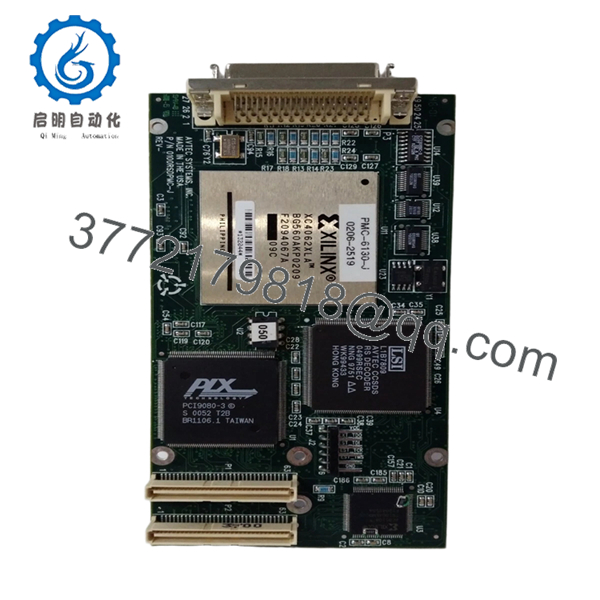
- Connector: Dual 64-pin PMC connectors (P1/P2)
- Power Supply: +5 V via host carrier
- Integration: Used with VME or CompactPCI SBCs (e.g., MVME2300/MVME2600 series)
- Cooling Requirement: Conduction or airflow depending on chassis
- Lifecycle Status: Obsolete, aftermarket sourcing only
4. Product Introduction
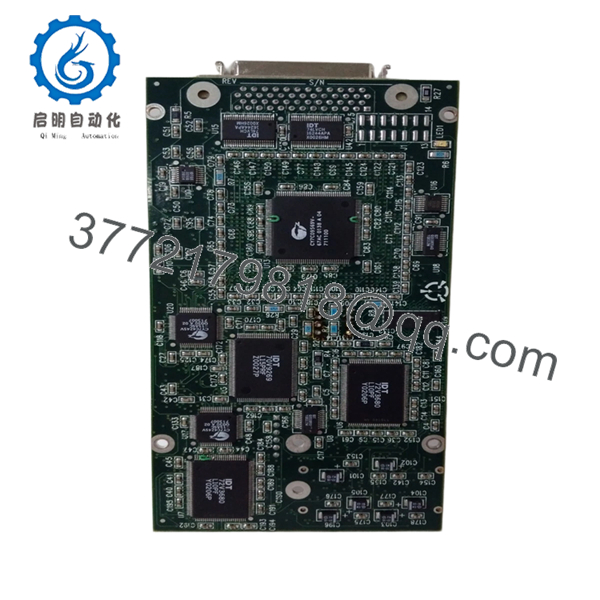
The Motorola PMC-6130-J 0100RSDPMC-J is a PMC-format processor module designed to extend the capabilities of host VME or CompactPCI single-board computers. It plugs into PMC slots on carrier boards and provides additional processing or specialized interface functions.
In real systems, these modules are used where the base CPU (e.g., MVME2305 or MVME2600) needs additional computational resources or dedicated I/O handling. Engineers rely on PMC modules to avoid redesigning the backplane—swap or upgrade functionality at the mezzanine level instead.
5. Installation & Configuration Guide
Stage 1: Pre-Installation Preparation (10–15 minutes)
- ⚠️ Safety First:
- Shut down system, lock out/tag out power
- Wait 5 minutes for discharge
- Tools Required:
- ESD wrist strap
- PH1 screwdriver
- Fluke 115 multimeter
- Labels and smartphone
- Data Backup:
- Backup host SBC configuration
- Record PMC slot assignment (PMC0 / PMC1)
- Document OS driver dependencies (VxWorks BSP, etc.)
- Photograph jumper settings (if present)
Stage 2: Removing the Old Module (5–10 minutes)
- Remove host SBC from chassis (if required)
- Unscrew PMC retaining screws
- Carefully lift PMC module from connectors (P1/P2)
- Inspect connectors for bent pins or contamination
- ⚠️ Note:
PMC connectors are tight tolerance. If you pry unevenly, you’ll damage the carrier board—not just the module.
Stage 3: Installing the New Module (10–15 minutes)
- Apply ESD protection
- Verify exact model: PMC-6130-J 0100RSDPMC-J
- Configuration Clone (Critical):
- Match jumper settings (endianness, interrupts if applicable)
- Confirm compatibility with host BSP
- Align PMC connectors (P1/P2) carefully
- Press evenly until fully seated
- Secure mounting screws
- Checklist:
- Fully seated on both connectors
- Screws secured
- No connector misalignment
Stage 4: Power-On & Testing (15–25 minutes)
- Pre-check: Verify +5 V rail stability
- Power-On Steps:
- Power up system
- Access host CPU console (PPCBug / VxWorks shell)
- Verify PMC device detection
- Load appropriate driver/module
- Perform functional test
- ⚠️ Troubleshooting Note:
- Not detected → driver/BSP mismatch
- System hang → PCI resource conflict
- Intermittent faults → poor seating or connector wear

- PMC-6130-J 0100RSDPMC-J
- PMC-6130-J 0100RSDPMC-J
6. Frequently Asked Questions (FAQ)
Q1: Can I install this PMC module without removing the host board?
Technically yes in some chassis, but I don’t recommend it. Access is tight, and misalignment risk is high. Pull the carrier board—takes 5 extra minutes and avoids damage.
Q2: Is this module plug-and-play?
No. PMC modules depend on the host BSP and drivers. If your OS doesn’t support it, the board will just sit there invisible.
Q3: What systems typically use this module?
VME or CompactPCI SBCs with PMC slots—commonly MVME2300, MVME2600, or similar platforms.
Q4: What’s the most common failure mode?
Connector wear and thermal stress. I’ve seen modules pass bench tests but fail under load due to poor contact on P1/P2.
Q5: Why is documentation so limited?
These modules were often sold into OEM systems with custom firmware. Public documentation was minimal. Most integration knowledge lives in legacy BSP code.
Q6: Can I replace this with a newer PMC module?
Sometimes—but watch PCI compatibility and driver support. Newer PMC or XMC modules may not work without software changes.
Q7: Any field advice before commissioning?
- ❗ Always reseat once if detection fails
- ❗ Check driver load sequence carefully
- ❗ Verify thermal conditions—PMC modules can run hot



