
 WhatsApp: +86 16626708626
 Email:
  Phone: +86 16626708626
Description
Key Technical Specifications
| Parameter | Specification / Value |
| Manufacturer | Moxa |
| Model Number | EDS-308-MM-SC |
| RJ45 Ports | 6x 10/100BaseT(X) auto-negotiation, Auto MDI/MDI-X |
| Fiber Ports | 2x 100BaseFX Multi-Mode ports with SC connectors |
| Fiber Distance / Wavelength | Up to 5 km (50/125 µm or 62.5/125 µm fiber) @ 1310 nm |
| Input Voltage | Dual redundant inputs: 12/24/48 VDC (9.6 to 60 VDC) |
| Input Current | 0.21 A @ 24 VDC |
| Relay Contact Rating | 1 A @ 24 VDC (Fault alarm output) |
| Housing / Installation | Aluminum housing, IP30 rated, 35 mm DIN-rail or wall mounting |
| Dimensions (W x H x D) | 53.6 x 135 x 105 mm (2.11 x 5.31 x 4.13 in) |
| Operating Temperature | Standard model: 0 to +60°C (32 to 140°F) |
Product Introduction & Supply Chain Strategy
The Moxa EDS-308-MM-SC is an 8-port unmanaged industrial Ethernet switch built for harsh, high-EMI industrial environments. Equipped with six 10/100BaseT(X) copper ports and two 100BaseFX multi-mode optical fiber ports with SC connectors, it enables long-distance transmission up to 5 km while immunity to high electrical noise in power substations, oil & gas fields, and marine applications.
Securing the Moxa EDS-308-MM-SC as New Surplus provides a reliable way to optimize Total Cost of Ownership (TCO) and eliminate network lead-time risks. Network switch failures in critical automated infrastructure halt SCADA telemetry and field I/O communication instantly. Unlike refurbished networking equipment that often suffers from degraded power supply smoothing capacitors, heat-stressed optical transceivers, or loose RJ45 jack contacts, our New Surplus inventory guarantees original factory build quality, zero operational wear, and full MTBF lifespan.
Installation & Configuration Guide
Stage 1: Pre-Installation (Prep & Safety)
- Lock-Out/Tag-Out (LOTO): De-energize the 24 VDC power supply feed to the control cabinet before wiring power terminals.
- Dust & Fiber Protection: Keep protective dust caps installed on the multi-mode SC fiber ports until fiber patch cables are ready to connect to prevent optical contamination.
- ESD Precautions: Wear a grounded wrist strap when handling field wiring connected to Ethernet lines to prevent static discharge to board components.
Stage 2: Removal
- Unplug the terminal block connector supplying dual DC power inputs and alarm relay lines.
- Disconnect all RJ45 Ethernet cables and unclip SC fiber optic connectors by pressing their release tabs.
- Pull down the DIN-rail release latch at the bottom of the switch housing and unhook the unit from the 35 mm DIN rail.
Stage 3: Installation (Clone & Seat)
- Hook the top lip of the rear DIN-rail clip of the new EDS-308-MM-SC onto the rail and snap the bottom into place.
- Configure top DIP switches for Broadcast Storm Protection and Port Break Alarm status if needed.
- Plug in SC multi-mode fiber connectors (verifying TX to RX crossover) and connect RJ45 network lines.
- Re-wire power terminal leads into the removable terminal block and screw down firmly.
Stage 4: Power-On & Testing
- Apply 12/24/48 VDC power to PWR1 and PWR2 inputs. Verify that PWR1 and PWR2 LEDs illuminate solid green.
- Inspect port status indicators: 10/100M LEDs should turn solid green or amber on connected copper ports, and the fiber port LEDs should light up upon optical link handshake.
- Test network ping continuity across connected field devices (PLCs, HMIs, drives) to confirm uninhibited packet transfer.
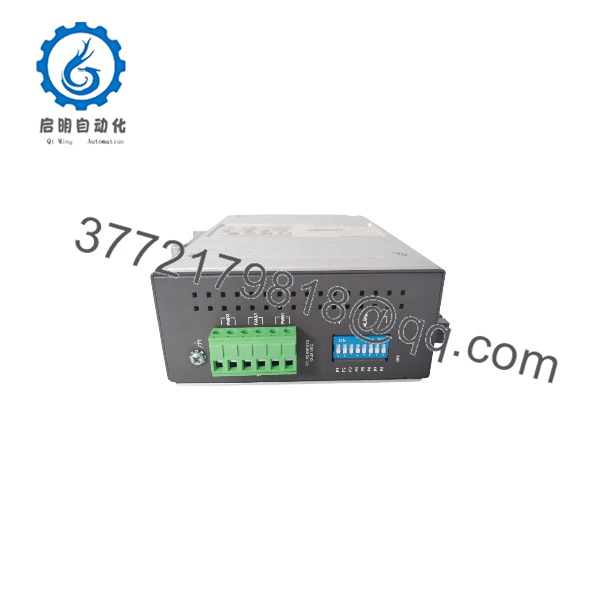
EDS-308-MM-SC
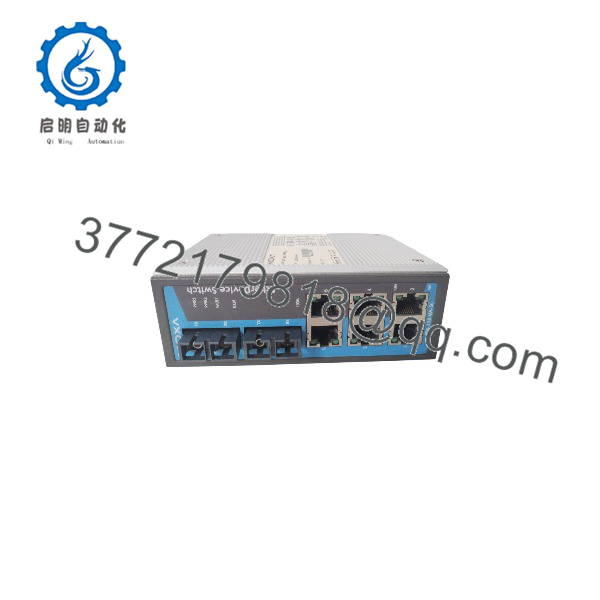
EDS-308-MM-SC
Firmware/Software Versions & Upgrade Notes
- Unmanaged Architecture: As an unmanaged hardware switch, the EDS-308-MM-SC operates plug-and-play without requiring IP configuration, firmware updates, or web management interfaces.
- Hardware DIP Switch Settings: Hardware behavior is controlled directly via top-mounted DIP switches:
- DIP 1: Enables/Disables Broadcast Storm Protection.
- DIP 2–9: Enables/Disables individual port break alarms (triggers the internal relay contact when a physical link drops).
- Network Topology Rule: When building ring or redundant architectures, ensure managed switches upstream handle ring recovery protocols (e.g., Turbo Ring / RSTP), as unmanaged switches pass broadcast frames indiscriminately.
Frequently Asked Questions (FAQ)
1. Is this Moxa EDS-308-MM-SC switch brand new or refurbished?
This unit is guaranteed 100% Original New Surplus. It has never been deployed in an industrial panel, powered up in an active facility, or pulled from decommissioned machinery. It is preserved in factory anti-static packaging and inspected for pristine condition.
2. Why should I buy New Surplus instead of a refurbished Moxa switch?
Refurbished networking equipment exposed to harsh industrial environments frequently suffers from thermal degradation on internal DC-DC converters and reduced optical output from aging fiber laser transmitters. A failed switch drops communication to critical I/O drop stations, causing severe downtime. Buying New Surplus ensures full original transmitter output, pristine RJ45 contacts, and original service life.
3. What fiber cable type and connector does the require?
The requires Multi-Mode fiber optic cables (50/125 µm or 62.5/125 µm) terminated with SC connectors. It operates at a 1310 nm wavelength and supports distances up to 5 km.
4. What is the purpose of the dual power inputs on the terminal block?
The switch features dual redundant power inputs (PWR1 and PWR2) supporting 12 to 48 VDC. Connecting two independent power sources ensures the switch remains fully operational even if one power supply unit fails.
5. What warranty is included with this Moxa switch?
We back this New Surplus Moxa with a comprehensive 1-year functional warranty. Every switch is physically inspected and powered on to verify hardware health prior to shipment.



