
 WhatsApp: +86 16626708626
 Email:
  Phone: +86 16626708626
Description
Key Technical Specifications
- Ethernet Ports: 6 × 10/100BaseT(X) RJ45 copper ports
- Fiber Ports: 2 × 100BaseFX multimode fiber ports
- Fiber Connector: SC
- Fiber Wavelength: 1,300 nm
- Typical Fiber Distance: Up to 4 km with OM1; up to 5 km with 50/125 µm multimode fiber
- Switch Type: Layer 2 managed industrial Ethernet switch
- Redundancy: Turbo Ring, Turbo Chain, RSTP, and STP
- Management Features: VLAN, QoS, IGMP snooping, port mirroring, link aggregation, and bandwidth management
- Power Input: Redundant 12–45 VDC inputs
- Power Consumption: Approximately 0.26 A at 24 VDC for the EDS-408A-MM-SC variant
- Protection: Reverse-polarity and overload-current protection
- Operating Temperature: −10 to +60 °C
- Storage Temperature: −40 to +85 °C
- Housing: Metal, IP30
- Mounting: 35 mm DIN rail; optional wall mounting
- Dimensions: 53.6 × 135 × 105 mm, W × H × D
- Weight: Approximately 0.89 kg
- Relay Output: Fault relay for power or link-failure indication
- Certifications: Variant-dependent approvals include ATEX, IECEx, Class I Division 2, DNV, and rail-related standards
Moxa’s current product page identifies the EDS-408A-MM-SC as six copper ports plus two 100BaseFX multimode SC ports. Note that older manuals and datasheets may show different current or dimension values by revision, so use the nameplate and applicable hardware manual for installation. cite
Product Introduction
The Moxa EDS-408A-MM-SC is an 8-port Layer 2 managed industrial Ethernet switch with six 10/100BaseT(X) RJ45 ports and two 100BaseFX multimode fiber ports using SC connectors. It connects PLCs, HMIs, drives, remote I/O, SCADA servers, and control-network uplinks in industrial cabinets.
The multimode fiber ports provide electrical isolation between network segments and typically support several kilometers of transmission, depending on fiber type and optical budget. Turbo Ring, VLAN, QoS, STP/RSTP, and diagnostic functions support segmented control networks, but the switch is not a Gigabit device and should not be specified where 1 Gbps links are required. cite
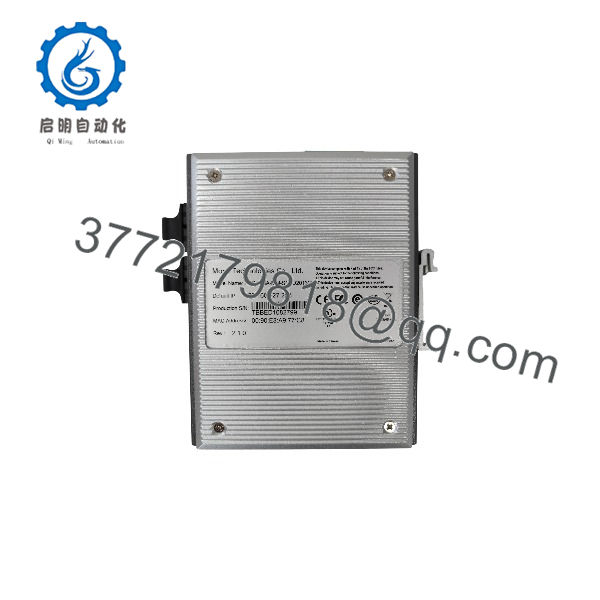
EDS-408A-MM-SC
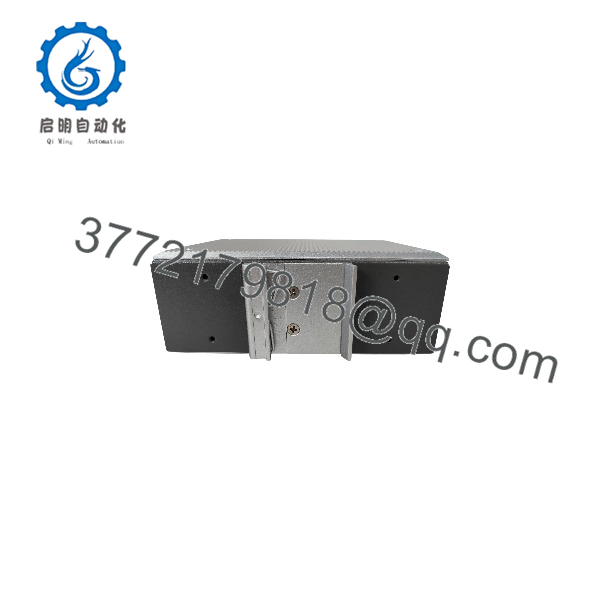
EDS-408A-MM-SC
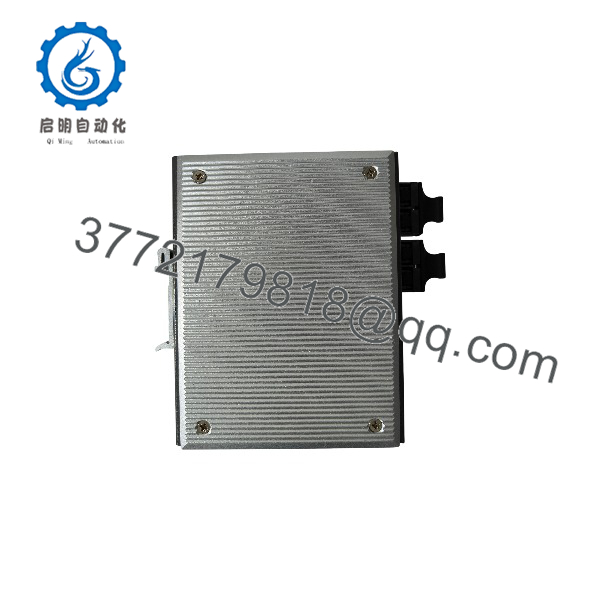
EDS-408A-MM-SC
Troubleshooting Quick Reference
| Symptom | Possible Cause | Relevance to This Part | Quick Check Method | Recommendation |
|---|---|---|---|---|
| No power LED | Missing DC supply, open fuse, reversed polarity, or loose terminal block | ⚠️ Medium | Measure 12–45 VDC at both PWR1 and PWR2 input terminals | Check the redundant supply circuits, fuse protection, polarity, and terminal torque |
| Switch reboots when traffic increases | Undersized supply, voltage drop, loose wiring, or internal power fault | ❌ Low | Measure DC voltage at the switch while all ports are active | Correct supply wiring and voltage drop before replacing the switch |
| Copper port shows no link | Bad patch cable, disabled port, incorrect speed negotiation, or failed transceiver | ❌ Low | Test with a known-good cable and observe the port LED; verify port status in management software | Replace the cable or enable the port before condemning the switch |
| Fiber link remains down | Dirty SC connector, crossed transmit/receive fibers, wrong multimode fiber, or excessive optical loss | ❌ Low | Clean both SC connectors, reverse the fiber pair, and check optical power or link diagnostics | Verify Tx-to-Rx polarity and use compatible multimode fiber |
| Fiber link drops intermittently | Excessive bend radius, contaminated connector, vibration, or marginal optical budget | ⚠️ Medium | Inspect the fiber route, clean connectors, and measure received optical power | Correct fiber installation and confirm the link budget before replacement |
| Fiber link works only at short distance | Wrong fiber type, damaged cable, poor splice, or optical loss above specification | ❌ Low | Test with a short known-good OM1 patch lead and compare link behavior | Confirm the multimode fiber type and calculate total attenuation |
| Ring redundancy does not recover | Incorrect Turbo Ring configuration, wrong ring ports, topology fault, or firmware setting | ✅ High | Check ring status, port assignments, and event logs while disconnecting one ring segment | Verify ring-manager settings and physical topology before replacing hardware |
| PLC communication is intermittent | Duplex mismatch, excessive broadcast traffic, loop, bad cable, or EMI | ❌ Low | Check port counters, CRC errors, collisions, traffic load, and cable shielding | Correct network configuration and cable routing; use VLAN or QoS where required |
| VLAN devices cannot communicate | Incorrect VLAN membership, tagging, or trunk configuration | ✅ High | Compare switch VLAN tables with the PLC, HMI, and uplink configuration | Restore matching untagged/tagged settings and document the port map |
| Network storm or broadcast flood | Unmanaged loop, RSTP mismatch, or defective field device | ❌ Low | Review traffic counters and disconnect network segments one at a time | Isolate the offending segment and enable appropriate loop protection |
| Management access fails | Wrong IP address, subnet, password, serial settings, or management VLAN | ❌ Low | Connect through the configured management port or serial console and scan the correct subnet | Recover access using the Moxa procedure; do not factory-reset without a configuration backup |
| Fault relay is active | Power-input fault, ring fault, or configured link alarm | ⚠️ Medium | Read the event log and inspect relay configuration and LED status | Identify the alarm source before bypassing the relay output |
| Switch is not recognized by the network | Port speed issue, wrong subnet, disabled port, or duplicate IP address | ❌ Low | Connect a laptop locally, verify link status, and check for duplicate addressing | Restore a unique IP configuration and confirm the management interface |
| Devices fail after power cycling | Nonvolatile configuration not saved or incompatible firmware | ⚠️ Medium | Reboot under controlled conditions and compare the saved configuration with the running setup | Save the configuration and verify firmware compatibility before returning to service |
The EDS-408A-MM-SC is a 10/100 Mbps switch. A link fault may be caused by fiber polarity, dirty SC connectors, VLAN configuration, or ring settings rather than a failed switch. When escalating, provide the switch label, firmware version, topology drawing, port LEDs, event log, fiber type and length, and a configuration backup.
Frequently Asked Questions (FAQ)
What is the Moxa EDS-408A-MM-SC?
It is an 8-port managed industrial Ethernet switch with six 10/100BaseT(X) copper ports and two 100BaseFX multimode fiber ports using SC connectors. It is intended for industrial control and automation networks rather than general office switching.
Is the fiber port single-mode or multimode?
The MM designation indicates multimode fiber. The SC fiber ports operate at 100BaseFX and commonly use 1,300 nm optics. Typical distance is approximately 4 km with OM1 fiber or 5 km with suitable 50/125 µm multimode fiber. Confirm the installed fiber and optical budget before extending the link. cite
Does this switch support Gigabit Ethernet?
No. The copper ports are 10/100BaseT(X), and the fiber ports are 100BaseFX. It can be appropriate for PLC, HMI, remote I/O, and SCADA traffic, but it should not replace a Gigabit uplink where the network design requires 1,000 Mbps.
Can I use any EDS-408A model as a direct replacement?
No. Check the fiber type and connector, power-input range, temperature rating, port arrangement, firmware, certifications, and network configuration. -MM-SC uses multimode SC fiber; MM-ST, SS-SC, single-mode, and wide-temperature variants have different optical or environmental characteristics.
Does the switch support redundant power?
. The uses redundant DC power inputs. The documented input range is 12–45 VDC, with separate PWR1 and PWR2 terminals. Use independent protected supplies when the control-system design requires power redundancy. cite
Can I hot-swap this switch?
Disconnecting and replacing the switch will interrupt any network paths that are not protected by a correctly configured redundant ring or parallel path. Plan the change as a controlled network outage, isolate power safely, label every copper and fiber connection, and save the switch configuration before removal.
s the obsolete?
The series remains documented by Moxa, but individual revisions, certifications, and regional stock positions can change. Confirm current lifecycle status, firmware availability, and replacement recommendations with Moxa or the authorized channel before designing a new installation. cite
What should I verify before ordering?
Match the complete model number, fiber type, SC connector, operating-temperature suffix, supply-voltage requirement, certification requirements, firmware, and management configuration. For a replacement, request photographs of the front label, rear terminals, fiber connectors, and serial or hardware revision marking.



