
 WhatsApp: +86 16626708626
 Email:
  Phone: +86 16626708626
Description
Key Technical Specifications
| Parameter | Value / Specification |
| Manufacturer | Moxa |
| Model Designation | ICF-1280I-M-ST-T |
| Protocol Support | Profibus DP / FMS / FDL (Auto-baud detection up to 12 Mbps) |
| Fiber Interface | Multi-Mode Optical Fiber |
| Fiber Connector Type | ST Connectors (Dual Fiber Ports for Redundant Ring Topology) |
| Optical Wavelength | 820 nm |
| Transmission Distance | Up to 4 km (Multi-Mode Fiber) |
| Copper Interface | DB9 Female (Profibus RS-485 Interface) |
| Electrical Isolation | 2 kV Isolation Protection for Profibus Interface |
| Power Input | Dual Redundant 12 to 48 VDC Inputs |
| Operating Temperature | −40 °C to +75 °C (−40 °F to 167 °F) |
| Enclosure Rating | IP30 Metal Housing (DIN-Rail or Wall Mountable) |
Product Introduction & Supply Chain Strategy
The Moxa ICF-1280I-M-ST-T is an enterprise-grade industrial Profibus-to-fiber media converter engineered to extend Profibus DP/FMS fieldbus networks over optical fiber. Featuring dual ST multi-mode fiber ports, it supports point-to-point, linear, and zero-recovery redundant ring topologies, safeguarding critical automation communications against severe electromagnetic interference (EMI), ground loop potential, and lightning surges.
Maintaining a New Surplus Moxa ICF-1280I-M-ST-T converter in your local spare parts stock is a critical risk-mitigation strategy for power plants, water treatment facilities, and transportation systems. Because fieldbus communication failures can halt entire process lines, having immediate access to a wide-temperature (−40 °C to +75 °C) replacement unit eliminates extended factory lead times. Sourcing genuine New Surplus ensures pristine optoelectronic transmitters, unaged dual power terminals, and untouched internal circuit isolation—preventing packet dropouts, signal attenuation, and network ring instability inherent to used or refurbished networking hardware.
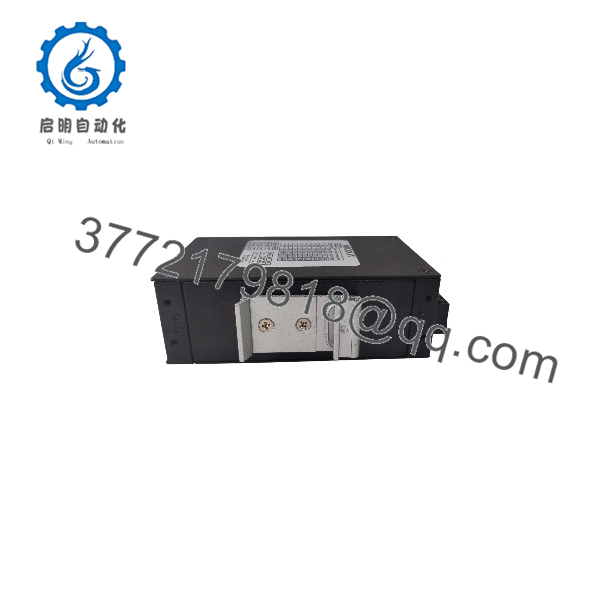
ICF-1280I-M-ST-T
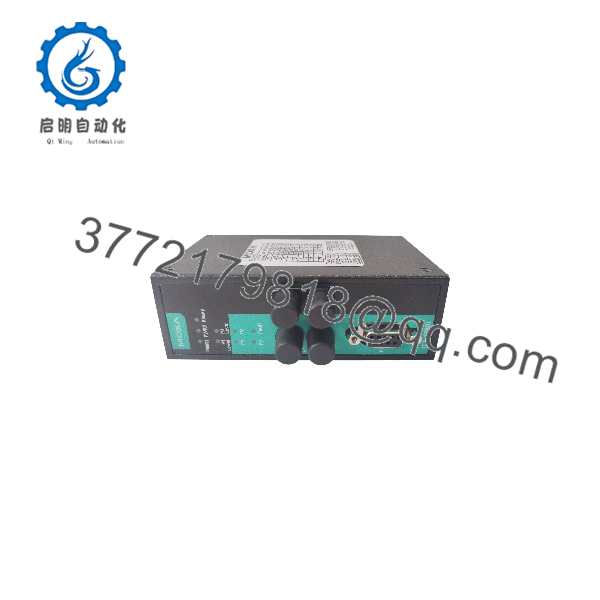
ICF-1280I-M-ST-T
Installation & Configuration Guide
Stage 1: Pre-Installation (Prep & Safety)
- De-energize the 12–48 VDC power feeds supplying the network panel and follow standard Lock-Out/Tag-Out (LOTO) procedures.
- Inspect the ST fiber tips and DB9 Profibus port for protective dust caps. Ensure fiber ends are cleaned with lint-free optical wipes before connection.
- Verify that DIP switch settings on the top panel (baud rate auto-detection, ring mode enable, fiber test mode) match your network design.
Stage 2: Removal
- Unplug the dual 12–48 VDC terminal block connector from the top of the unit.
- Disconnect the DB9 Profibus serial cable and unclip the two ST multi-mode fiber patch cables (labeling Fiber RX/TX lines clearly).
- Press down on the metal DIN-rail latch spring and tilt the module forward to release it from the 35 mm DIN rail. Store in static-shielding packaging.
Stage 3: Installation (Clone & Seat)
- Unpack the new Moxa ICF-1280I-M-ST-T from its static-shielded box.
- Set the top-panel DIP switches on the new unit to duplicate the configuration of the replaced module (e.g., Redundant Ring Mode ON).
- Hook the upper DIN-rail bracket onto the 35 mm rail and press downward until the bottom spring clip locks securely.
- Reattach the DB9 Profibus cable and ST multi-mode fiber patch cables to their respective ports. Reinsert the dual-power terminal block.
Stage 4: Power-On & Testing
- Re-apply 12–48 VDC dual power feeds. Verify that the PWR1 and PWR2 LEDs illuminate solid green.
- Check the Profibus Signal LED and Fiber Link/Activity LEDs (Port 1 and Port 2): confirm solid green link status without red error flickering.
- Initiate a diagnostic ping or master scan from your Profibus PLC controller (e.g., Siemens S7-1500 / PACSystems) to confirm zero frame error rates across the fiber segment.
Firmware/Software Versions & Upgrade Notes
- Auto-Baud Rate Detection: The ICF-1280I-M-ST-T features automatic speed sensing from 9.6 kbps up to 12 Mbps, eliminating manual software configuration or firmware flashing requirements.
- Fiber Ring Topology: When configured in Redundant Ring mode via DIP switches, the unit automatically reroutes Profibus traffic within 10 ms if a fiber break occurs, preventing PLC communication timeouts.
- Fiber Test Mode: A built-in DIP switch enables Fiber Test Mode, allowing field technicians to measure optical signal strength using front-panel LED bar indicators without requiring specialized optical power meters.
- Hot-Swapping Warning: While optical cables can be reconnected safely, always disconnect power terminals before mounting or adjusting physical DIP switches to ensure clean boot initialization.
Frequently Asked Questions (FAQ)
Q: How can I verify that this Moxa ICF-1280I-M-ST-T module is 100% Brand New Surplus?
A: Every unit we offer is 100% Brand New Surplus. It comes in clean original Moxa factory packaging, complete with untouched terminal connectors, factory dust caps on all ST fiber ports, unblemished metal IP30 housing, and intact serial labels. It has never been deployed in an active installation.
Q: What does the “-T” suffix indicate in the model number?
A: The “-T” suffix designates Moxa’s extended operating temperature specification, rated for harsh industrial environments ranging from −40 °C to +75 °C (−40 °F to 167 °F).
Q: What is the maximum fiber distance supported by the ?
A: As a multi-mode (M) model with ST connectors, it supports optical transmission distances up to 4 km over standard multi-mode fiber cabling.
Q: Can this unit operate with a single power supply feed?
A: Yes. However, using the dual terminal connections (PWR1 and PWR2) connected to independent 12–48 VDC power supplies provides power redundancy, ensuring uninterrupted operation if one power rail fails.
Q: Is this module compatible with standard Siemens Profibus DP networks?
A: Yes. The fully supports all standard Profibus DP protocols, baud rates up to 12 Mbps, and DB9 sub-D pin configurations used by Siemens, ABB, and Emerson PLC systems.
Q: What warranty coverage comes with this module?
A: We back this converter with a comprehensive 1-Year Warranty. Every unit undergoes physical and electrical verification before shipment.



