
 WhatsApp: +86 16626708626
 Email:
  Phone: +86 16626708626
Description
3. Key Technical Specifications
| Parameter | Value |
|---|---|
| Protocol | PROFIBUS-DP (EN 50170), slave |
| Supported I/O Modules | Up to 24 |
| Transmission Rates | 9.6 kbaud to 6 Mbaud |
| Transmission Standard | RS-485 |
| Isolation | 500 V (LAN – Railbus – Power) |
| DP Data Frame Size | Configurable up to 244 bytes |
| HART Support | Process & status variables over Profibus-DP |
| Configuration Memory | Non-volatile |
| Configuration Methods | Local port or Profibus host |
| Failsafe Action | Modules go to failsafe on software fault |
| Module Width | 63 mm |
| Weight | Approx. 0.350 kg |
4. Product Introduction
The MTL 8502-BI-DP is the Bus Interface Module (BIM) that connects an MTL 8000 series I/O node to a Profibus-DP host. It gathers data from up to 24 I/O modules at high speed and presents it to the Profibus master on request, supporting cyclic data exchange and extended diagnostics.
It handles HART process and status variables over Profibus-DP, stores configuration in non-volatile memory, and can be parameterized from the host or via the local port. Isolation of 500 V separates the LAN, Railbus, and power supply. On software malfunction the connected modules enter a failsafe state. LAN speeds up to 6 Mbaud allow rapid host response to process changes.
5. Troubleshooting Quick Reference
| Symptom | Possible Cause | Relevance to this Part | Quick Check Method | Recommendation |
|---|---|---|---|---|
| No communication with host | Address, baud rate, or cable fault | ✅ High | Verify Profibus address, baud rate, and termination | Match host settings and check RS-485 wiring |
| Modules not visible to host | BIM not detecting Railbus modules | ✅ High | Check Railbus status LED and module presence | Reseat modules and verify power on carrier |
| Intermittent data or timeouts | Bus length or cable quality exceeded | ✅ High | Confirm segment length vs. baud rate table | Shorten cable or lower baud rate |
| Configuration lost after power cycle | Non-volatile memory or parameter issue | ✅ Medium | Re-download configuration from host or local tool | Verify successful write to BIM memory |
| HART variables missing | HART not enabled or wrong mapping | ✅ Medium | Check GSD configuration and HART channel mapping | Enable HART variables in Profibus configurator |
| Modules go to failsafe | Software fault or watchdog trip | ✅ High | Review diagnostic status word from BIM | Clear fault and restart; investigate host side |
If the problem continues, capture the Profibus diagnostic buffer, Railbus status, and configuration files, then contact technical support with photos of the node and wiring.
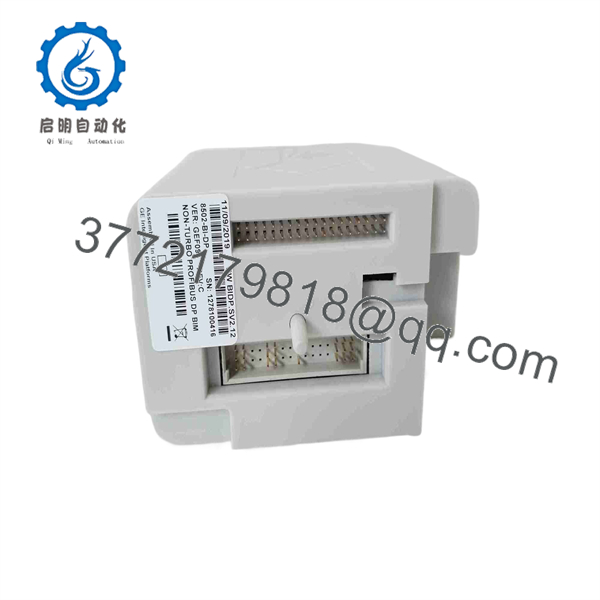
8502-BI-DP
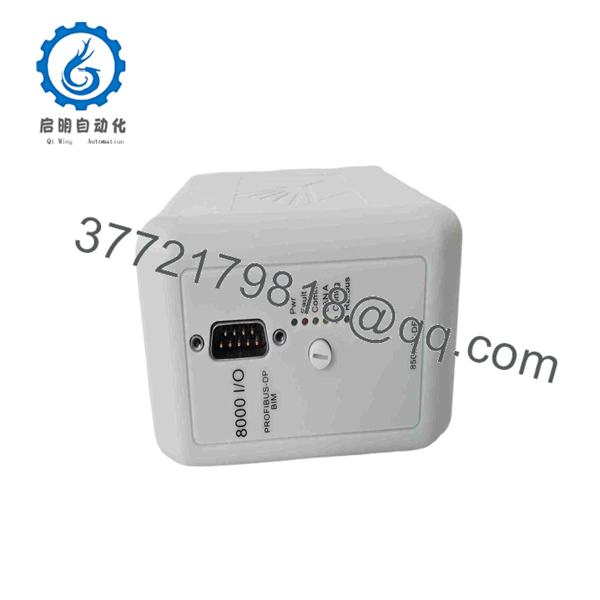
8502-BI-DP
6. Frequently Asked Questions (FAQ)
Q: How many I/O modules can one 8502-BI-DP support?
A: Up to 24 MTL 8000 series I/O modules on the Railbus.
Q: What Profibus speeds does it support?
A: Standard rates from 9.6 kbaud up to 6 Mbaud. Maximum bus segment length decreases as speed increases (e.g., 100 m at 6 Mbaud for typical cable).
Q: Does it support HART?
A: Yes. It passes HART process and status variables over Profibus-DP. Local HART maintenance is also possible via a Comms adaptor.
Q: Is the module a Profibus master or slave?
A: It is a Profibus-DP slave. The host PLC or DCS is the master.
Q: How is the module configured?
A: Primarily from the Profibus master using the GSD file (parameterization on a per-module basis). It can also be configured via the local port. Configuration is stored in non-volatile memory.
Q: What happens if the BIM software fails?
A: Connected I/O modules are forced to a failsafe state for process safety.
Q: Is this a current-production or older MTL 8000 part?
A: The 8502-BI-DP belongs to the established MTL 8000 series. Availability is typically New Original or New Surplus stock. Confirm exact revision and compatibility with your existing node and host before ordering.



