
 WhatsApp: +86 16626708626
 Email:
  Phone: +86 16626708626
Description
Key Technical Specifications
| Parameter | Value |
|---|---|
| Product Model | FC-9821KE |
| Manufacturer | NEC |
| Product Family | FC98-NX Factory Computer |
| Product Type | Embedded Industrial FA Computer |
| CPU | Intel 486DX2 66 MHz |
| CPU Cache | 8 KB internal cache |
| Optional CPU Upgrade | DX4 equivalent 100 MHz via ODP option |
| Architecture | NEC PC-9821 compatible |
| Standard RAM | 2 MB installed memory |
| Maximum RAM | Up to 64 MB with optional RAM expansion boards |
| ROM | 96 KB BIOS + N88-BASIC (86), 24 KB system setup ROM |
| Text Display | 80 characters × 25 lines / 20 lines |
| Graphics Display | 640 × 400 dots |
| Graphic VRAM | 1 MB |
| Standard Expansion Slots | 6 slots |
| Fixed Disk Support | Optional FC-9821KE-E02 850 MB HDD with adapter |
| Floppy Interface | 1 MB floppy disk interface built-in |
| Serial Interface | RS-232C, 1 channel |
| Serial Speed | Up to 19,200 bps |
| Parallel Interface | Half-pitch 36-pin connector |
| RAS Function | Optional power failure detection, watchdog timer, temperature monitoring |
| Operating System Support | MS-DOS compatible environment |
| Power Supply | AC 100/110 V ±10 % |
| Power Frequency | 50/60 Hz ±1 Hz |
| Maximum Power Consumption | 114 W |
| Typical Power Consumption | 25 W |
| Operating Temperature | 0 to +45 °C |
| Storage Temperature | −20 to +65 °C |
| Operating Humidity | 20 to 90 % RH, non-condensing |
| External Dimensions | 345 mm × 200 mm × 250 mm |
| Weight | Approximately 7.1 kg |
| Release Date | September 1995 |
| Supply Status | Discontinued |
The NEC FC-9821KE is a factory automation computer released in September 1995. It uses a 486DX2 66 MHz processor and provides six expansion slots for industrial application boards. NEC discontinued FC-9821KE supply at the end of December 2000 and ended maintenance support in December 2006.
Product Introduction
The NEC FC-9821KE is an industrial factory computer designed for FA control applications requiring NEC PC-9821 compatibility. It provides a 486DX2 CPU platform, expansion slots, RS-232C communication, and optional storage modules for legacy machine control systems.
This platform is commonly found in older production equipment, inspection systems, machine controllers, and custom automation systems where replacing the computer requires maintaining original software compatibility and expansion hardware support.
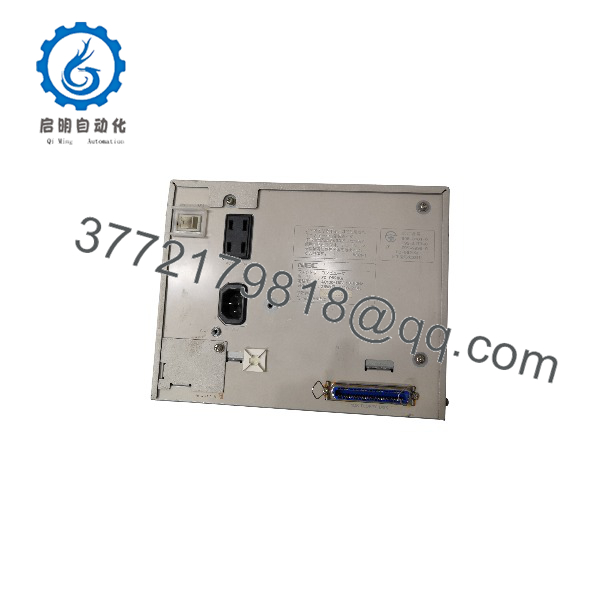
FC-9821KE
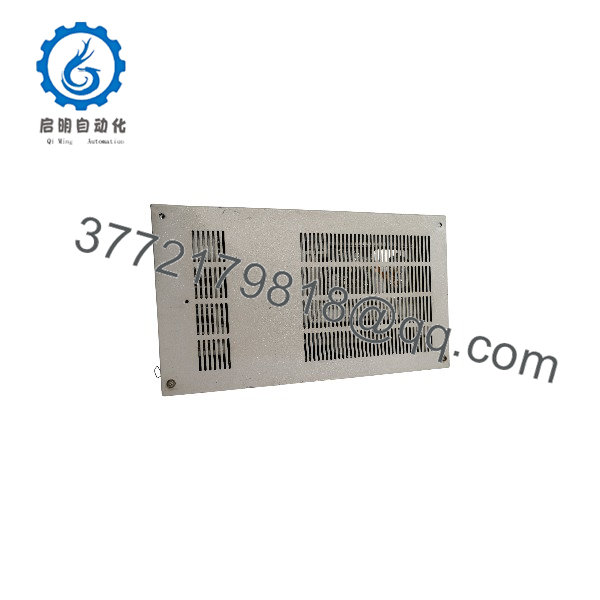
FC-9821KE
Installation & Configuration Guide
Stage 1: Pre-Installation Preparation (Approx. 20 minutes)
⚠️ Safety First
- Notify production personnel before shutting down the machine controller.
- Save the current machine state and stop automatic operation.
- Apply lockout/tagout procedures before disconnecting power.
- Wait at least 5 minutes after shutdown for internal power discharge.
Tools Required
- ESD wrist strap
- PH1 screwdriver
- Digital multimeter
- Wire labels
- Smartphone for photos
- Backup media for software image
Data Backup
Before replacement:
- Record:
- FC-9821KE model identification
- Expansion board arrangement
- Installed storage devices
- Software version
- Photograph:
- Internal board layout
- Expansion card positions
- Cable connections
- DIP switch settings
- Backup:
- MS-DOS system files
- Machine control software
- Parameter files
- Application data
Stage 2: Removing the Old Computer (Approx. 20 minutes)
Steps
- Shut down the control application correctly.
- Switch off the AC power supply.
- Disconnect:
- Keyboard connection
- Display cable
- RS-232 communication cables
- External I/O connections
- Remove mounting hardware.
- Pull the FC-9821KE chassis from the cabinet.
- Inspect:
- Expansion slot connectors
- Power supply wiring
- Cooling fan condition
- Corrosion or dust contamination
⚠️ Note:
Keep the original computer until the replacement system successfully boots and communicates with the machine. Legacy FA software often depends on specific hardware timing and expansion cards.
Stage 3: Installing the New FC-9821KE (Approx. 30 minutes)
Steps
- Wear an ESD strap before handling the replacement unit.
- Verify:
- FC-9821KE model
- Expansion board compatibility
- Storage configuration
- Power requirements
- Configuration Clone (Critical):
- Copy DIP switch settings.
- Install identical expansion boards.
- Match memory configuration.
- Verify HDD/FDD configuration.
- Confirm RS-232 communication parameters.
- Install the computer into the cabinet.
- Connect external cables.
- Secure mounting hardware.
Self-Checklist
- Correct FC-9821KE model confirmed
- Expansion boards installed correctly
- Storage device verified
- Communication wiring checked
- Cabinet mounting secured
Stage 4: Power-On & Testing (Approx. 30 minutes)
Pre-Power Check
- Verify AC voltage.
- Check grounding continuity.
- Confirm no loose connectors.
- Verify expansion boards are seated.
Power-On Steps
- Power on the FC-9821KE.
- Confirm BIOS startup.
- Check memory detection.
- Boot MS-DOS or installed operating environment.
- Start machine control software.
- Verify:
- RS-232 communication
- Expansion card operation
- Machine I/O response
- Operator interface functions
⚠️ Troubleshooting Note
- If the system does not boot, check HDD/FDD media and BIOS settings.
- If expansion hardware fails, verify board position and compatibility.
- If software behaves differently, compare CPU timing and memory configuration.
Frequently Asked Questions (FAQ)
Q1: Is the NEC FC-9821KE still available from NEC?
No. The FC-9821KE is a discontinued NEC factory computer. NEC lists the model as discontinued, with supply ending in December 2000 and maintenance ending in December 2006.
Replacement units are typically sourced from industrial surplus inventory or tested used equipment.
Q2: What applications used the NEC FC-9821KE?
Typical applications included:
- Factory automation equipment
- Machine control systems
- Inspection equipment
- Custom production controllers
- Legacy PC-9821 based industrial systems
The main reason these computers remain in service is software and hardware compatibility with existing machines.
Q3: Can I replace FC-9821KE with a modern industrial PC?
Technically yes, but it is not always a direct replacement.
Before migration, verify:
- ISA expansion board requirements
- PC-98 software dependency
- DOS application compatibility
- Serial communication drivers
- Machine timing requirements
A hardware replacement may require software modification.
Q4: What operating systems run on FC-9821KE?
The FC-9821KE was designed for NEC PC-9821 compatible environments and supported MS-DOS based applications. Later production units included MS-DOS as standard software support.
Q5: Why is surplus FC-9821KE pricing lower than new industrial computers?
The FC-9821KE is legacy hardware.
Available units usually come from:
- Factory spare inventory
- Equipment replacement projects
- Machine retirement stock
- Automation system upgrades
Condition should be clearly identified:
- New Original / New Surplus: Unused stored inventory.
- Factory Sealed: Original packaging when available.
- Refurbished (tested): Inspected and function-tested.
Q6: What inspection process should be completed before installing a surplus FC-9821KE?
Inbound Inspection & Traceability
- Verify NEC model label.
- Confirm serial information.
- Inspect chassis condition.
- Check for corrosion, impact damage, or modification marks.
- Verify included expansion boards.
Live Functional Testing
Test Environment:
- NEC-compatible industrial test bench.
Testing steps:
- Power-on POST verification.
- Memory recognition test.
- HDD/FDD boot test.
- RS-232 communication test.
- Expansion slot verification.
- Continuous operation monitoring.
Electrical Parameter Testing
- AC input voltage check.
- Ground continuity test.
- Insulation resistance test where applicable.
- Power supply output verification.
Firmware & Configuration Verification
- Record BIOS information.
- Document DIP switch settings.
- Backup system configuration.
- Photograph internal layout.
Final QC & Packaging
- QC inspector sign-off.
- Anti-static packaging.
- Shock protection materials.
- Heavy-duty shipping carton.
- QC Passed label with inspection date.
Q7: What are common FC-9821KE replacement mistakes?
❗ The most common mistake is replacing the computer without preserving expansion hardware and software compatibility.
Common issues:
- Missing PC-98 expansion boards.
- Incorrect DIP switch settings.
- Lost DOS application files.
- Wrong RS-232 parameters.
- Different storage configuration.
For legacy machine controllers, the computer is only one part of the system. Document the complete hardware and software environment before removal.



