
 WhatsApp: +86 16626708626
 Email:
  Phone: +86 16626708626
Description
Key Technical Specifications
| Parameter | Specification Value |
| Model Designation | FC-9821X MODEL2 |
| Architecture | NEC PC-9821 Industrial Class (16-bit / 32-bit internal architecture) |
| Expansion Slots | Standard C-bus (100-pin industrial expansion slots) |
| Storage Bays | Dual 3.5-inch Floppy Disk Drive (FDD) & Internal IDE Fixed Disk slots |
| Operating System Support | MS-DOS (PC-98 edition), Windows 3.1 / 95 / NT (PC-98 specific build) |
| Power Supply | High-reliability industrial AC power module (100–120 V AC) |
| Cooling System | Positive-pressure dual ball-bearing cooling fans with washable dust filters |
| Operating Temperature | 5 to 40°C (41 to 104°F) industrial enclosure rating |
| Chassis Type | Heavy-duty steel chassis designed for continuous 24/7 manufacturing operations |
| Form Factor | Desktop / Shelf Mount Industrial PC Chassis |
Product Introduction & Supply Chain Strategy
The NEC FC-9821X MODEL2 is a ruggedized industrial computer built on NEC’s proprietary PC-9821 architecture. Designed specifically for high-reliability factory automation environments across Japan and East Asia, it controls industrial machine tools, semiconductor fab equipment, robotics, and legacy PLC communications networks that require C-bus expansion boards.
Because OEM support for the FC-9821 series has been discontinued, maintaining a New Surplus FC-9821X MODEL2 on-site acts as a critical insurance policy against catastrophic production downtime. Migrating a legacy PC-98-based automation line to modern x86 hardware often requires completely replacing custom interface boards and rewriting proprietary software—costing hundreds of thousands of dollars. Sourcing New Surplus guarantees factory-grade capacitors, pristine C-bus backplane connectors, and long-term reliability at a fraction of a full control system overhaul.
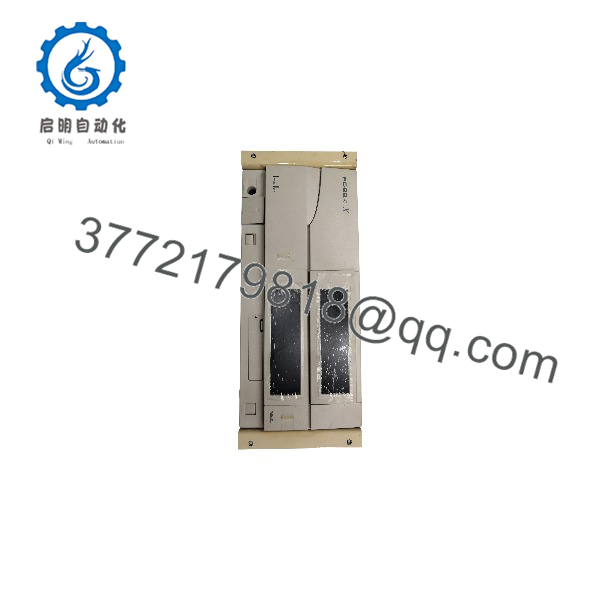
FC-9821X MODEL2
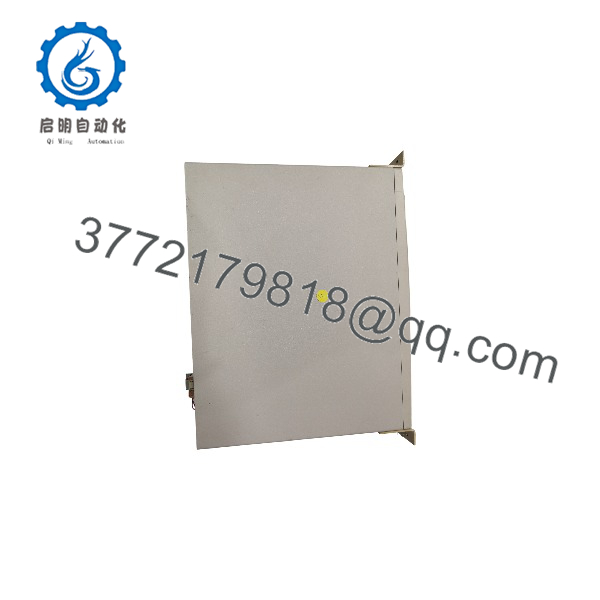
FC-9821X MODEL2
Installation & Configuration Guide
Stage 1: Pre-Installation (Prep & Safety)
- Turn off main line power to the control cabinet and execute Lock-Out/Tag-Out (LOTO) protocols.
- Put on a grounded ESD wrist strap before handling the internal components or expansion cards.
- Record all external jumper settings, node addresses, and cable routing from the legacy machine unit.
- Backup existing floppy disk images (MS-DOS/PC-98 OS) or hard drive partitions using raw disk image tools before swapping hardware.
Stage 2: Removal
- Unplug all peripheral connections, including C-bus interface cables, monitor output, and power cords.
- Unfasten the mounting brackets securing the old FC-9821 chassis to the rack or shelf enclosure.
- Carefully slide the legacy unit straight out to avoid snagging communication cables.
Stage 3: Installation (Clone & Seat)
- Transfer custom C-bus interface cards (e.g., CC-Link, specialized motion cards, or serial controllers) from the old system to the replacement FC-9821X MODEL2.
- Verify that backplane edge connectors are clean and fully seated into the 100-pin C-bus expansion slots.
- Mount the new chassis in position and torque all retention screws securely to ground the steel enclosure.
Stage 4: Power-On & Testing
- Re-apply 100 V AC power to the chassis supply.
- Observe front-panel status indicators (POWER LED and HDD/FDD activity lights) to verify proper POST (Power-On Self-Test).
- Confirm that the system boots smoothly into the PC-98 software environment and establishes communications with downstream field devices.
Firmware/Software Versions & Upgrade Notes
- System BIOS & ROM: Utilizes NEC PC-9821 system ROM including Japanese Kanji font ROMs necessary for localized factory user interfaces.
- Operating System Compatibility: Requires PC-98 specific installation media (MS-DOS 6.2 / Windows 95/NT PC-98 editions). Standard IBM PC-compatible operating systems will not boot on this hardware.
- Hardware Swap Caution: Never attempt to flash or substitute system BIOS chips from consumer PC-9821 desktop models. Industrial FC-series BIOS tables contain specific memory maps and C-bus timing profiles required for real-time factory communication cards.
Frequently Asked Questions (FAQ)
What is the difference between an NEC PC-9821 and an industrial FC-9821X MODEL2?
While consumer PC-9821 models were designed for office use, the FC-9821X MODEL2 is an industrial-grade computer featuring a reinforced steel chassis, filtered positive-pressure cooling, heavy-duty industrial power supplies, and high-noise-immunity C-bus backplanes designed for 24/7 continuous operation in harsh manufacturing environments.
Are these FC-9821X units genuinely unused New Surplus?
Yes. Our New Surplus units originate from verified spare parts inventory held by global production facilities and equipment integrators. They remain unused, uninstalled, and free from internal dust or board degradation, featuring pristine backplane connectors and original power supplies.
Can I install standard IBM PC-compatible PCI or ISA cards into this unit?
No. The FC-9821X uses NEC’s proprietary 100-pin C-bus architecture. Standard ISA or modern x86 PCI expansion cards are physically and electrically incompatible unless the machine specifically features dual-bus transition slots.
How do I back up software from an old FC-9821 hard drive or floppy disk?
Because PC-98 disk formats use non-standard sector sizes (e.g., 1.2 MB 3.5-inch floppies with 1024 bytes/sector), you must use dedicated PC-98 raw disk imaging software (such as VFIC or TransDisk) on a system with a multi-format disk controller to properly clone boot media.
What warranty is provided with this New Surplus NEC computer?
We back this New Surplus NEC FC-9821X with a full 1-year functional replacement warranty. If the hardware experiences power supply failure or motherboard diagnostic errors under normal operating conditions within 12 months, we replace the unit directly from our inventory.



