
 WhatsApp: +86 16626708626
 Email:
  Phone: +86 16626708626
Description
Key Technical Specifications
| Parameter | Specification |
|---|---|
| Manufacturer | National Instruments |
| Model | cFP-1808 |
| Part Number | 779463-01 |
| Product Family | Compact FieldPoint |
| Product Type | Ethernet/Serial Network Interface Backplane |
| Number of Slots | 8 |
| Ethernet | 10BaseT / 100BaseTX |
| Ethernet Speed | 10 / 100 Mb/s, auto-negotiated |
| Ethernet Connector | RJ-45 |
| Maximum Ethernet Segment | 100 m |
| Serial Interface | 1 × RS-232 DCE |
| Serial Speed | 300 to 115,200 bps |
| Serial Format | 8 data bits, 1 stop bit, no parity, no flow control |
| Supply Voltage | 11–30 VDC |
| Typical Power Consumption | 6.1 W + I/O module power |
| Recommended Supply Capacity | 20 W |
| I/O Module Power Rating | Up to 9 W per module |
| Supported Protocols | Modbus TCP, Modbus RTU, Modbus ASCII, Optomux, NI event-driven protocol |
| Operating Temperature | −40 °C to 70 °C |
| Storage Temperature | −55 °C to 85 °C |
| Dimensions | Approximately 441 mm × 127 mm |
| Weight | Approximately 278 g for the network interface; mounting configuration may vary |
| Configuration Software | NI FieldPoint software / Measurement & Automation Explorer |
The cFP-1808’s 8-slot architecture, Ethernet/RS-232 interfaces, 11–30 VDC supply range, communication rates, and isolation specifications are documented in available NI-related technical references.
Product Introduction
The National Instruments cFP-1808, part number 779463-01, is an 8-slot Compact FieldPoint Ethernet/Serial network interface used to connect Compact FieldPoint I/O modules to a host computer or compatible control architecture. It provides 10/100 Mb/s Ethernet and an RS-232 DCE interface and supports protocols including Modbus TCP, Modbus RTU/ASCII, Optomux, and NI’s event-driven communication protocol.
The cFP-1808 is important to identify correctly during legacy-system maintenance because it is not a programmable controller. NI documentation and NI engineering discussions describe it as a network interface that exposes Compact FieldPoint I/O to an external intelligent host.
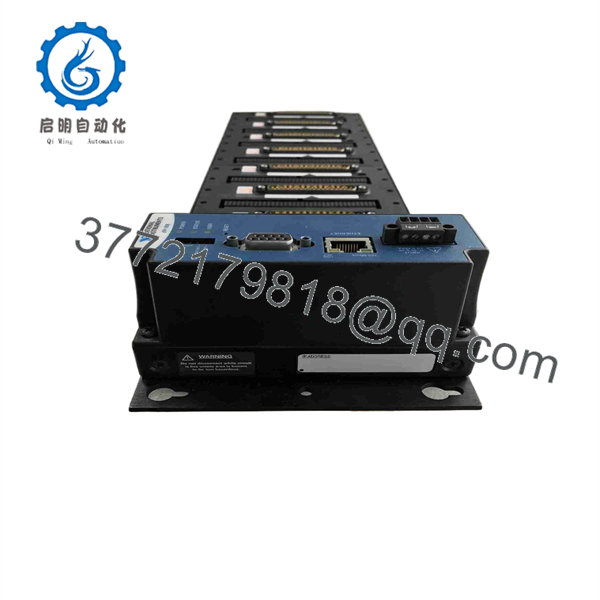
cFP-1808
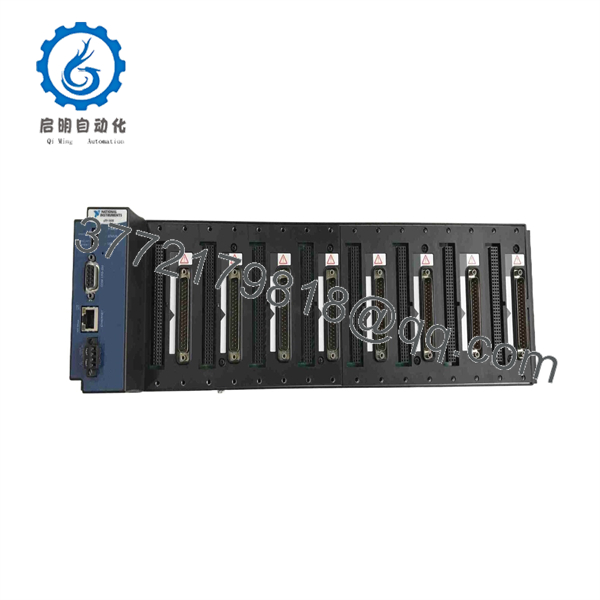
cFP-1808
Installation & Configuration Guide
Stage 1 — Pre-Installation Preparation
Approximate time: 20–30 minutes
- Follow the plant’s lockout/tagout and electrical isolation procedure.
- Record the existing cFP-1808 model and serial number.
- Document all eight I/O slot assignments and installed Compact FieldPoint modules.
- Back up the existing FieldPoint configuration from the host computer.
- Record the Ethernet IP configuration, serial communication settings, and protocol configuration.
- Verify the replacement is cFP-1808 / 779463-01 or an explicitly approved engineering replacement.
- Prepare an appropriate 11–30 VDC power source and Ethernet/serial cables.
⚠️ Do not treat the cFP-1808 as a direct replacement for a cFP-20xx controller. The two device classes have different processing capabilities.
Stage 2 — Removing the Existing Unit
Approximate time: 15–25 minutes
- Shut down the host-side FieldPoint communication process according to the site procedure.
- Isolate the cFP-1808 power supply.
- Label the Ethernet, RS-232, power, and protective-earth connections.
- Photograph the existing installation before disconnecting cables.
- Disconnect the communication and power connections.
- Remove the mounting hardware without disturbing adjacent I/O modules.
- Inspect the FieldPoint connectors and mounting surfaces for mechanical damage.
Stage 3 — Installing the cFP-1808
Approximate time: 20–30 minutes
- Confirm the replacement part number before installation.
- Mount the cFP-1808 using the applicable panel, rack, or other approved mounting hardware.
- Follow the manufacturer’s grounding requirements. The quick-start documentation specifies connection of the PE terminal to system safety ground.
- Reconnect the Compact FieldPoint I/O modules in their documented slot positions.
- Reconnect the Ethernet and/or RS-232 communication cable.
- Connect the 11–30 VDC supply with correct polarity.
- Maintain the specified cabinet clearance for ventilation; the quick-start documentation calls for approximately 51 mm (2 in.) around the cFP-1808 for air circulation.
- Recheck every connector before energizing the system.
Stage 4 — Power-On & Testing
Approximate time: 30–60 minutes
- Apply DC power and verify the cFP-1808 initializes normally.
- Connect the host computer or control system.
- Open Measurement & Automation Explorer (MAX) and configure or verify the FieldPoint network interface.
- Verify the configured IP address and Ethernet communication.
- Check that all installed Compact FieldPoint I/O modules are detected.
- Test the required Modbus, Optomux, or NI communication path.
- If RS-232 is used, verify baud rate and serial framing against the original configuration.
- Read representative I/O points and compare them with known field conditions.
- Perform output tests only under an approved commissioning procedure.
- Save the verified configuration as the new maintenance backup.
⚠️ If the I/O modules are visible locally but unavailable from the host, check IP configuration, Ethernet cabling, FieldPoint software configuration, and the selected communication protocol before replacing I/O modules.
FAQ
What is the NI cFP-1808?
The cFP-1808 is an 8-slot Ethernet/Serial network interface for the Compact FieldPoint platform. It provides the communication path between Compact FieldPoint I/O modules and an external host.
What is the NI part number for cFP-1808?
The commonly documented NI part number is 779463-01. Some legacy hardware references also associate other assembly numbers with the cFP-1808 family, so the physical label should be checked when matching an installed unit.
Is cFP-1808 a PLC or PAC controller?
No. NI engineering documentation specifically states that the cFP-1808 does not contain programmable processing capability or memory for embedding a custom control application. It functions as a network interface for Compact FieldPoint I/O.
How many I/O modules can the cFP-1808 accommodate?
The cFP-1808 provides eight Compact FieldPoint I/O slots. The actual system capacity also depends on the individual I/O modules and available power budget.
Does cFP-1808 support Modbus?
Yes. Available NI documentation identifies Modbus TCP, Modbus RTU, and Modbus ASCII among the supported communication options, along with Optomux and NI’s event-driven Ethernet/serial protocol.
Can I replace cFP-1808 with a modern CompactDAQ chassis directly?
Not as a simple hardware swap. A current migration reference maps cFP-1808 replacement to different CompactDAQ or CompactRIO architectures depending on whether the original system used a host PC, embedded controller, or distributed serial architecture. Software, I/O modules, wiring, and communications therefore need to be assessed together.
What should I verify before purchasing a replacement?
Verify the cFP-1808 / 779463-01 identification, installed I/O modules, Ethernet configuration, RS-232 usage, FieldPoint software version, protocol requirements, power supply, and the role of the cFP-1808 in the overall control architecture. This prevents confusing a network interface replacement with a controller replacement.



