WhatsApp: +86 16626708626
 Email:
 Phone: +86 16626708626
Description
Key Technical Specifications
| Parameter | Value |
| Bus Type | PCI |
| Analog Input Channels | 16 Single-Ended / 8 Differential |
| Sampling Rate | 200 kS/s |
| Analog Input Resolution | 16 Bits |
| Analog Output Channels | 2 |
| Analog Output Resolution | 12 Bits |
| Digital I/O Lines | 8 TTL/CMOS |
| Counter/Timers | 2 (24-bit) |
| Operating Temperature | 0 to 55°C |
| Power Requirements | +5 VDC (1.2 A), +12 VDC (150 mA) |
Product Introduction & Supply Chain Strategy
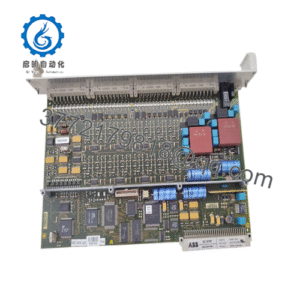
The National Instruments PCI-6025E is a high-performance multifunction data acquisition board designed for laboratory automation, industrial test systems, and embedded signal processing. It delivers precise measurement capabilities across 16 analog input channels and supports synchronous analog and digital I/O operations through a standard PCI interface.
Securing this mature component as a Brand New Surplus unit mitigates the severe total cost of ownership (TCO) risks associated with unverified second-hand parts. Because this model is approaching end-of-life status through official channels, maintaining a strategic buffer stock of genuine OEM inventory prevents costly test stand downtime and avoids the hidden electrical degradation typical of refurbished boards.
Installation & Configuration Guide
Stage 1: Pre-Installation (Prep & Safety)
- Execute lock-out/tag-out (LOTO) procedures on the host industrial PC or test chassis.
- Ground yourself using an ESD wrist strap to protect sensitive internal circuitry from static discharge.
- Document any legacy jumper settings, slot assignments, and external cable configurations before extraction.
Stage 2: Removal
- Disconnect all terminal blocks and interface cables from the rear bracket.
- Unscrew the PCI retaining bracket screw.
- Extract the board smoothly along the axis of the slot to prevent bending backplane pins or stressing adjacent connectors.
Stage 3: Installation (Clone & Seat)
- Verify that any physical configuration jumpers match the legacy hardware setup.
- Align the card edge firmly with the PCI slot and apply even pressure until fully seated.
- Secure the metal bracket with the retaining screw.
Stage 4: Power-On & Testing
- Restore system power and verify that internal power rail indicators illuminate normally.
- Check NI MAX (Measurement & Automation Explorer) to confirm that the driver recognizes the device ID without resource conflicts.
- Run a self-calibration and verify signal acquisition on test channels.
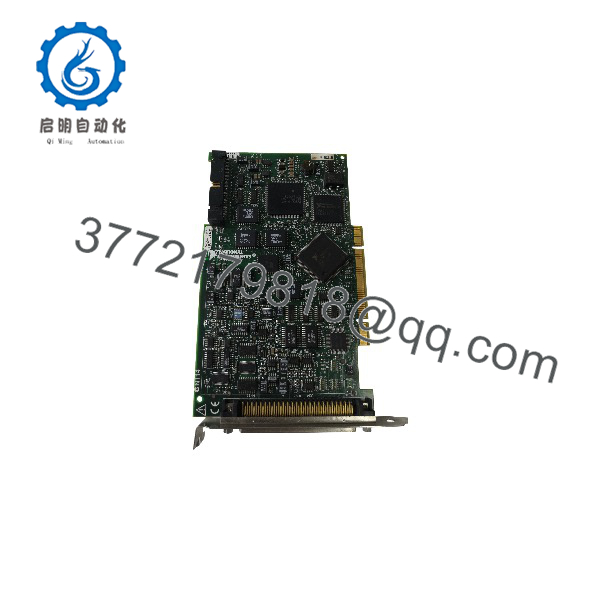
PCI-6025E
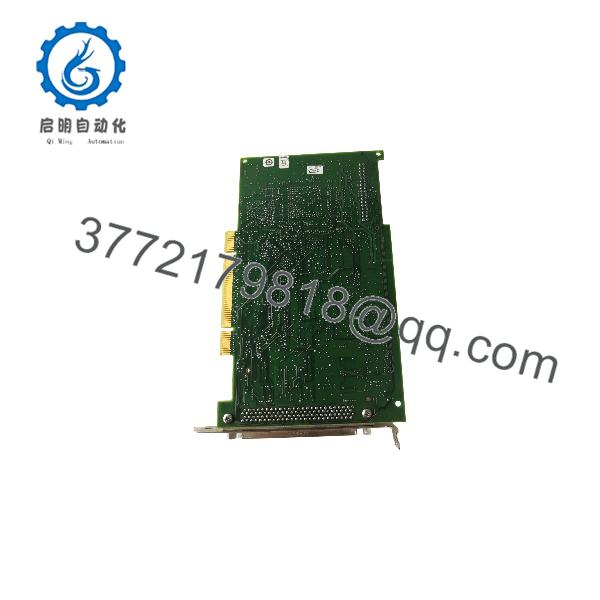
PCI-6025E
Firmware/Software Versions & Upgrade Notes
- Recommended Driver: NI-DAQmx version 9.x through 14.x for legacy OS compatibility.
- Compatibility Warning: Modern 64-bit operating systems may require specific legacy NI-DAQmx driver layers; verify OS compatibility before deployment to prevent communication timeouts.
- Upgrade Risk: Upgrading host driver software without validating legacy DLL dependencies can break existing LabVIEW or C++ acquisition routines. Maintain stable driver baselines during hardware swaps.
Frequently Asked Questions (FAQ)
Are these parts genuinely new, or are they refurbished?
This product is a Brand New Surplus unit. It has never been used, deployed in a live plant, or subjected to repairs. It ships in original anti-static packaging with zero wear on the edge connector pins.
Why is this priced lower than direct OEM list prices but higher than secondary-market refurbished units?
Our pricing reflects the capital cost of globally sourcing verified, factory-sealed surplus inventory from authorized channels. While it costs more than a risky used part, it eliminates secondary downtime costs and includes guaranteed out-of-the-box reliability.
What is the obsolescence status of this module?
National Instruments has transitioned this platform to mature status. Sourcing New Surplus units now is a key inventory strategy to prevent emergency stock-outs while you plan a future migration path.
What are the risks of using a refurbished alternative instead?
Refurbished boards often feature degraded electrolytic capacitors and unverified solder joints. A single component failure on a refurbished data acquisition card can corrupt critical test data and trigger expensive project delays.
What warranty is provided with this unit?
Every New Surplus module includes a comprehensive 1-year replacement warranty, giving you long-term operational security equivalent to factory-direct equipment.