
 WhatsApp: +86 16626708626
 Email:
  Phone: +86 16626708626
Description
Key Technical Specifications
| Parameter | Specification Value |
| Model / Part Number | PCI-6115 / 778384-01 |
| Manufacturer | National Instruments (NI) |
| Bus Interface | Standard PCI (32-bit, 33 MHz) |
| Analog Inputs | 4 Differential Channels |
| ADC Resolution | 12 Bits |
| Max Sampling Rate | 10 MS/s per channel simultaneously (40 MS/s aggregate) |
| Dedicated A/D Converters | 4 (1 per channel) |
| Onboard Memory | 16 MS or 64 MS onboard buffer |
| Analog Outputs | 2 Channels (12-Bit, up to 4 MS/s per channel) |
| Digital I/O & Timers | 8 DIO lines (TTL/CMOS), two 24-bit counter/timers |
| I/O Connector | 68-Pin Female 0.050 Series D-Type (VHDCI / SCSI style) |
| Supported Drivers | NI-DAQmx |
Product Introduction
The NI PCI-6115 is an S Series high-speed, multifunction data acquisition (DAQ) card designed for applications demanding precise phase relationships and high-frequency transient capture. Featuring a dedicated 12-bit analog-to-digital converter (ADC) on each of its four analog input channels, it sampling simultaneously at rates up to 10 MS/s per channel without inter-channel phase delay.
The card includes deep onboard RAM buffers (up to 64 MS) to prevent data underflow over the PCI bus during maximum-rate sampling runs. It is widely used in high-speed transient analysis, ultrasonic non-destructive testing (NDT), RADAR/SONAR pulse processing, ballistic measurements, and high-frequency waveform generation within LabVIEW, C/C++, and MATLAB development environments.
Troubleshooting Quick Reference
| Symptom | Possible Cause | Relevance to this Part | Quick Check Method | Recommendation |
| PCI Card Not Detected | Card unseated or missing NI-DAQmx driver | ✅ High | Check Windows Device Manager or NI MAX under “Devices and Interfaces”. | Re-seat card in PCI slot; ensure NI-DAQmx driver version supports S Series PCI hardware. |
| Buffer Overflow Error (-200019) | PCI bus bandwidth saturation or buffer full | ✅ High | Monitor host system CPU load and decrease sampling rate or increase onboard buffer allocation. | Enable onboard memory streaming; use double-buffered DMA acquisition routines in DAQmx. |
| Cross-Channel Phase Lag | Software set to multiplexed mode instead of simultaneous | ❌ Low | Inspect DAQmx task configuration settings. | The PCI-6115 uses hardware simultaneous sampling; ensure clock source isn’t artificially multiplexing. |
| Noisy Signal Measurement | Floating signal source or ground loop | ❓ Medium | Check input coupling mode (AC vs DC) and signal ground termination. | Use shielded BNC cabling (e.g., BNC-2110) and verify differential input connections. |
| Analog Output Distorted | Output update rate exceeds clock capabilities | ❓ Medium | Measure output frequency on an oscilloscope under load. | Limit AO update rate to max 4 MS/s per channel and ensure onboard FIFO buffer is properly fed. |
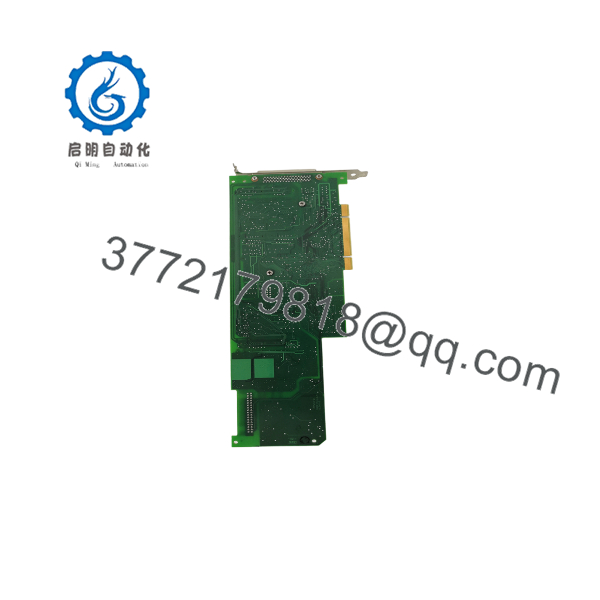
PCI-6115
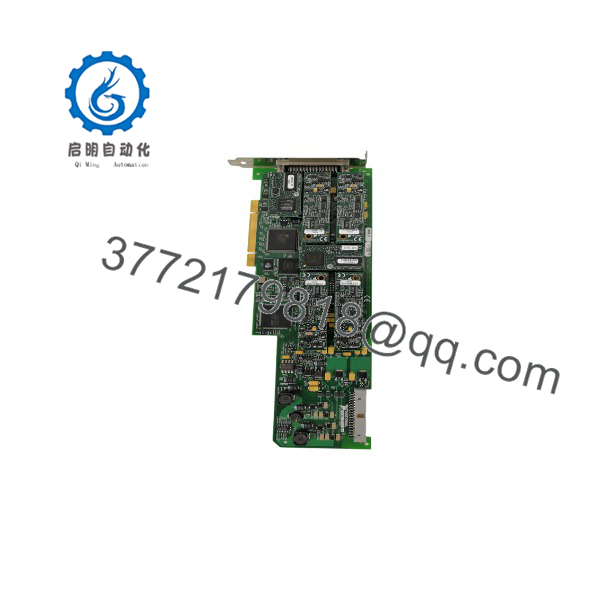
PCI-6115
Frequently Asked Questions (FAQ)
Q: What is the main difference between S Series (PCI-6115) and M Series DAQ cards?
A: S Series cards feature a dedicated A/D converter per channel for simultaneous sampling without phase delays. M Series cards typically use a single multiplexed A/D converter shared across channels, introducing small time delays between channel samples.
Q: Can the PCI-6115 run in modern Windows 10 or 11 systems?
A: Yes, provided the host motherboard features a native legacy PCI slot (or a reliable active bridge chassis) and an NI-DAQmx driver release that supports legacy PCI devices.
Q: What accessories are required to connect signal lines to the PCI-6115?
A: Common accessories include the SH68-68-EP shielded cable paired with a BNC-2110 noise-rejecting BNC connector block or a SCB-68 terminal block.
Q: Does the support onboard AC/DC coupling selection?
A: Yes. The features software-selectable AC or DC coupling per input channel via NI-DAQmx property nodes.
SOP Quality Control Process
- Inbound & Visual Inspection: Inspect gold edge fingers for scratches/wear, verify 68-pin connector pin integrity, and validate factory serial labels (778384-01 / 188849C-01).
- PCI Recognition & MAX Self-Test: Install into test bench system and execute NI Measurement & Automation Explorer (NI MAX) hardware self-test diagnostics.
- High-Speed Simultaneous Loopback Test: Acquire 1 MHz sine waves across all 4 analog inputs simultaneously at 10 MS/s per channel; verify channel-to-channel phase match on an oscilloscope.
- Analog Output & DIO Diagnostics: Generate high-frequency waveforms on both AO channels and verify trigger/counter lines.
- ESD Packaging: Clean card surface and pack in a vacuum static-shielding ESD bag with fresh desiccant.
Technical Pitfall & Survival Guide
- ❗ Bandwidth Limitations on Legacy PCI: Sampling all 4 channels at 10 MS/s simultaneously produces 80 MB/s of continuous data. Ensure no other high-traffic cards share the same PCI bus segment to prevent PCI buffer overruns.
- ❗ Using Non-Shielded Cabling: At 10 MS/s sample rates, unshielded ribbon cables introduce severe high-frequency crosstalk and EMI. Always use double-shielded twisted-pair cables (like the SH68-68-EP) and BNC breakout terminal boxes.
- ❗ Power Dissipation in Closed Enclosures: High-speed DAQ cards generate significant heat. Maintain adequate fan airflow across the PCI expansion slots to prevent thermal drift in signal conditioning circuits.



