
 WhatsApp: +86 16626708626
 Email:
  Phone: +86 16626708626
Description
Key Technical Specifications
| Parameter | Value |
|---|---|
| Part Number | 777935-01 |
| Number of Axes | 4 (stepper or servo, independently assignable) |
| Digital I/O Bits | 32 (four 8-bit ports) |
| Analog Input Resolution | 12-bit |
| Analog Input Channels | 8 multiplexed (4 user-accessible) |
| Analog Output Channels | 4 |
| Encoder Feedback Rate | Up to 20 MHz |
| PID/PIVff Servo Update Rate | 62 µs per axis |
| Bus Type | PXI (also available as PCI-7344, FW-7344) |
| Sync Bus | RTSI (Real-Time System Integration) |
| Operating Temperature | 0 to 55 °C |
| Warranty | 3-year OEM warranty (new units) |
| Lifecycle Status | Obsolete (NI-announced) |
Product Introduction & Supply Chain Strategy
The PXI-7344 handles coordinated point-to-point, vector, and circular motion across four independent stepper or servo axes, running its own real-time embedded OS so motion programs execute without constant host-PC intervention. It’s built for machine builders needing multi-axis interpolation without offloading trajectory math to the PC.
With NI having announced Obsolete status, buying New Surplus now locks in TCO well below OEM list pricing while avoiding a stock-out on a board with no direct drop-in replacement. Waiting until failure risks unplanned line downtime while sourcing narrows.
Installation & Configuration Guide
Stage 1: Pre-Installation (Prep & Safety)
Power down and lock out the PXI chassis. Put on a grounded ESD wrist strap before touching the module. Photograph the existing PXI-7344’s slot position, the 68-pin VHDCI motion I/O cabling, and any RTSI ribbon connections before disconnecting anything — reconnecting from memory is how axes get crossed.
Stage 2: Removal
Release the front-panel captive screws, then withdraw the module straight out along its card guides. Don’t rock it side to side — angled extraction is the most common cause of bent backplane pins on PXI cards.
Stage 3: Installation (Clone & Seat)
Seat the replacement PXI-7344 in the same chassis slot the old one occupied — slot position affects PXI trigger bus segment assignment. Reconnect the 68-pin motion I/O connector and RTSI cable exactly as photographed, then secure the captive screws to full torque.
Stage 4: Power-On & Testing
Power up the chassis and confirm the module enumerates in Measurement & Automation Explorer (MAX). Check that no axis reports a fault on the status LEDs before commanding motion. Run a low-speed jog on each axis individually to confirm encoder feedback and limit/home switch wiring before returning the machine to production.
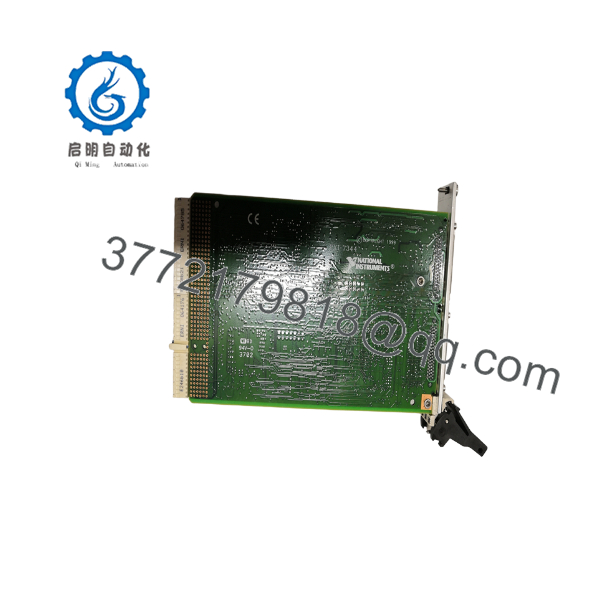
PXI-7344
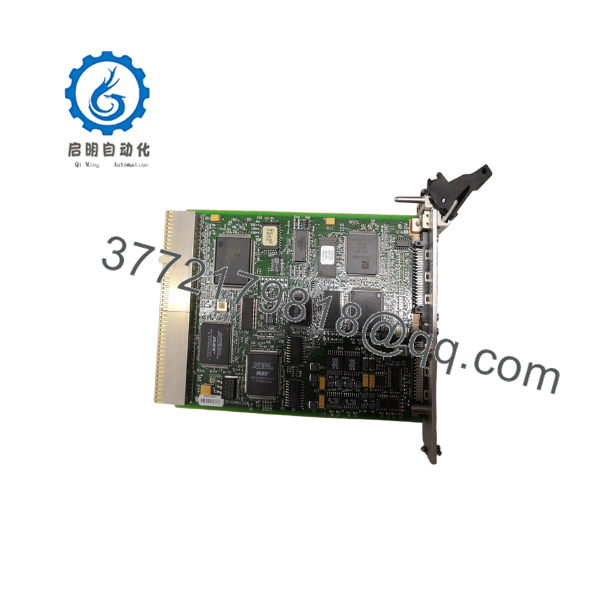
PXI-7344
Firmware/Software Versions & Upgrade Notes
The PXI-7344 runs on the NI-Motion driver stack rather than a field-loadable firmware image in the traditional PLC sense — its onboard real-time OS is fixed at manufacture. What matters for a swap is NI-Motion driver version alignment on the host PC: install the same NI-Motion version (or the latest version confirmed by NI to support the 73xx series) that the original system used, since a driver mismatch can cause the board to enumerate but fail to accept motion commands.
If your host software (LabVIEW, LabWindows/CVI, or a custom C/C++/Visual Basic application) was built against a specific NI-Motion API version, do not blindly upgrade the driver during the swap — validate on a bench chassis first. Downgrading an existing driver to match an older application is generally safer than forcing an application update at the same time as a hardware swap.
Frequently Asked Questions (FAQ)
Is the PXI-7344 really new, or is this refurbished?
It’s New Surplus — original OEM manufacture, never installed in a running system. It’s not pulled from a decommissioned line and not repaired. Since NI no longer manufactures this board, “new” surplus stock is what’s left of unused OEM inventory, which is why pricing sits above a refurbished unit but below what NI’s obsolete-model quote (if available at all) would run.
Why is this obsolete, and should I be worried about future support?
NI moved its motion control roadmap toward newer platforms years ago and has since discontinued the 73xx FlexMotion family. NI’s own repair and support windows for obsolete hardware are time-limited, which is exactly why a last-time-buy of 1-2 spares now is cheaper than an emergency search later.
Can I hot-swap this module while the chassis is powered?
No. PXI backplanes are not rated for hot insertion on standard motion controller slots. Always power down and lock out the chassis before removing or installing.
Will I lose my motion programs or axis configuration when I swap the module?
Configuration data (axis scaling, PID gains, I/O assignments) typically lives in the host application or a MAX configuration file, not on the board itself. Back up your MAX configuration and any onboard-stored motion programs before the swap, and reload them after the new module enumerates.
What’s the warranty on a New Surplus unit?
We back New Surplus PXI-7344 units with a 1-2 year warranty against defects — well short of forcing you into a bare 30-day refurbished-parts gamble, and a fraction of the cost of an OEM replacement (where available at all on an obsolete model).
Can I verify this is a genuine NI part before I install it?
Yes — every unit ships with an OEM packing slip, a verifiable NI part number/serial number, and our QC test report confirming power-on self-test and axis communication checks passed.



