
 WhatsApp: +86 16626708626
 Email:
  Phone: +86 16626708626
Description
Key Technical Specifications
- Operating voltage: 18–32 V DC, rated 24 V DC
- Power consumption: < 20 W for N3000-ISx class units
- Operating temperature: 25°C to +70°C
- Storage temperature: -40°C to +85°C
- Humidity: Up to 96% RH at 55°C
- Communication interface: Serial interface, RS232 / RS422 / RS485
- Node addressing: Rotary switch for CANbus address setting
- Protection class: IP65 front, IP30 other sides, IP00 at connections
- EMC / ESD: IEC 61000-4-2, 8 kV air / 6 kV contact
- Mounting orientation: Preferably vertical up
Product Introduction
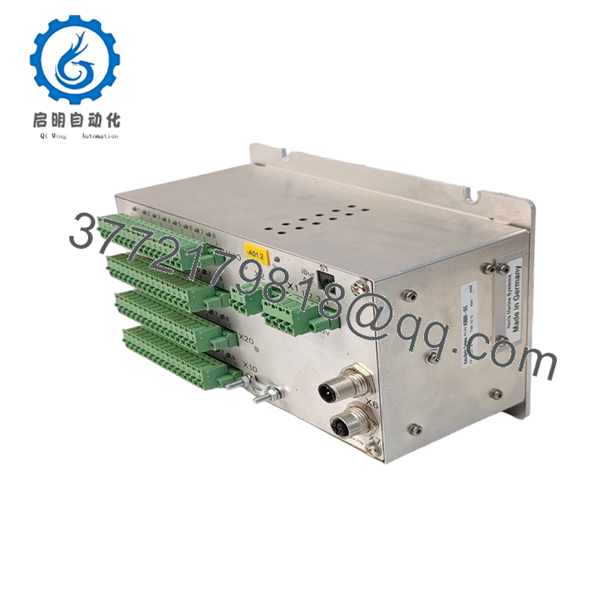
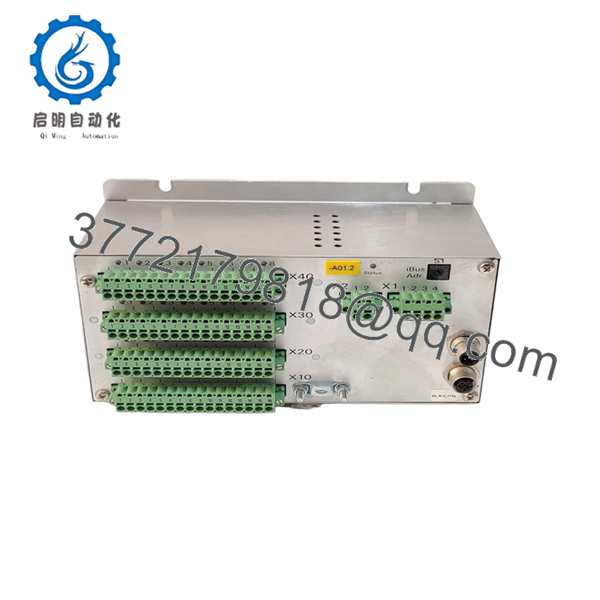
NORIS N3000-ISC-202-01 is an N3000-series industrial control module used in marine and automation applications where distributed I/O and local control matter. It runs on 18–32 V DC and uses serial communications including RS232, RS422, and RS485.
Buyers usually choose this unit when they need a direct-fit NORIS replacement with the same N3000 architecture and addressable CAN node setup. The front-panel IP65 rating and wide temperature range make it suitable for harsher control-room and machinery-space environments.

- N3000-ISC-202-01
- N3000-ISC-202-01
Troubleshooting Quick Reference
| Symptom | Possible Cause | Relevance to this Part | Quick Check Method | Recommendation |
|---|---|---|---|---|
| No power-up LEDs | Missing 24 V DC supply or blown upstream fuse | ✅ High | Measure 18–32 V DC at the supply terminals with a multimeter | Check PSU, fuse, and wiring before replacing the module |
| CAN node not seen on the system | Wrong node address or bus wiring issue | ✅ High | Verify rotary address switch and continuity on CAN lines | Match the old address exactly and inspect bus termination |
| Serial comms fail on RS232 / RS422 / RS485 | Wrong protocol selection or pinout mismatch | ✅ High | Confirm the wiring against the site diagram and test with known-good cable | Do not swap pins from memory; verify the manual first |
| Intermittent alarms or dropped channels | Loose terminal block, ground issue, or external sensor fault | ❌ Low | Wiggle-test terminals and check sensor supply voltage at the field device | Inspect field wiring before blaming the module |
| Unit runs hot | Excessive ambient temperature or overloaded enclosure | ❌ Low | Check cabinet temperature and confirm load current | Improve enclosure cooling and verify power draw margin |
| LEDs normal, but signals do not change | Configuration mismatch or bad input simulation setup | ✅ Medium | Compare DIP / address settings and test with a known input source | Recheck configuration before ordering a replacement |
Contact technical support with clear photos of the front panel, terminal blocks, LEDs, and any diagnostic logs if the fault still does not point to the module.
Frequently Asked Questions
Q: Is the N3000-ISC-202-01 a direct replacement?
A: Usually, yes, if your existing unit is the same N3000-ISC family and the wiring, address settings, and comms interface match. Verify the exact suffix and site configuration before installation.
Q: Is this module new or refurbished?
A: This listing is for New Original / New Surplus stock unless otherwise stated. That means it is unused stock from OEM channels or surplus inventory, not a repaired board.
Q: Why is it cheaper than factory new?
A: Surplus stock often sells below factory pricing because it comes from excess inventory, discontinued projects, or closed-out spares. That lower price does not change the need to verify condition, firmware, and compatibility.
Q: Can I hot-swap it?
A: No, do not assume hot-swap capability. Kill power first, because pulling a controller or I/O module live can damage the backplane or corrupt the node.
Q: Will my program or configuration stay in place after a swap?
A: Not always. Some settings live in the controller, some live in the system configuration, and some are stored externally. Back up the old module settings and record switch positions before removal.
Q: What should I check before ordering?
A: Confirm the exact model number, current firmware if available, node address, connector style, and supply voltage. The most common mistake is ordering by partial part number and discovering the replacement does not match the original pinout or address scheme.
Q: What are the biggest installation traps?
A: Firmware mismatch, wrong rotary address, and wiring assumptions cause most avoidable failures. Take a photo of the old module, copy the settings exactly, and do not trust memory on terminal layout.



