
 WhatsApp: +86 16626708626
 Email:
  Phone: +86 16626708626
Description
Key Technical Specifications
| Parameter | Specification |
| Control System Compatibility | Okuma OSP-7000 / OSP-U100 / OSP-E100 CNC Systems |
| Board Type | Main System Logic / Axis Motion Interface Card |
| Bus Interface | Proprietary Okuma OSP Backplane Bus |
| Operating Voltage | +5 V DC / ±12 V DC (Supplied via CNC rack backplane) |
| I/O Channel Integration | High-speed parallel logic channels for drive unit synchronization |
| Operating Temperature | 0 to 55 °C (32 to 131 °F) |
| Form Factor | Rack-mount card rack format with front faceplate ejector handles |
| Storage Temperature | −20 to 70 °C (−4 to 158 °F) |
| Humidity Rating | 10 to 90% RH (non-condensing) |
Product Introduction & Supply Chain Strategy
The Okuma E4809 is an industrial-grade CNC main control circuit board engineered specifically for Okuma OSP series machine tool controllers. It processes complex trajectory calculations, manages real-time axis interpolation, and coordinates bidirectional communication between the central processing unit, servo drives, and auxiliary machine I/O banks.
Securing the Okuma E4809 as New Surplus is a vital risk-mitigation strategy for manufacturing facilities operating legacy Okuma lathes, machining centers, and grinders. Because OEM factory production on these control boards has ceased, acquiring genuine factory-new units through standard distribution channels involves excessive lead times or complete unavailability. Secondary-market refurbished or repaired boards introduce severe operational risks: aged surface-mount capacitors, degraded solder joints, and latent thermal stress from prior shop-floor environments often cause intermittent system alarms, axis tracking errors, and unexpected spindle halts. A single unprogrammed machine stoppage on a automotive or aerospace production line can cost tens of thousands of dollars per hour in lost throughput. Stocking 1–2 units of verified New Surplus inventory guarantees original trace impedance, pristine backplane contacts, and immediate plug-and-play restoration without costly machine re-commissioning delays.
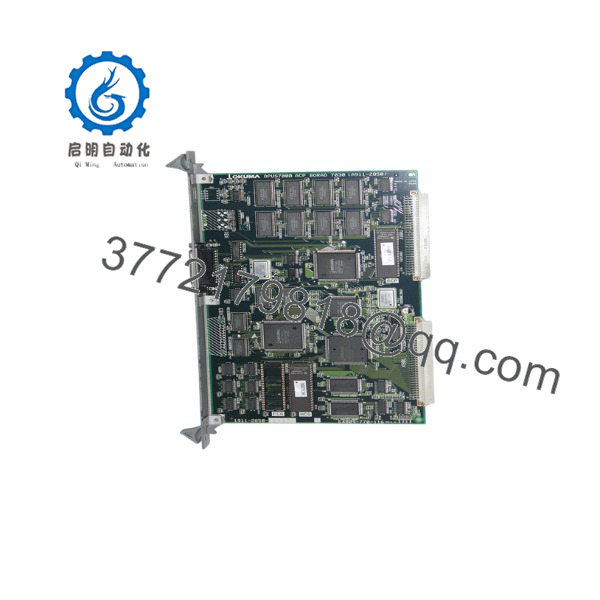
E4809
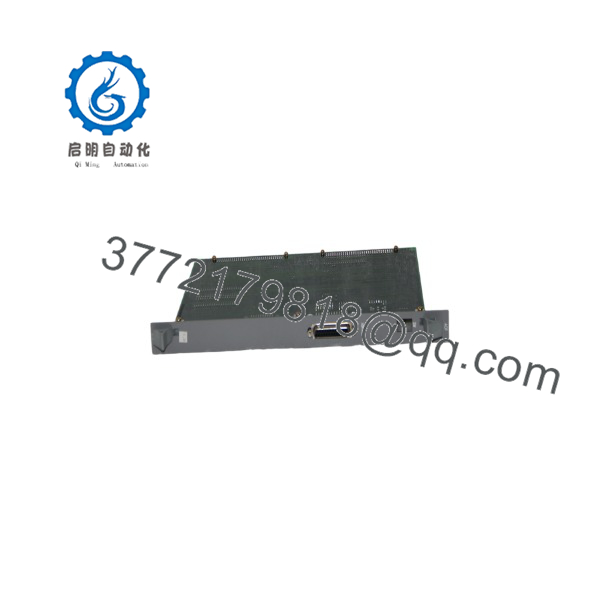
E4809
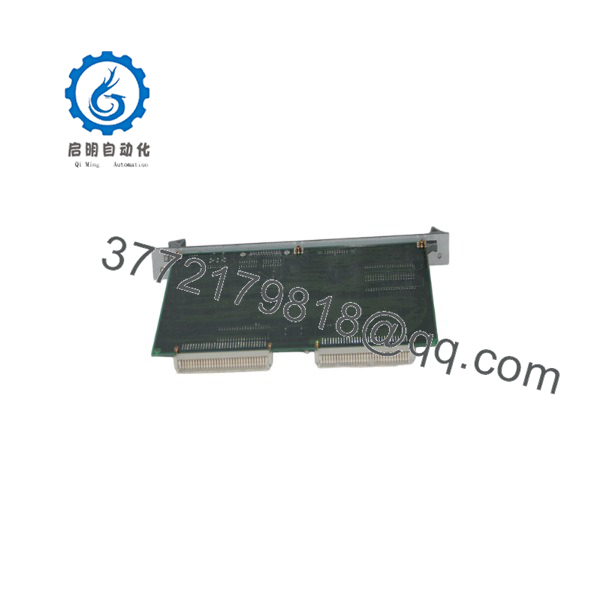
E4809
Installation & Configuration Guide
Stage 1: Pre-Installation (Prep & Safety)
- Disconnect main line power to the Okuma CNC cabinet and lock out the main circuit breaker following standard Lock-out/Tag-out (LOTO) protocols.
- Put on an ESD-grounded wrist strap connected to the grounded cabinet chassis before touching any circuit boards.
- Take high-resolution photos of all DIP switch blocks, jumper pin positions, and option plugs on the existing E4809 board prior to removal.
Stage 2: Removal
- Unplug any front-panel ribbon cables or serial communication connectors attached to the board faceplate.
- Loosen top and bottom mounting or retaining screws on the front panel card cage assembly.
- Firmly pull the card ejector handles outward to disengage the board connectors from the rear rack backplane, then slide the card straight out along its guide rails.
Stage 3: Installation (Clone & Seat)
- Configure all DIP switches, rotational selector switches, and jumper links on the new E4809 board to mirror the settings photographed on the original unit.
- Align the new board with the top and bottom guide rails of the designated card cage slot.
- Slide the board smoothly into the slot until the backplane connectors touch, then push the card ejector levers inward to seat the connectors fully into the rack. Tighten retaining screws.
Stage 4: Power-On & Testing
- Reconnect front-panel ribbon cables and secure retention clips.
- Restore power to the CNC console and observe the front-panel diagnostic LEDs on the E4809 during the OSP boot sequence.
- Verify that the system passes self-test without displaying system bus or axis communication alarm codes on the operator screen. Execute a manual axis jog to confirm proper drive response.
Firmware/Software Versions & Upgrade Notes
- Board Revision Matching: Okuma E4809 circuit boards often carry specific revision suffixes (e.g., -XXX). Always verify the full part number and suffix code on the silkscreen label to ensure hardware layer parity with your control cabinet.
- EEPROM Memory Preservation: System-specific parameters, pitch error compensation values, and machine options are stored on system EPROMs or battery-backed SRAM modules. Ensure these memory ICs are transferred to the new board if your specific sub-board revision relies on socketed firmware.
- Swap & Upgrade Warning: Do not alter onboard socketed firmware chips or field-flash controller PALs without exact matching software sets from Okuma. Mismatched firmware releases between the main CPU and motion control sub-boards will cause initialization timeouts or trigger emergency stop interlocks during system boot.
Frequently Asked Questions (FAQ)
Q: Is this Okuma board brand new or a refurbished pull from a scrap machine?
This circuit board is 100% Brand New Surplus inventory. It has never been installed on a machine, never fielded in a production shop, and never repaired. It remains in its original anti-static protective packaging, opened solely by our technical staff for visual quality inspection and physical pin verification.
Q: Why should I pay more for New Surplus when used or repaired boards are cheaper?
Refurbished CNC boards carry high failure rates due to prior thermal exposure, thermal-cycling stress on solder joints, and degraded electrolytic capacitors. A cheap used board that fails after two weeks can cause an emergency shutdown, ruined workpieces, and lost production orders that dwarf the initial purchase savings. Buying New Surplus provides factory-level stability, full expected lifespan, and absolute operational reliability.
Q: How does purchasing New Surplus improve Total Cost of Ownership (TCO)?
While used parts appear cost-effective initially, their unpredictable lifespan leads to repeated replacement cycles, diagnostic labor expenses, and unscheduled machine downtime. A New Surplus board delivers original OEM longevity and zero baseline component wear, protecting your plant from costly emergency maintenance cycles and maximizing machine uptime over the long term.
Q: Can I replace this board while the CNC cabinet is powered on?
No. Hot-swapping circuit boards in an Okuma OSP cabinet is strictly prohibited. Removing or inserting the card while the backplane bus is energized will cause high-current voltage spikes, destroying sensitive bus transceivers, logic chips, or adjacent cards in the rack. Always completely isolate AC power before swapping boards.
Q: How do I confirm that the board is authentic upon receipt?
Each Okuma board features its original factory silkscreen markings, pristine backplane edge-connector gold plating (with zero insertion wear marks), intact component solder joints, and an individual ESD quality control inspection report from our testing laboratory.
Q: What warranty coverage is provided with this New Surplus board?
We support this product with a comprehensive 1-year functional replacement warranty starting from the date of shipment. If the board exhibits any operational fault under normal operating conditions within 12 months, we provide an immediate direct replacement unit or a full refund.



