
 WhatsApp: +86 16626708626
 Email:
  Phone: +86 16626708626
Description
Key Technical Specifications
| Parameter | Specification Value |
| Part Number | A911-2834 (Equivalent to E4809-045-081 / FCP-DN base types) |
| Compatible Systems | Okuma OSP-U10M, OSP-U100M, OSP-U100L, OSP-E100L CNC units |
| Board Architecture | High-density multi-layer CNC main processor card |
| Bus Interface | Okuma backplane rack slot connection |
| Communication Ports | High-speed optical bus link for servo drive and I/O communication |
| Power Input | +5 V DC / ±12 V DC supplied directly via backplane bus |
| Operating Temperature | 0 to +55°C (32 to 131°F) |
| Cooling Requirements | Forced-air cabinet enclosure cooling |
| Form Factor | Metal-faceplate rack-mount PCB assembly |
Product Introduction & Supply Chain Strategy
The Okuma FCP-DN A911-2834 is a central processing and communication board for Okuma OSP-series CNC systems. It processes real-time motion control algorithms, interpolates multi-axis machining paths, and coordinates communication between the machine operator panel, servo drives, and auxiliary machine tool functions.
Because legacy Okuma OSP controllers run high-precision metalworking machinery, holding an FCP-DN A911-2834 card as New Surplus is a high-ROI insurance policy against unplanned machine downtime. An unexpected main board failure brings the entire CNC machine tool to a dead stop. Refurbished CNC circuit cards frequently suffer from degraded surface-mount capacitors or thermal stress fatigue from years of continuous cabinet heat. Sourcing New Surplus guarantees unaged board traces, factory-fresh solder joints, and long-term operational reliability at a favorable Total Cost of Ownership (TCO).
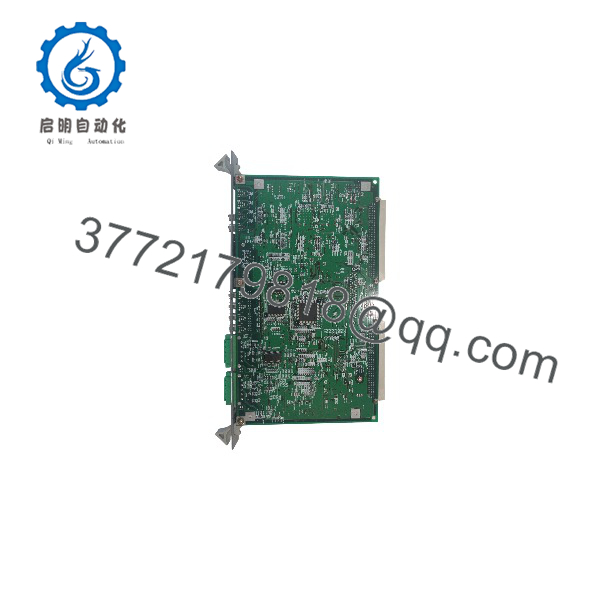
FCP-DN A911-2834
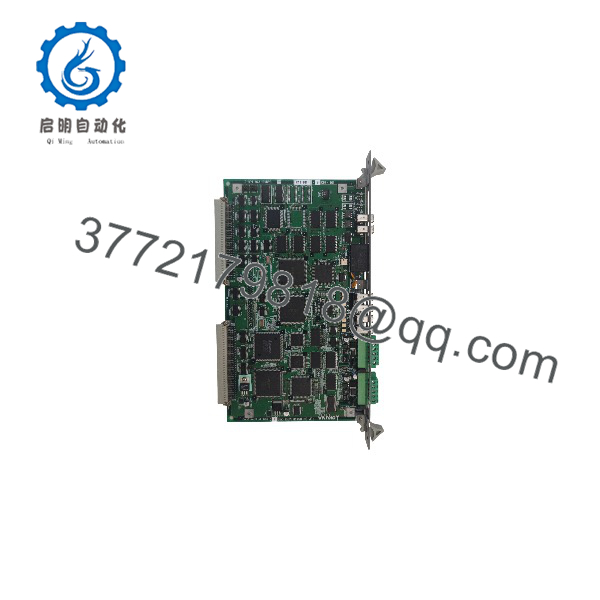
FCP-DN A911-2834
Installation & Configuration Guide
Stage 1: Pre-Installation (Prep & Safety)
- Execute Lock-Out/Tag-Out (LOTO) procedures on the main CNC machine tool breaker.
- Wait 10 minutes for servo drive DC bus capacitors to discharge completely.
- Put on a grounded ESD wrist strap before handling the replacement circuit board.
- Record all DIP switch, jumper block, and rotary switch positions on the original FCP-DN board.
Stage 2: Removal
- Disconnect all front-panel fiber optic cables and communications harnesses, tagging each cable for exact reinstallation.
- Unfasten the top and bottom captive retaining screws securing the board to the OSP rack chassis.
- Pull the card extraction levers outward to unseat the board from the backplane connectors.
- Slide the board straight out along the chassis card guides.
Stage 3: Installation (Clone & Seat)
- Set all jumpers and DIP switches on the new FCP-DN A911-2834 board to match the original unit exactly.
- Align the replacement board with the rack guide slots.
- Slide the card inward until the rear edge connectors engage the backplane, then press the levers inward to seat it fully.
- Tighten the top and bottom captive screws to 0.5 Nm (4.4 in-lb) to maintain frame grounding.
- Reconnect all fiber optic lines and communication harnesses.
Stage 4: Power-On & Testing
- Re-apply main power to the Okuma OSP control rack.
- Observe front-panel LED indicators during the boot sequence:
- RUN / READY LED: Solid green indicates successful POST and boot completion.
- ALARM / ERR LED: Red indicates a backplane communication error, memory mismatch, or improper jumper setting.
- Verify that axis parameters, spindle links, and machine I/O communicate cleanly on the OSP display screen.
Firmware/Software Versions & Upgrade Notes
- System Compatibility: Designed for Okuma OSP-U100 and OSP-E100 control platforms.
- Parameter Retention: The FCP-DN board functions alongside the main system software stored in system EPROM/flash memory modules. Machine parameters must be backed up to floppy disk, PCMCIA card, or RS-232 storage prior to replacing hardware.
- Replacement Warning: Never alter or swap system ROM chips during board replacement without verifying Okuma software release levels. Firmware mismatches between the FCP-DN card and the servo drive communications bus will trigger emergency stop alarms (
ALARM A/ALARM Bbus faults).
Frequently Asked Questions (FAQ)
What is the relationship between part numbers A911-2834 and E4809-045-081?
A911-2834 is the primary drawing/part designation for the Okuma FCP-DN board assembly, while E4809-045-081 identifies the underlying Okuma printed circuit board type. They represent the exact same physical and electrical hardware unit and are 100% drop-in compatible.
How do you ensure these FBM/FCP Okuma boards are genuine New Surplus?
Our New Surplus inventory comes from verified machine builder spare holds and canceled plant integration projects. Every board remains unused and uninstalled, shipped in original ESD protective packaging with pristine golden backplane edge connectors and zero insertion marks.
Do I need to reload machine parameters after installing a new FCP-DN board?
While the FCP-DN board acts primarily as a processing and communications engine, system memory parameters may be cleared if the onboard buffer battery is disconnected during storage. Always maintain a current backup of your Okuma machine parameters (.TOP, .PRI, or .PUP files) to reload via floppy drive or serial link if required.
What are the risks of using a refurbished CNC control board in an Okuma machine tool?
Refurbished CNC boards often have hidden micro-fractures, degraded electrolytic capacitors, or worn backplane contacts due to repetitive thermal expansion. These defects lead to intermittent bus timing errors, unexpected axis runaway faults, or sudden machine shutdowns that can ruin workpieces and damage machine spindles.
What warranty is provided with this New Surplus Okuma board?
We back this New Surplus Okuma FCP-DN board with a complete 1-year functional replacement warranty. If the board exhibits POST diagnostic failures or communication loss within 12 months, we replace it directly from our ready stock.



