
 WhatsApp: +86 16626708626
 Email:
  Phone: +86 16626708626
Description
Key Technical Specifications
| Parameter | Specification |
|---|---|
| Manufacturer | Parker Hannifin |
| Model | GV6K-U6E |
| Product Family | Gemini GV6K |
| Product Type | Servo drive/controller |
| Axis Control | Single-axis |
| Input Voltage | 95–265 VAC, single phase |
| Bus Voltage | 170/340 VDC |
| Continuous Current | 6 Apk sine |
| Peak Current | 15 Apk sine |
| Continuous Power | Approx. 1.75 kW |
| Peak Power | Approx. 4.4 kW |
| Feedback | Encoder / Hall feedback |
| Control Modes | Position, velocity, torque/current |
| PWM Frequency | Selectable 8/16/20 kHz ranges |
| Communication | RS-232 / RS-485 |
| Programming | Motion Planner software |
| Memory | Battery-backed program storage |
| Fieldbus Options | Profibus / DeviceNet variants available separately |
| Mounting | Panel/chassis mount |
| Protection | Over-current, over-voltage, thermal protection |
Parker documentation defines the GV6K-U6E nomenclature as follows: GV = servo drive, 6K = integrated 6K motion controller, U6 = universal 120/240 VAC input with 6 A continuous current, E = encoder feedback.
The GV6K-U6E specification lists 6 Apk continuous current and 15 Apk maximum current, with a 170/340 VDC DC bus range for 120/240 VAC input operation.
Product Introduction
The Parker GV6K-U6E Gemini Servo Drive Controller combines a programmable Parker 6K motion controller with a Gemini digital servo amplifier in a compact single-axis package. It was designed for OEM automation equipment requiring coordinated motion control, electronic gearing, registration, and advanced motion profiles without a separate external controller.
The integrated architecture reduces system wiring by combining motion intelligence and servo amplification in one unit. The GV6K platform supports functions such as S-curve profiling, electronic camming, multitasking programs, and ASCII-based communication commands.
The U6E version is optimized for medium-power servo applications, supporting 120/240 VAC input and encoder-based feedback. It is commonly found in packaging machines, semiconductor equipment, assembly systems, and precision positioning applications.
Because Parker has discontinued the GV6K series, replacement projects require careful verification of motor parameters, communication architecture, and existing Motion Planner programs before selecting an alternative.
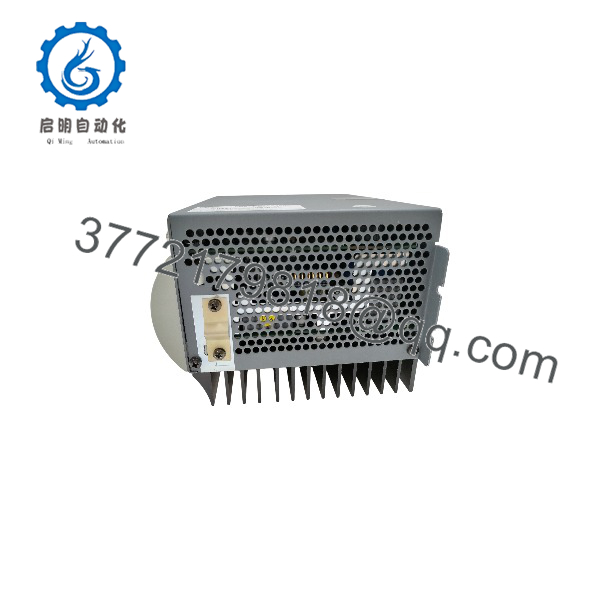
GV6K-U6E
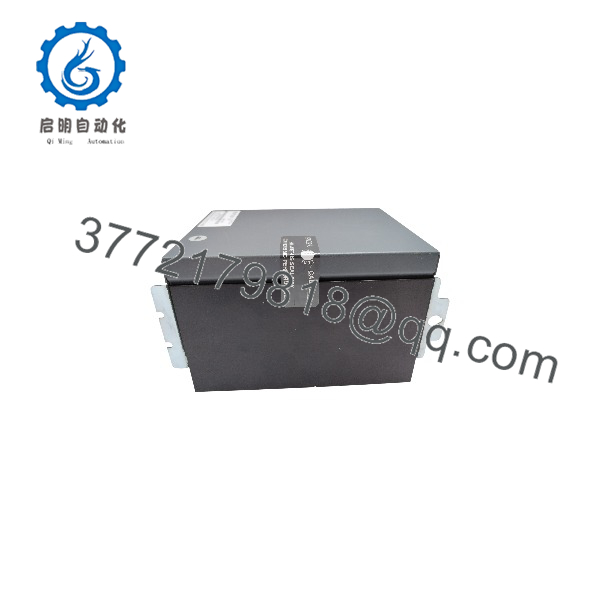
GV6K-U6E
Installation & Configuration Guide
Step 1 — Verify Existing Servo System
Before removing the -U6E:
- Record the complete model number.
- Photograph all connectors and wiring.
- Record motor model and rated current.
- Save existing drive parameters.
- Backup the motion program from the controller.
- Record communication settings.
Important checks:
- Motor encoder type
- Motor voltage/current
- Feedback resolution
- Command interface
- I/O assignments
- Motion program version
Step 2 — Remove Existing Drive
- Stop machine operation safely.
- Disconnect AC input power.
- Wait for DC bus discharge.
- Apply ESD protection.
- Disconnect motor output wiring.
- Disconnect encoder feedback cable.
- Disconnect RS-232/RS-485 communication wiring.
- Remove mounting hardware.
- Remove the -U6E from the panel.
⚠️ Servo drives contain stored energy. Confirm DC bus voltage has discharged before handling internal connections.
Step 3 — Install Replacement Unit
- Verify replacement part number:
- Not GV6-U6E or -U12E unless compatibility has been confirmed.
- Mount the controller in the original panel location.
- Connect AC input.
- Connect motor power output.
- Connect encoder feedback.
- Connect communication cables.
- Verify protective earth connection.
Step 4 — Parameter Configuration
Load or verify:
- Motor model parameters
- Encoder resolution
- Current limits
- Velocity limits
- Acceleration/deceleration profiles
- Servo gains
- Following error limits
- I/O configuration
- Communication parameters
The was configured through Parker Motion Planner software via serial communication interfaces.
Step 5 — Commissioning Test
Perform:
- Power-up diagnostics.
- Check drive fault status.
- Verify encoder feedback.
- Jog motor at low speed.
- Confirm rotation direction.
- Test position accuracy.
- Execute stored motion programs.
- Verify machine sequence operation.
Common Troubleshooting
Drive Will Not Enable
Check:
- Emergency stop circuit
- Enable input
- AC supply voltage
- Drive fault history
- Motor feedback connection
Motor Runs but Position Is Incorrect
Possible causes:
- Incorrect encoder configuration
- Wrong motor parameters
- Incorrect direction setting
- Poor servo tuning
Communication Failure
Check:
- RS-232/RS-485 wiring
- Communication baud rate
- Motion Planner connection settings
- Controller address
Overcurrent Fault
Check:
- Motor cable insulation
- Mechanical load
- Acceleration settings
- Current limit settings
FAQ
What isker ?
Theker is a Gemini 6K integrated servo drive/controller combining motion-control functions and a digital servo amplifier in one unit.
What does the U6E suffix mean?
The naming indicates:
- U = Universal 120/240 VAC input
- 6 = 6 A continuous servo current class
- E = Encoder feedback version
What motors are compatibith ?
The supports Parker servo motors selected according to current, voltage, and feedback requirements. Parker documentation lists compatible motor families including SM, BE, NeoMetric, J, and M series.
Is discontinued?
Yes. Parker has discontinued the Gemini servo drive/controller family. Existing units are supported through industrial spare-part channels, while replacement projects generally require migration planning.
Can replace GV6-U6E?
Not automatically. Although the drive power section is similar, the includes the integrated 6K motion controller, while GV6 is primarily a servo drive/controller variant without the same controller functionality. Verify system architecture before substitution.
What software pams ?
The is configured using Parker Motion Planner software through serial communication.
What information is needed before ordering a replacement?
Provide:
- Complete part number
- Hardware revision
- Motor model
- Encoder type
- Existing communication method
- Photos of front label and connectors
- Current application parameters
This information is necessary because variants differ by voltage range, current rating, feedback type, and communication options.



