WhatsApp: +86 16626708626
 Email:
 Phone: +86 16626708626
Description
Key Technical Specifications
The following specifications describe the documented ACR8020 platform. They should not be treated as confirmation that every hardware revision or suffix configuration has identical features.
| Parameter | Specification |
|---|---|
| Manufacturer | Parker Hannifin |
| Product family | ACR8020 |
| Controller architecture | PC-based motion controller |
| Processor | Texas Instruments TMS320VC33 DSP |
| Processor performance | 120 MFLOPS, according to Parker’s product catalog |
| Host interface | PCI bus |
| Main-board axis configurations | 2, 4, 6, or 8 axes |
| Expanded axis capacity | Up to 16 axes with the appropriate expansion hardware |
| Encoder inputs | Up to 10 per card; up to 20 with expansion |
| Encoder frequency | Up to 20 MHz post-quadrature, as specified in Parker’s catalog |
| Analog command outputs | Up to 8 on the main card; additional outputs depend on configuration |
| Digital I/O | 64 optically isolated 24 VDC points; expansion options available |
| Operating temperature | 0°C to 50°C |
| Relative humidity | 0–95%, noncondensing |
| Main-board dimensions | Approximately 13.3 × 4.2 inches; full-size PCI form factor |
| Motion programming | Motion programs and ladder-logic PLC functions |
| Firmware | Flash-based |
| Programming tools | Parker ACR-View and compatible legacy software |
Exact -03 revision details |
Verify against the unit label and applicable hardware documentation |
Sources: Parker Hannifin official controller information and ACR8020 hardware documentation.
Important power-supply compatibility note: The ACR8020 requires both 3.3 VDC and 5 VDC at the PCI slot. Parker’s technical support documentation warns that the controller will not operate without both supply rails. Verify the host computer or industrial PC backplane before installation.
Product Introduction
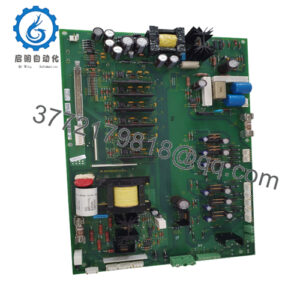
The PARKER PC-ACR8020-03 is identified with Parker’s ACR8020 family of PCI-based motion controllers, designed for coordinated servo and stepper control in industrial machinery. The platform combines a dedicated DSP, encoder feedback, programmable motion trajectories, and digital I/O for applications requiring synchronized axis movement.
Its documented capabilities include linear and circular interpolation, electronic gearing, camming, and ladder-logic control. Because the ACR8020 belongs to a legacy product family, replacement decisions should account for the host PC, PCI electrical requirements, existing motion programs, expansion hardware, and installed software version.
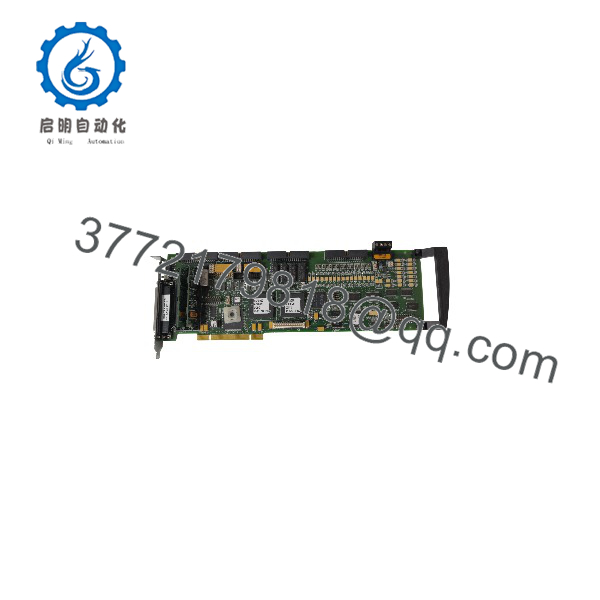
PC-ACR8020-03
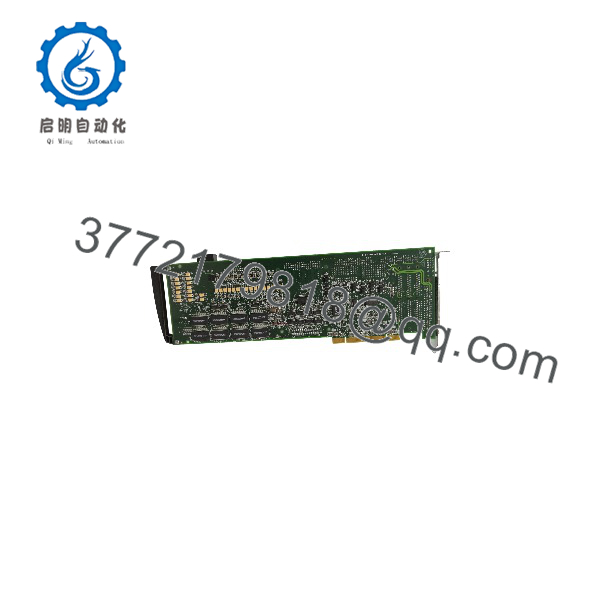
PC-ACR8020-03
Installation & Configuration Guide
Planning estimate: 30–60 minutes for a straightforward replacement inspection and installation. Software recovery, legacy PC compatibility, or motion tuning can require substantially more time.
Stage 1: Pre-Installation Preparation
- Coordinate the machine shutdown. Notify operations, bring the equipment to a safe state, isolate hazardous energy, and follow the site’s lockout/tagout procedure.
- Identify the exact hardware. Photograph the
PC--03label, board revision, connector arrangement, installed expansion cards, and existing cabling. - Back up the application. Preserve the motion program, controller parameters, axis scaling, servo tuning values, machine limits, and relevant host-PC configuration.
- Record the existing setup. Document encoder wiring, analog command connections, digital I/O assignments, and any jumpers or switches.
- Check host compatibility. Confirm that the replacement computer provides the required PCI interface and both 3.3 VDC and 5 VDC rails.
Estimated time: 10–20 minutes, excluding a full application backup.
Stage 2: Remove the Existing Controller
- Verify that the host PC and connected equipment are safely de-energized.
- Disconnect cables only after labeling each connector and documenting its orientation.
- Release the card retention mechanism and remove the board straight from the PCI slot.
- Inspect the PCI connector, card edge, host slot, and nearby components for contamination or damage.
- Retain the original board until the replacement has passed functional testing.
Warning: Do not connect external power to the ACR8020 through the optional ACRCOMM module. Parker’s hardware manual explicitly warns that doing so can permanently damage the controller.
Estimated time: 5–10 minutes.
Stage 3: Install the Replacement
- Use an ESD wrist strap and appropriate antistatic handling procedures.
- Compare the replacement’s model suffix, board revision, connectors, and expansion hardware with the original.
- Verify the host’s PCI compatibility and required supply rails before inserting the card.
- Install the controller into the correct slot and secure the retention bracket.
- Reconnect encoder, analog, digital I/O, and communication connections using the documented pin assignments.
- Restore any required jumpers and switch settings from the original configuration records.
Pre-power checklist
Estimated time: 10–15 minutes.
Stage 4: Power-On and Commissioning
- Recheck the installation and verify that no loose conductors or foreign objects remain in the host chassis.
- Start the host system using the site’s approved commissioning procedure.
- Check whether the operating system and compatible Parker software recognize the controller.
- Confirm controller communication, firmware identification where available, and the correct application configuration.
- Test encoder feedback and digital I/O with the machine in a safe state.
- Verify axis direction, scaling, travel limits, interlocks, and emergency-stop behavior before enabling motion.
- Conduct a controlled low-speed test before restoring automatic operation.
Troubleshooting guidance
- Controller not detected: Check PCI compatibility, both required supply rails, card seating, and host-system configuration.
- Encoder feedback incorrect: Recheck encoder wiring, signal type, polarity, and the applicable input configuration.
- Unexpected motion: Disable the drive system safely and verify axis direction, scaling, command polarity, and motion parameters before retesting.
- Application fails to load: Confirm software compatibility and restore a known-good configuration backup.
Do not assume that an ACR8020 replacement can be commissioned solely by inserting the card. Legacy operating systems, drivers, application software, and machine-specific configuration can be the limiting factors.
Frequently Asked Questions (FAQ)
Q1. Is the PARKER PC-ACR8020-03 obsolete?
The ACR8020 is part of Parker’s legacy motion-control portfolio. Parker’s technical knowledge base identifies the ACR controller generations as obsolete in its legacy replacement guidance. Confirm whether the exact PC--03 configuration remains available through authorized or surplus channels.
Q2. Is the PC-ACR8020-03 a servo drive or a motion controller?
Parker documents the ACR8020 as a motion controller, not a standalone power amplifier. It generates motion commands and processes feedback; the machine’s servo amplifiers or stepper drives provide the power needed to operate the motors. Verify the original machine’s drive architecture before selecting a replacement.
Q3. Can I replace the existing card without changing the machine software?
Not necessarily. Retaining the existing application may be possible when the replacement hardware, host PC, controller configuration, and software environment are compatible. Check the exact board revision, expansion hardware, drivers, ACR software version, and saved motion parameters before purchasing.
Q4. What should I verify before ordering this model?
Provide the supplier with the complete model number, including -03, and request photographs of the actual unit’s label and connectors. Also confirm:
- Exact hardware revision and board configuration
- Included expansion or communication cards
- Tested operating condition and available test documentation
- Warranty terms and return policy
- Stock status and dispatch lead time
Do not assume that two cards are interchangeable solely because both carry the ACR8020 designation.
Q5. Is a used or surplus controller suitable for production equipment?
It can be suitable if its condition and compatibility are verified. Ask for documented inspection results, functional test evidence, and confirmation that the controller was tested in a compatible host environment. A visual inspection alone does not establish that the DSP, encoder inputs, outputs, and communication functions work correctly.
Q6. Does the ACR8020 support 16-axis motion control?
Parker’s documentation describes main-board configurations of up to eight axes and expansion configurations of up to 16 axes. The expanded configuration requires compatible expansion hardware. Confirm that the particular unit and installed system include the required components before relying on 16-axis operation.
Q7. What is the direct replacement if the PC-ACR8020-03 is unavailable?
Parker has published legacy migration guidance covering the ACR8020-to-ACR9000 transition and the later ACR7000C family. However, these are not guaranteed plug-compatible replacements, and Parker’s legacy guidance cautions that older replacement recommendations may no longer be valid.