
 WhatsApp: +86 16626708626
 Email:
  Phone: +86 16626708626
Description
Key Technical Specifications
| Parameter | Value |
| Manufacturer | PILZ |
| Part Number / Type | 773731 / PNOZ mc9p |
| Product Line | PNOZmulti Classic Safety System |
| Fieldbus Interface | PROFINET IO (Slave device) |
| Transmission Rate | 100 MBit/s (Full and Half Duplex) |
| Physical Connector | 1 × RJ45 port |
| Virtual I/O Capacity | 24/128 Bit virtual inputs | 24/128 Bit virtual outputs |
| Galvanic Isolation | Yes (500 V AC test voltage) |
| Power Supply | Supplied internally via PNOZmulti base unit backplane |
| Mounting Type | 35 mm DIN rail (EN 50022) |
| Operating Temperature | 0°C to 60°C (32°F to 140°F) |
| Dimensions / Weight | 94 mm × 22.5 mm × 114 mm | 135 g |
Product Introduction & Supply Chain Strategy
The PILZ 773731 (PNOZ mc9p) is a specialized PROFINET IO communication expansion card engineered for the PNOZmulti Classic modular safety system. Acting as a fieldbus slave, it transfers non-safety diagnostic telemetry, virtual input states, and virtual output commands between the central PNOZmulti safety controller and high-level industrial PLCs (such as Siemens S7 architectures) over standard PROFINET lines.
Because PILZ has officially discontinued the 773731 module, securing a New Surplus unit acts as a high-ROI strategic buffer against unexpected plant stoppages. Sourcing factory-sealed surplus avoids the enormous capital expenditure of upgrading an entire machinery safety system to newer hardware generations. It guarantees zero component wear, original firmware integrity, and immediate drop-in replacement without the failure risks of second-hand alternatives.
Installation & Configuration Guide
1.Stage 1: Pre-Installation (Prep & Safety):Disconnect system power and take ESD precautions.
Isolate all 24 V DC power sources powering the PNOZmulti base unit and cabinet I/O circuits using standard Lock-Out/Tag-Out (LOTO) procedures. Put on a grounded ESD wrist strap before handling the electronics. Record the rotary switch node settings, IP configuration, and PROFINET station name assigned in your PNOZmulti Configurator project file.
2.Stage 2: Removal:Disengage backplane bus and remove old hardware.
Unplug the RJ45 Ethernet cable by pressing the connector release tab. Release the yellow terminator or side cover from the expansion bus interface. Insert a flathead screwdriver into the bottom DIN rail locking clip, pull downward to disengage the spring latch, and unhook the module straight off the 35 mm DIN rail.
3.Stage 3: Installation (Clone & Seat):Seat module on DIN rail and attach expansion jumpers.
Mount the New Surplus PILZ 773731 module onto the 35 mm DIN rail adjacent to the PNOZmulti base unit (or preceding expansion card) and snap the DIN clip shut. Push the module flush against the left-hand unit to fully engage the internal backplane bus connector. Re-attach the right-side bus terminator cover and securely latch the RJ45 PROFINET connector.
4.Stage 4: Power-On & Testing:Apply system power and verify network handshake.
Restore 24 V DC supply power to the PNOZmulti system. Observe the status LEDs on the front panel of the 773731 module: confirm that the POWER LED illuminates solid green and the PROFINET status LEDs (Link/Activity) indicate active data transmission with the master PLC. Run a diagnostic check via PNOZmulti Configurator software to verify zero fieldbus fault codes.
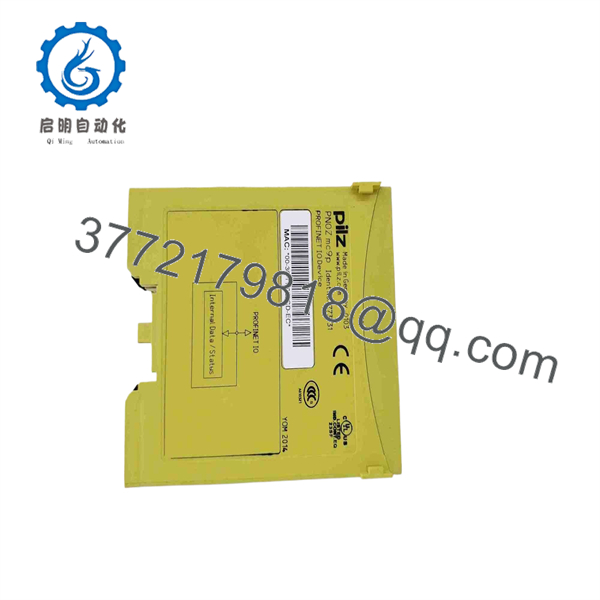
773731
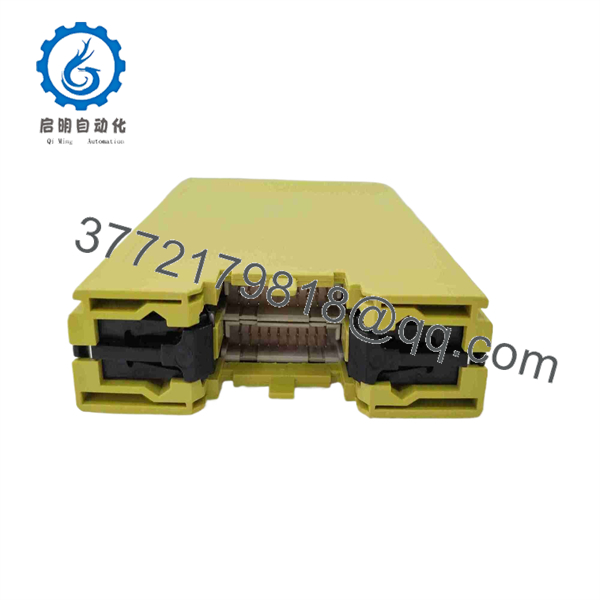
773731
Firmware/Software Versions & Upgrade Notes
- Configuration Compatibility: The PNOZ mc9p module requires software configuration via PNOZmulti Configurator (Version 7.0 or higher recommended).
- GSDML File Versioning: When integrating the 773731 into your master PLC programming suite (e.g., Siemens TIA Portal or STEP 7), ensure the GSDML revision file imported matches the exact hardware revision index listed on the side panel of the PILZ 773731 module.
- Network Interruption Caution: Never disconnect the fieldbus bus link or power down the base unit while uploading configuration files from the PNOZmulti Configurator. Loss of backplane synchronization during hardware handshake initialization can force the module into a soft fault state, requiring a full hard-reset cycle.
Frequently Asked Questions (FAQ)
Q: What does New Surplus mean for a discontinued item like the PILZ 773731? A: New Surplus means the PILZ 773731 unit is 100% unused, genuine original manufacturer stock. It originates from system integrator overstock, cancelled OEM machine projects, or unissued spare inventory. It arrives in pristine condition in original packaging and has never been installed on a machine backplane.
Q: Is the PILZ 773731 module safe to use in functional safety circuits? A: The 773731 (PNOZ mc9p) is a standard fieldbus communication module designed to transfer non-safety diagnostics and virtual signals between the PNOZmulti controller and a master PLC. Safety-critical interlocks and safety functions are processed independently inside the PNOZmulti base unit and safety I/O modules, preserving your safety category ratings.
Q: Can I hot-swap the 773731 module while the PNOZmulti controller is running? A: No. PNOZmulti Classic expansion backplanes do not support active hot-swapping. Extracting or inserting the 773731 module under power disrupts internal backplane communication, causing the base unit to trigger an immediate safety shutdown fault. Always isolate system power prior to replacement.
Q: Why buy a New Surplus PILZ 773731 rather than replacing the system with a newer controller? A: Replacing an obsolete safety controller system often requires re-engineering safety logic, re-drawing electrical schematics, buying new base units/modules, and re-certifying machine safety compliance—costing tens of thousands of dollars. Installing a New Surplus 773731 provides a direct 1:1 hardware drop-in that restores production in minutes for a fraction of the cost.
Q: What warranty coverage comes with this module? A: All New Surplus PILZ 773731 modules are backed by a comprehensive 1 year seller warranty, guaranteeing full functional performance and supply chain peace of mind.



