
 WhatsApp: +86 16626708626
 Email:
  Phone: +86 16626708626
Description
Key Technical Specifications
| Parameter | Value |
|---|---|
| Manufacturer | Pilz |
| Model Number | DI808 |
| Product Family | PSS Safety Automation |
| Module Type | Safety Digital Input Module |
| Input Type | Digital safety inputs |
| Supply Voltage | 24 V DC |
| Safety Application | Emergency stop circuits, safety switches, protective devices |
| System Compatibility | Pilz PSS safety control platforms |
| Signal Processing | Safety-rated input monitoring |
| Installation | Pilz PSS rack/module configuration |
| Operating Environment | Industrial control cabinet applications |
| Typical Use | Machine safety and process protection systems |
Product Introduction & Supply Chain Strategy
Pilz DI808 is a safety digital input module designed for Pilz PSS safety controller systems. It monitors safety-related field devices including emergency stop buttons, guard switches, and safety sensors where reliable signal acquisition is required.
Maintaining DI808 as New Original / New Surplus inventory provides lifecycle protection for existing Pilz safety installations. Safety system components require controlled replacement planning because unexpected shortages can delay machine restart approvals and increase downtime costs. Strategic buffer stock reduces TCO by avoiding emergency sourcing and unplanned production interruptions.
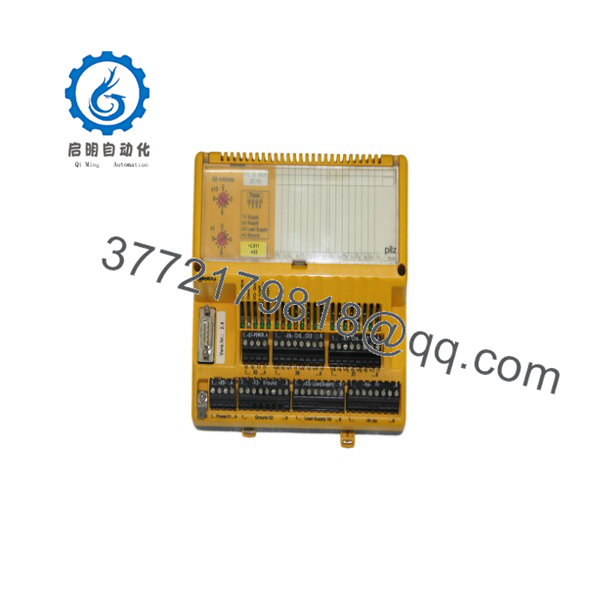
DI808
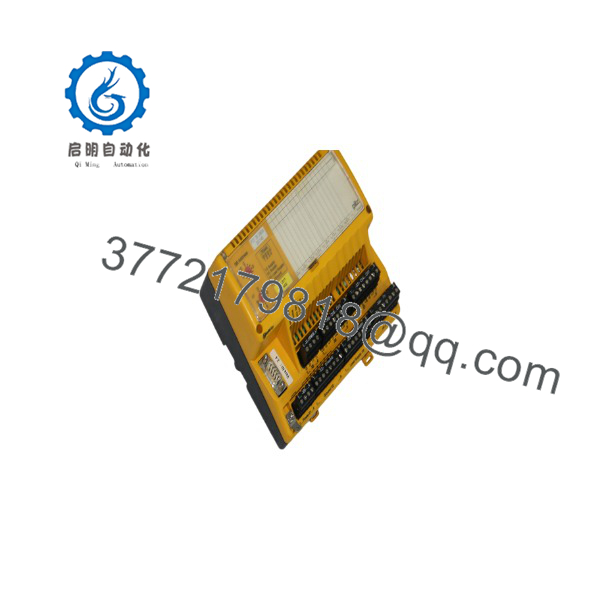
DI808
Installation & Configuration Guide
Stage 1: Pre-Installation (Prep & Safety)
- Complete machine safety isolation procedures before replacement.
- Apply lock-out/tag-out according to plant safety rules.
- Disconnect external power sources before accessing the safety controller rack.
- Wear a grounded ESD wrist strap when handling the DI808 module.
- Document the existing installation:
- Module position
- Terminal wiring
- Safety input assignments
- Controller configuration version
- Diagnostic LED status
Required tools:
- ESD wrist strap
- Insulated hand tools
- Multimeter
- Pilz programming/configuration software access
Stage 2: Removal
- Verify the safety controller is in a safe shutdown condition.
- Confirm all safety outputs are controlled before removing the module.
- Release the module retaining mechanism.
- Remove the DI808 carefully without applying side force.
- Inspect connectors and rack contacts for contamination or damage.
Avoid pulling at an angle. Damaged contacts can create intermittent safety faults.
Stage 3: Installation (Clone & Seat)
- Confirm the replacement module matches:
- Pilz DI808 model
- Hardware revision
- Safety controller compatibility
- Insert the module into the correct rack position.
- Ensure the module is fully seated.
- Restore terminal wiring exactly according to the original documentation.
- Verify safety input channel assignments.
Do not modify safety wiring during a replacement unless the complete safety validation process is performed.
Stage 4: Power-On & Testing
- Verify supply voltage before energizing the controller.
- Check 24 V DC rails for correct voltage and possible shorts.
- Restore system power.
- Observe module diagnostic indicators:
- RUN status
- Fault indicators
- Communication status
- Download or verify the approved safety configuration if required.
- Perform safety function testing:
- Emergency stop operation
- Guard switch monitoring
- Safety sensor response
- Reset functions
- Complete documented safety validation before returning equipment to production.
Firmware/Software Versions & Upgrade Notes
- Recommended Firmware: Match the revision with the existing Pilz PSS controller configuration.
- Configuration Requirement: Verify the module type and hardware revision inside the Pilz engineering environment before commissioning.
- Backward Compatibility: Older PSS controller firmware versions may not recognize newer hardware revisions without updated configuration files.
- Upgrade Warning: Firmware upgrades during emergency replacement can introduce safety validation requirements and should not be performed without engineering approval.
- Documentation Required Before Swap:
- Current controller project backup
- Hardware configuration
- Safety validation records
- Existing diagnostic information
Important replacement checks:
- Confirm identical module addressing.
- Verify safety input allocation.
- Compare diagnostic behavior before and after replacement.
Frequently Asked Questions (FAQ)
Q1: Is the Pilz a new module?
Yes. The supplied for industrial spare inventory is a Brand New Surplus unit. It is not pulled from retired equipment and not refurbished. Each unit is checked for authenticity, physical condition, and storage quality before shipment.
Q2: Why is New Surplus pricing different from standard OEM purchasing?
New Surplus inventory comes from global industrial supply channels. It can provide a lower acquisition cost than traditional procurement channels while maintaining original OEM manufacturing status.
Q3: Why keep as a spare if the safety system is currently working?
Safety modules protect production assets and personnel. A failure can stop machine operation until replacement and validation are completed. Keeping 1–2 units as insurance stock helps reduce unexpected downtime.
Q4: Can the Pilz be replaced while the machine is running?
Do not assume hot replacement is permitted. Safety modules require controlled shutdown procedures unless the exact Pilz system documentation confirms hot-swapping capability.
Q5: Does replacing require programming?
The module hardware replacement may require configuration verification. The safety application logic normally resides in the safety controller project. Always confirm the existing project backup before replacement.
Q6: What quality checks are performed on New Surplus modules?
Quality verification includes OEM identification checks, serial number review, connector inspection, ESD-safe handling, storage condition review, and shipment protection procedures.
Q7: How should lifecycle risks be managed?
Plants should monitor Pilz product lifecycle announcements, maintain approved spare quantities, and evaluate Last-time-buy opportunities before supply becomes limited. Vendor consolidation and cross-site spare sharing can reduce carrying costs while maintaining availability.



