
 WhatsApp: +86 16626708626
 Email:
  Phone: +86 16626708626
Description
Key Technical Specifications
| Parameter | Specification |
| Manufacturer | Pro-face (Digital Electronics Corporation) |
| Part / Model Number | 3180021-03 / GP2501-TC11 |
| Display Type | TFT Color LCD |
| Display Size | 10.4 Inches |
| Resolution | 640 x 480 pixels (VGA) |
| Display Colors | 256 Colors (no blink) / 64 Colors (blink) |
| Touch Panel Type | Resistive Film (Analog) |
| Rated Input Voltage | 24 V DC (19.2 to 28.8 V DC range) |
| Power Consumption | 50 W or less |
| Serial Interfaces | COM1: RS-232C / RS-422 |
| Front Panel Protection | IP65f / NEMA 4x/12 equivalent (dust/drip-proof) |
Product Introduction & Supply Chain Strategy
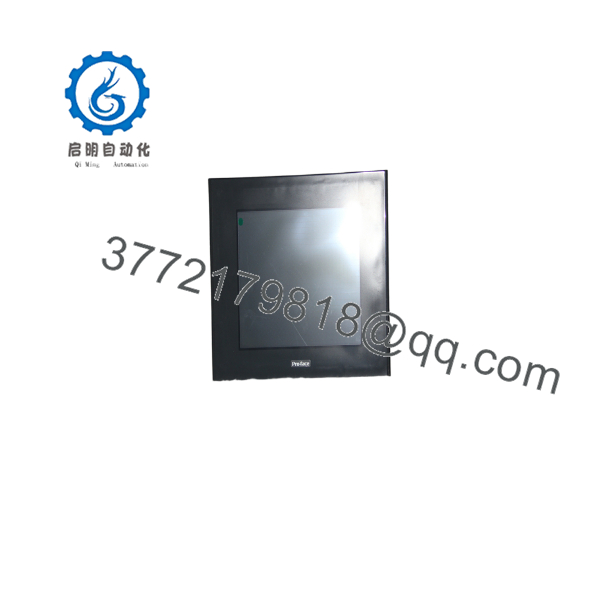
The Pro-face 3180021-03 GP2501-TC11 is a high-performance 10.4-inch color touchscreen HMI engineered for real-time visualization and machine control in industrial automation environments. It acts as the primary operator interface for PLC systems, displaying system alarms, trend graphs, and parameter settings.
This product is a Brand New Surplus unit. It is not used, not pulled from a decommissioned plant, and not refurbished. All modules undergo rigorous quality verification to ensure OEM-level reliability.
From a supply chain standpoint, acquiring a GP2501-TC11 as New Surplus avoids the severe costs associated with line stoppage and unexpected operator panel failure. Refurbished HMIs frequently present hidden screen burn-in, degraded CCFL backlight life, and worn touch membrane layers that fail under industrial heat. In high-speed manufacturing lines, an HMI blackout can halt an entire production bay, costing thousands of dollars per hour. Keeping a verified New Surplus panel as a buffer unit ensures rapid drop-in replacement without expensive enclosure modifications or PLC program re-engineering.
Installation & Configuration Guide
Stage 1: Pre-Installation (Prep & Safety)
- Isolate the main enclosure power and follow standard Lock-Out/Tag-Out (LOTO) safety protocols.
- Put on a grounded ESD wrist strap before handling internal connections or memory cards.
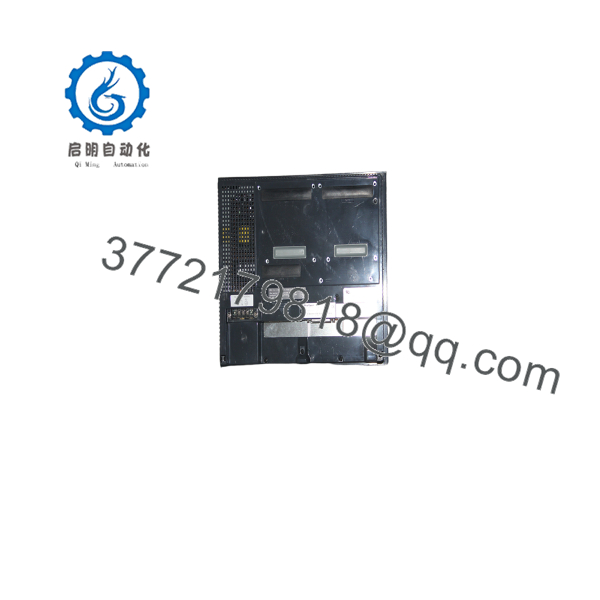
- Photograph the rear terminal block connections, DIP switches, and cable routing (COM1/COM2 ports) on the active unit.
Stage 2: Removal
- Disconnect the 24 V DC power wiring plug and ground connection from the rear panel.
- Unplug all communication cables (RS-232C/RS-422) by loosening the connector thumb screws.
- Loosen the panel mounting fasteners around the inside perimeter of the enclosure cutout and ease the old HMI out from the front.
Stage 3: Installation (Clone & Seat)
- Verify the panel cutout gasket on the new 3180021-03 is properly seated to maintain NEMA 4X/IP65 ingress protection.
- Insert the panel through the enclosure cutout and tighten the mounting clamps evenly to prevent frame warping.
- Reattach the serial communication cables and secure the 24 V DC power wiring plug.
Stage 4: Power-On & Testing
- Confirm supply power measures within the specified 19.2 to 28.8 V DC tolerance band before energizing.
- Apply power and observe the boot screen; enter the offline setup menu to verify screen calibration and touch response.
- Download the runtime project file using GP-PRO/PB III software or transfer via CF card, then verify PLC communication status.
Firmware/Software Versions & Upgrade Notes
- Screen Creation Software: Designed for setup via GP-PRO/PB III (C-Package03 V7.0 or higher).
- Protocol & Driver Compatibility: Ensure the internal protocol drivers match the connected PLC brand (e.g., Mitsubishi MELSEC, Rockwell SLC/ControlLogix, Siemens S7).
- Firmware Flashing Risks: Do not interrupt power or disconnect the transfer cable during runtime firmware transfers. A corrupted firmware write will render the bootloader unusable, requiring factory-level recovery. Always back up the existing project file (*.PRW) prior to replacement.
Frequently Asked Questions (FAQ)
Is this Pro-face 3180021-03 GP2501-TC11 unit brand new?
Yes. This unit is New Surplus inventory kept in original protective packaging. It has never been mounted on an active panel or used in industrial production.
Why should I choose New Surplus over a cheaper refurbished HMI?
Refurbished touch panels often feature worn-out backlight lamps and deteriorated touch-resistive layers that are prone to calibration drift and sudden screen failure under heat. Buying New Surplus ensures full original display brightness, uncompromised touch response, and long operational life.
Is the Pro-face GP2501-TC11 obsolete?
Yes, the GP2000 series has been discontinued by Pro-face (Schneider Electric). Securing a direct New Surplus replacement allows you to drop in a hardware swap immediately without re-engineering your panel cutout or converting screen projects to newer software platforms.
Do I need special software to transfer screens to this panel?
Screen projects for the GP2501-TC11 are managed using Pro-face GP-PRO/PB III software. Project files can be transferred directly via a serial cable or loaded using a compatible CF memory card via the rear expansion slot.
What warranty coverage is included with this display?
This panel comes with a comprehensive 1-year replacement warranty, fully verified through our inbound electrical, display, and touch-function testing procedures.



