
 WhatsApp: +86 16626708626
 Email:
  Phone: +86 16626708626
Description
Key Technical Specifications
| Parameter | Value |
|---|---|
| Display size | 7.5 inch (diagonal), 153.7 × 115.8 mm active area |
| Display type | TFT color LCD, 65,536 colors |
| Resolution | 640 × 480 pixels (VGA) |
| Touch panel | Resistive film (analog), 1024 × 1024 resolution |
| Backlight | CCFL, rated life ≈ 50,000 hrs at 25 °C |
| Application memory | 16 MB FEPROM |
| Data backup memory | 320 KB SRAM (lithium backup) |
| Power supply | 24 V DC (19.2–28.8 V DC range) |
| Power consumption | ≤ 28 W |
| Operating temperature | 0 °C to 50 °C (32 °F to 122 °F) |
| Storage temperature | −20 °C to 60 °C (−4 °F to 140 °F) |
| Protection rating | IP65f (front, panel-mounted), NEMA 250 Type 4X/13 |
| Serial interfaces | COM1: RS-232C/422/485 (9-pin D-sub plug); COM2: RS-422/485 (9-pin D-sub socket) |
| Ethernet | 10BASE-T / 100BASE-TX, RJ45 |
| USB | 1× USB 1.1 Type A (host) |
| CF card | 1× CompactFlash Type II slot |
| Auxiliary I/O | Built-in AUX I/O interface (for discrete I/O expansion) |
| Dimensions (W×H×D) | 215 × 170 × 60 mm (8.46 × 6.69 × 2.36 in) |
| Panel cutout (W×H) | 204.5 × 159.5 mm |
| Weight | ≤ 1.8 kg (≈ 4.0 lb) |
| Programming software | GP-Pro EX (v3.x recommended) |
| Global code | PFXGP3400TAD |
Product Introduction
The PRO FACE AGP3400-T1-D24 is a 7.5-inch TFT color HMI from the GP3000 series, designed for machine-level visualization and control in PLC/DCS environments. It runs GP-Pro EX projects and connects to controllers via dual serial ports, Ethernet, and USB, with CF card support for data logging and project storage.
This unit is chosen for its proven field reliability, wide driver support, and rugged front sealing (IP65f) in washdown and industrial areas. Compared to newer GP4000/ST4000 hardware, the AGP3400-T1-D24 keeps the classic GP3000 feature set (dual serial, CF slot, AUX I/O) that many legacy lines depend on, making it a direct, low-risk replacement for aging GP-3400T panels.
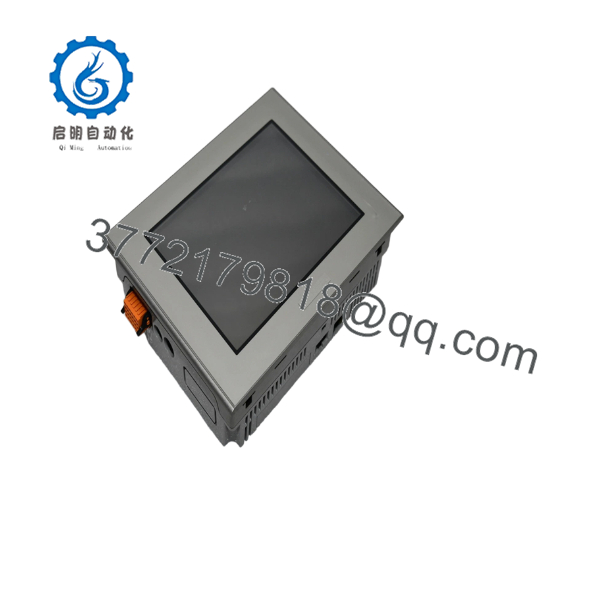
AGP3400-T1-D24
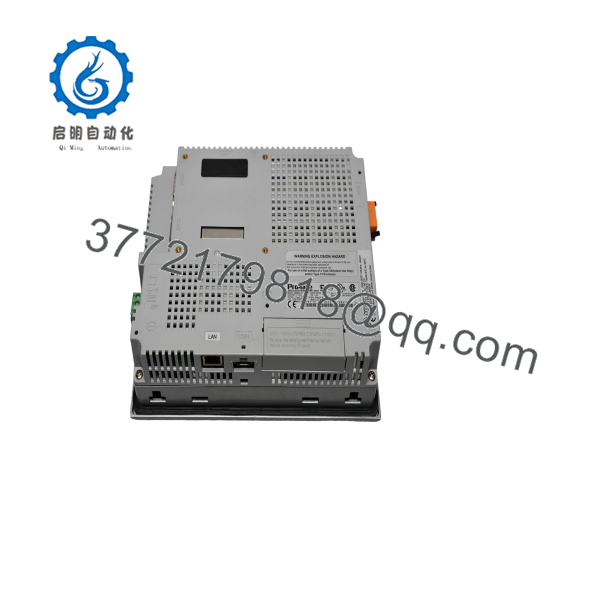
AGP3400-T1-D24
Troubleshooting Quick Reference
| Symptom | Possible Cause | Relevance to this Part | Quick Check Method | Recommendation |
|---|---|---|---|---|
| No LEDs, blank screen on power-up | 24 V DC supply missing or out of range | ✅ High | Measure 24 V DC at power terminals; verify 19.2–28.8 V DC range and polarity | Check PSU, fuses, and wiring before swapping the HMI |
| Backlight on but no image; ERR LED or freeze | Corrupted project or memory fault | ✅ High | Connect GP-Pro EX, read error logs; try loading a known-good test project | If test project also fails, suspect hardware; replace unit |
| Touch not responding or erratic | Touch calibration drift or overlay damage | ✅ Medium | Run touch calibration in system menu; inspect for cracks/scratches on overlay | Recalibrate; if still bad, replace touch overlay or whole unit |
| COM1/COM2 no communication with PLC | Baud/parity mismatch or wrong cable pinout | ✅ High | Verify COM settings in GP-Pro EX; check D-sub wiring against PLC manual | Correct settings/cable; this HMI supports RS-232/422/485 on COM1 and RS-422/485 on COM2 |
| Ethernet link LED off or intermittent | Bad cable, switch port, or IP conflict | ✅ Medium | Test with known-good patch cable; check link LED on switch; ping from PC | Fix cabling/IP; HMI supports 10/100BASE-TX |
| CF card not detected or project won’t load | Unsupported card or bad format | ✅ Medium | Use industrial-grade CF, FAT32; reformat and reload project | Replace CF if errors persist; avoid cheap consumer cards |
| Random reboots under load | Undersized PSU or noisy 24 V bus | ✅ Medium | Measure 24 V under load; check for dips below 19.2 V DC | Upgrade PSU or add local filtering; unit draws ≤ 28 W |
If you’re stuck, send photos of the nameplate, wiring, and any error screens along with your GP-Pro EX project version. That usually cuts diagnosis time in half.
Frequently Asked Questions (FAQ)
Q: Is the AGP3400-T1-D24 still available new, or only refurbished?
A: This is a legacy GP3000 model. We primarily sell New Surplus (factory-sealed or open-box, never used) and carefully tested refurbished units. Stock is limited; lead time depends on current inventory.
Q: Can I use this as a direct replacement for my old GP-3400T?
A: Yes. The AGP3400-T1-D24 is the standard 7.5″ TFT model in the GP-3400T family and matches the same cutout (204.5 × 159.5 mm) and mounting depth. Projects created for GP-3400T in GP-Pro EX typically run without changes.
Q: Will my existing GP-Pro EX project work without modification?
A: In most cases, yes. GP-Pro EX v3.x targets the GP3000 series directly. If your project was built for AGP3400-T1-D24 or compatible GP-3400T models, you can download it as-is. For very old projects, open them in a current GP-Pro EX version and recompile before transfer.
Q: Is this unit hot-swappable?
A: No. The AGP3400-T1-D24 is not designed for hot-swap on live backplanes or shared 24 V buses in critical systems. Power down the 24 V supply before installation to avoid backplane transients and potential damage.
Q: What’s the real difference between “New Original” and “Refurbished”?
A: New Original / New Surplus means unused OEM stock (often with original packaging and labels). Refurbished units have been bench-tested, cleaned, and verified functional; they may show minor cosmetic wear. Both are covered by our 1-year warranty, but New Surplus is preferred for critical spares.
Q: Can I expand I/O on this HMI?
A: Yes, via the built-in AUX I/O interface and supported expansion modules documented in the GP3000 hardware manual. Typical use is a few discrete inputs/outputs for local signaling or interlocks. Check the AUX spec in the datasheet before designing your wiring.
Q: How long does the backlight last, and what happens when it fails?
A: The CCFL backlight is rated around 50,000 hours at 25 °C. When it nears end-of-life, the screen dims or flickers. Replacement requires disassembly and is best done by a qualified service tech; many users opt to swap the entire unit to minimize downtime.
If you share your current panel’s exact model and a photo of the nameplate, we can confirm compatibility and firmware considerations before you order.



