
 WhatsApp: +86 16626708626
 Email:
  Phone: +86 16626708626
Description
Key Technical Specifications
| Parameter | Specification Value |
| Display Type | TFT Color LCD |
| Display Size | 15.0 Inches (304.1 mm W × 228.1 mm H) |
| Resolution | 1024 × 768 pixels (XGA) |
| Display Colors | 65,536 Colors (No blink) / 16,384 Colors (Blink) |
| Input Voltage | 100 to 240 V AC (50/60 Hz) |
| Power Consumption | 56 VA or less |
| Application Memory | 8 MB FEPROM |
| SRAM Backup Memory | 320 KB (Lithium Battery Backed) |
| Serial Ports | COM1: RS-232C / RS-422 / RS-485 |
| Ethernet Interface | 1x IEEE 802.3i / 802.3u (10BASE-T/100BASE-TX) |
| USB Interfaces | 2x USB 1.1 Host (Type-A) |
| CF Card Slot | 1x CompactFlash Slot (Type II) |
| Enclosure Rating | IP65f / NEMA 4x / Type 13 (Front panel when installed) |
| External Dimensions | 395 mm W × 294 mm H × 60 mm D |
| Cutout Dimensions | 383.5 mm W × 282.5 mm H |
Product Introduction & Supply Chain Strategy
The Pro-face AGP3750-T1-AF is an advanced 15-inch XGA industrial HMI built for high-density graphic monitoring, multi-driver PLC communication, and network-wide data logging over Ethernet. Featuring dual serial ports, dual USB ports, and a CompactFlash card interface, it links complex control networks running on standard 100-240 V AC plant power.
Securing this unit as New Surplus minimizes Total Cost of Ownership (TCO) and protects critical lines against unscheduled downtime. Because the AGP3000 series is mature and phased out by the OEM, buying factory-fresh surplus stock eliminates the risks of degraded CCFL backlights or touchscreen dead zones common in used parts. It delivers a direct drop-in replacement that avoids expensive cabinet modifications and code rewrites.
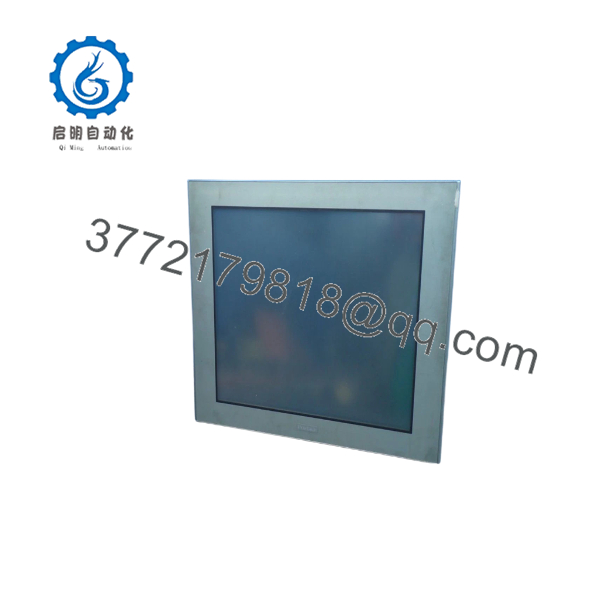
AGP3750-T1-AF
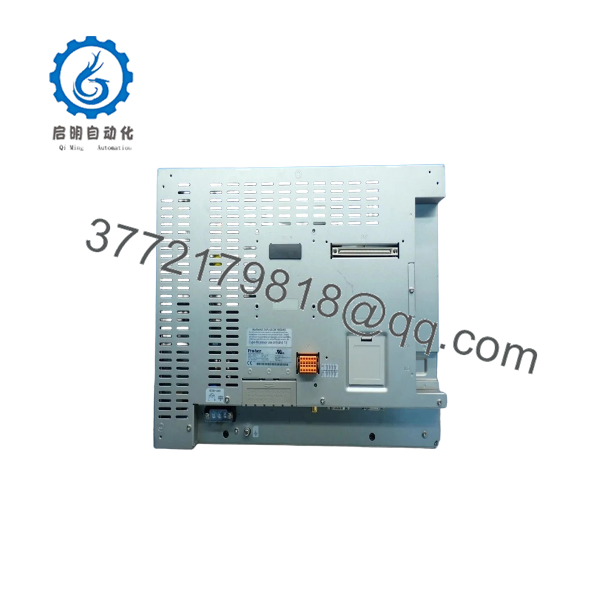
AGP3750-T1-AF
Installation & Configuration Guide
Stage 1: Pre-Installation (Prep & Safety)
- Execute Lock-Out/Tag-Out (LOTO) protocols on the main AC circuit breaker feeding the panel cabinet.
- Put on a grounded ESD wrist strap before handling the replacement HMI card to prevent electrostatic damage.
- Take clear photographs of all DIP switch positions, wire labels, Ethernet settings, and COM port serial cables connected to the old unit.
Stage 2: Removal
- Unplug the 100-240 V AC power terminal block and the protective earth grounding cable from the back panel.
- Disconnect the RJ45 Ethernet cable, USB peripherals, CompactFlash card, and both serial communication connectors.
- Loosen the panel-mounting screw fasteners securing the display bezel inside the enclosure cutout.
- Carefully extract the old panel forward through the front of the cabinet, ensuring backplane pins and gasket surfaces remain undamaged.
Stage 3: Installation (Clone & Seat)
- Inspect the moisture-resistant front gasket on the new AGP3750-T1-AF to ensure IP65f sealing integrity.
- Mirror all hardware DIP switch configurations from the original unit onto the replacement panel.
- Insert the new HMI into the existing 383.5 mm × 282.5 mm panel cutout from the front side.
- Secure the mounting clamps from behind, tightening them crosswise to equal torque to prevent frame distortion.
Stage 4: Power-On & Testing
- Measure the incoming line voltage to verify it sits safely within the 100–240 V AC operational range.
- Reconnect the AC power connector, ground strap, network link, and serial cables.
- Turn on main power. Confirm the power LED illuminates green and the TFT screen passes its initial boot sequence.
- Transfer your screen runtime file (
.prwor.prx) using GP-Pro EX via Ethernet or USB, then test touch responsiveness and PLC register read/write operations.
Firmware/Software Versions & Upgrade Notes
- Development Environment: The AGP3750-T1-AF requires GP-Pro EX software (Version 2.0 or higher).
- System Program OS Matching: The runtime system program version flashed to the AGP3750-T1-AF must align with the GP-Pro EX software version used to compile the project file. Mismatched OS runtimes can result in communication driver failures or screen object distortion.
- Network & Driver Compatibility: The onboard Ethernet port supports dual-protocol communication (e.g., communicating simultaneously with a Rockwell ControlLogix over Ethernet/IP and a Siemens S7 PLC over ISO-on-TCP). Ensure driver instances in GP-Pro EX match the network subnet settings.
- Firmware Flash Protection: Never disconnect AC line power during an OS transfer or firmware update. Power interruptions during a runtime flash corrupt the internal 8 MB FEPROM, requiring factory-level reflash procedures.
Frequently Asked Questions (FAQ)
What makes New Surplus AGP3750-T1-AF panels more cost-effective than refurbished units or OEM list options?
New Surplus offers a high-ROI balance between capital expense and reliability. OEM list pricing on equivalent active series requires expensive panel modifications and software conversions. Refurbished parts often contain aged CCFL backlights and degraded power supplies that fail under high thermal stress. Our New Surplus inventory consists of 100% genuine, unused stock from cancelled engineering projects, offering OEM-level reliability at a fraction of the cost of a full system upgrade.
How can I verify that this Pro-face AGP3750-T1-AF is genuinely unused?
Every unit in this lot is certified New Original Surplus with zero operational field hours. They are maintained in climate-controlled warehouse reserves, complete with clean mounting frames, pristine backplane terminals, and original factory labels. Packaging is opened solely under ESD-safe bench conditions for incoming quality control checks.
Since the AGP3000 series is legacy, why keep a spare unit in facility inventory?
Maintaining 1–2 units of the on-site acts as an operational safety net. If a production-line HMI fails, having a pre-tested, drop-in replacement on the shelf converts days of troubleshooting into a 20-minute hardware swap. This protects your plant from secondary costs associated with extended downtime, lost throughput, and emergency engineering fees.
Is the hot-swappable while cabinet power is active?
No. You must never disconnect or replace an AC-powered HMI panel while the circuit is energized. Pulling the 100-240 V AC plug or serial cables under load can trigger electrical arcs, damage onboard RS-232/485 transceivers, or trip protective upstream fuses. Always shut off power before servicing.
Will the HMI retain its runtime project, alarm logs, and recipe data after power loss?
Yes. Screen graphics, logic objects, and driver protocols reside in 8 MB non-volatile FEPROM memory, which requires no battery backup. Historical trend data, alarm logs, and internal SRAM registers are protected by a lithium backup battery. When deploying surplus inventory stored for over two years, check and replace the internal SRAM backup battery prior to installation.



