
 WhatsApp: +86 16626708626
 Email:
  Phone: +86 16626708626
Description
Key Technical Specifications
| Parameter | Value |
|---|---|
| Model | APL3900-TFM-BLD |
| Digital Product No. | 3620003-03 |
| Manufacturer | Pro-face / Digital Electronics Corporation |
| Product Series | PL3000 Series |
| Associated System | PL-3900T Series |
| Module Type | Front module |
| Display Size | 19-inch TFT color LCD |
| Resolution | SXGA, 1,280 × 1,024 pixels |
| Display Colors | 260,000 colors |
| Touch Technology | Analog resistive |
| Touch Resolution | 1,024 × 1,024 |
| Backlight | Cold-cathode tube |
| Backlight Service | Not user-replaceable; send-back type |
| Panel Cut | W419.5 × H352.5 mm |
| External Dimensions | W460 × H390 × D182 mm |
| Approx. Weight | 14.0 kg for the PL-3900T assembly |
| Front Bezel | Die-cast aluminum |
The Pro-face hardware manual describes the PL-3900T as a 19-inch panel computer and identifies its front module as APL3900-TFM-BLD when paired with the APL3000-BA control box. The published PL-3900T specifications list the 19-inch TFT display, SXGA resolution, analog-resistive touch panel, 1,024 × 1,024 touch resolution, and 260,000 display colors.
Product Introduction
The Pro-face APL3900-TFM-BLD is the 19-inch TFT front module used with the PL-3900T panel computer configuration. It provides the operator-facing display and touch interface, with SXGA 1,280 × 1,024 resolution and an analog-resistive touch panel. The OEM documentation identifies it as digital product number 3620003-03.
This distinction matters when ordering. APL3900-TFM-BLD is the front module, not the complete PL-3900T computer. The PL-3900T configuration combines the front module with an APL3000 control box. Verify the control-box model and revision before treating this part as a complete panel-PC replacement.
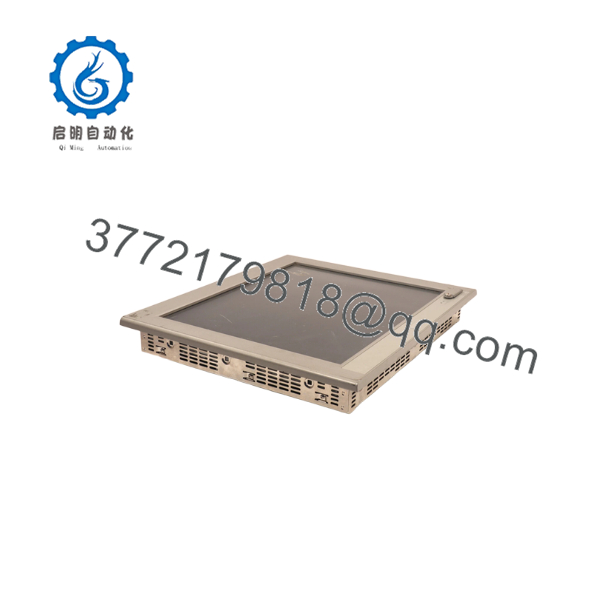
APL3900-TFM-BLD
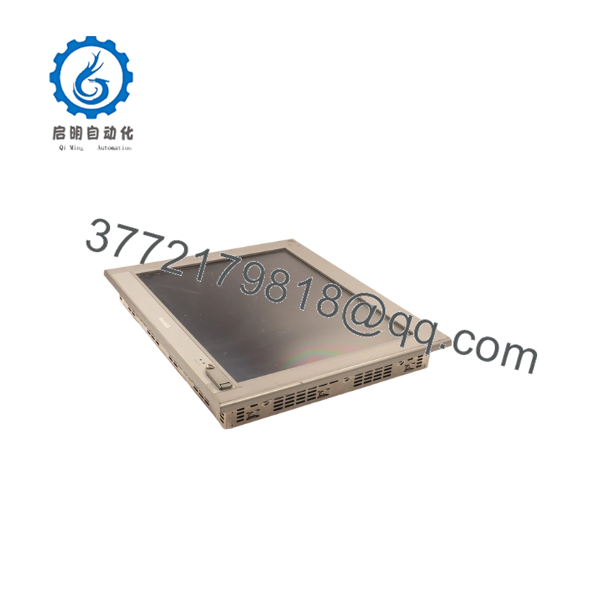
APL3900-TFM-BLD
Installation & Configuration Guide
Stage 1: Pre-Installation Preparation — Approximately 5–10 Minutes
⚠️ Safety First: The PL3000 manual requires the power cord to be disconnected before installation or wiring work. Do not remove the front module while the system is energized.
Tools Required
- ESD wrist strap
- Phillips screwdriver
- Multimeter
- Labeling tape
- Camera or smartphone
- Appropriate installation tools for the panel fasteners
Before Removal
- Notify operations and place the machine in a safe state.
- Disconnect the PL unit from its power source.
- Wait for the equipment to discharge according to your site’s electrical safety procedure.
- Photograph the existing front module and its connection arrangement.
- Record the complete PL-3900T assembly model and revision.
- Keep the existing front module available until the replacement has been fully tested.
The PL3000 documentation specifically warns against connecting or disconnecting host/PL communication cables while the PL is powered.
Stage 2: Removing the Existing Front Module — Approximately 10 Minutes
- Remove the required protective covers and access hardware.
- Label every connection before disconnecting it.
- Disconnect cables carefully; do not pull on cable conductors.
- Support the front module during removal.
- Release the installation fasteners.
- Remove the front module from the panel without damaging the gasket or panel cutout.
- Inspect the mounting area for corrosion, contamination, damaged hardware, or gasket deterioration.
The PL-3900T installation uses a 12-fastener installation arrangement, according to the Pro-face hardware documentation.
⚠️ Do not discard the old module yet. Keep it beside the replacement until display and touch operation have been verified.
Stage 3: Installing APL3900-TFM-BLD — Approximately 10 Minutes
- Verify the replacement marking: APL3900-TFM-BLD / digital product number 3620003-03.
- Inspect the display surface and connector areas before installation.
- Check that the panel opening matches the PL-3900T requirement.
- The documented panel cut dimension is 419.5 × 352.5 mm with a panel thickness range of approximately 1.6 to 10.0 mm.
- Install the module into the existing panel opening.
- Confirm the installation gasket is correctly positioned.
- Install and tighten the mounting fasteners evenly.
- Reconnect the associated control-box connections.
- Check all connectors for full seating.
⚠️ Do not force a connector. If the connector orientation or mating interface does not match the original assembly, stop and verify the exact PL-3900T configuration.
Stage 4: Power-On & Functional Testing — Approximately 5–10 Minutes
- Perform a visual inspection before energizing the system.
- Verify that all connectors and mounting hardware are secure.
- Restore power according to the plant procedure.
- Allow the PL system to complete its normal boot sequence.
- Confirm that the display initializes correctly.
- Test several points across the touch panel rather than checking only the center.
- Verify touch calibration and operator input.
- Confirm the Windows/application environment starts normally.
- Check the connected PLC or host communication.
- Run a controlled operator-interface test before returning the machine to production.
⚠️ The Pro-face manual states that the touch panel remains active even if the backlight fails. Critical machine safety functions therefore should not depend solely on the PL touch interface.
Installation Check
- Correct model verified
- Panel cutout verified
- Gasket inspected
- Mounting fasteners secured
- Cables fully seated
- Display operating normally
- Touch response verified
- Application loaded correctly
- Host/PLC communication verified
Important Replacement Note
If you are replacing an entire PL-3900T, do not order based only on the external appearance. The Pro-face documentation defines as the front module associated with the PL-3900T configuration. The control box is a separate component.
For a complete modernization project, Pro-face has published a migration path from PL-3900T to PS-4800. The replacement is not mechanically identical: the documented panel-cut dimensions differ, so a PS-4800 migration may require panel modification.
Frequently Asked Questions (FAQ)
Q1. Is the complete PL-3900T computer?
No. This is an important ordering distinction. is the front module. The PL-3900T configuration uses a separate APL3000 control box. Pro-face’s hardware manual explicitly lists the front-module relationship for the PL-3900T series.
Q2. What is the digital product number for ?
The Pro-face certification documentation identifies as digital product number 3620003-03. This number is useful when comparing labels, certificates, and purchasing records.
Q3. What display does use?
The PL-3900T specification uses a 19-inch TFT color LCD with SXGA 1,280 × 1,024 resolution and 260,000 display colors. The touch panel is analog resistive with 1,024 × 1,024 resolution.
Q4. Can I replace with a newer Pro-face panel directly?
Not automatically. Pro-face identifies the PS-4800 as a migration option for PL-3900T systems, but the published panel-cut dimensions are different. A replacement project therefore requires mechanical and software compatibility checks rather than a simple drop-in substitution.
Q5. Is the PL-3900T backlight user-replaceable?
No. Pro-face specifies the PL-3900T backlight as a cold-cathode tube and identifies it as not user-replaceable, with send-back service required.
Q6. What should I verify before purchasing ?
At minimum, verify:
- Exact model:
- Digital product number: 3620003-03
- Existing PL-3900T configuration
- Control-box model
- Hardware revision
- Display/touch requirements
- Physical panel-cut dimensions
- Actual stock condition
If the application depends on a specific revision or legacy configuration, send the existing nameplate information to the supplier before ordering. Do not assume that a visually similar PL3000 front module is interchangeable.
Q7. Is obsolete?
The available Pro-face documentation shows that the PL-3900T is an older PL3000 platform, and Pro-face provides a dedicated PL-3900T-to-PS-4800 migration guide. That makes lifecycle status a real procurement consideration. For an existing machine, retaining a verified spare front module can be preferable to waiting until an LCD or touch-panel failure forces an emergency migration.
Technical source note: The model identification, module relationship, display specifications, installation dimensions, and migration information above were checked against Pro-face documentation.



