
 WhatsApp: +86 16626708626
 Email:
  Phone: +86 16626708626
Description
Key Technical Specifications
- Display Type: TFT color LCD
- Screen Size: 19 in
- Display Resolution: SXGA, 1280 × 1024 dots
- Display Colors: 16,777,216 colors
- Active Display Area: 376.32 mm × 301.056 mm
- Video Inputs: Analog RGB/VGA or DVI-D; use one video interface at a time
- Touch Communication: RS-232C or USB 2.0-compatible interface
- Power Input: AC 100/240 V, 50/60 Hz
- Allowable Input Range: AC 85–264 V
- Power Consumption: 1.1 A maximum at AC 100 V; 0.7 A maximum at AC 240 V
- Operating Temperature: 0 to 50°C, installed within 30° of vertical
- Relative Humidity: 10–90% RH, non-condensing
- External Dimensions: 460 mm W × 390 mm H × 77.7 mm D
- Weight: Approximately 10.0 kg
- Front Protection: Equivalent to IP65f when installed in a solid panel and not using a front USB port
- Insulation Resistance: 10 MΩ minimum at DC 500 V
- Withstand Voltage: AC 1,500 V, 20 mA for 1 minute
- Vibration Resistance: IEC 61131-2 and JIS B 3502 compatible
- Certifications: UL508, CSA, CE, RoHS, and Class I, Division 2 hazardous-location certifications listed in the datasheet.
Product Introduction
The PRO-FACE FP3900-T41 is a 19-inch FP3000 Series industrial flat-panel monitor for PLC, HMI, CNC, and machine-control display applications. It provides SXGA 1280 × 1024 resolution through analog RGB/VGA or DVI-D video input and operates from AC 100/240 V power.
This model uses a CCFL backlight, RS-232C or USB touch communication, and a panel-mounted enclosure design rated equivalent to IP65f at the front under specified conditions. It is an obsolete unit, so verify condition, backlight hours, accessories, and compatibility before purchase.
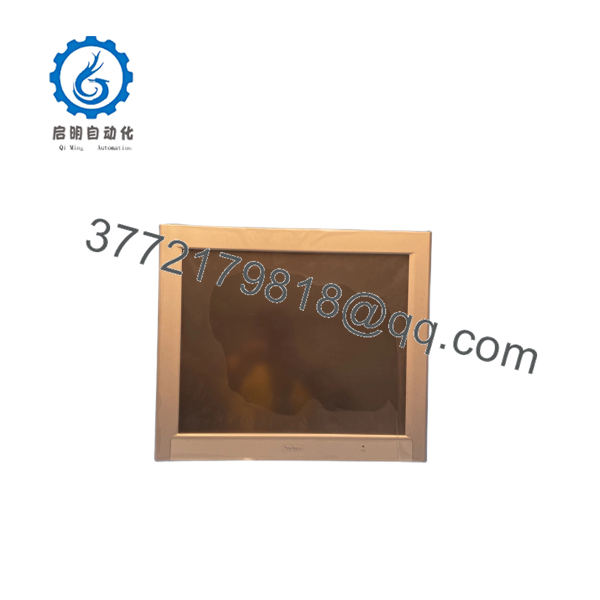
FP3900-T41
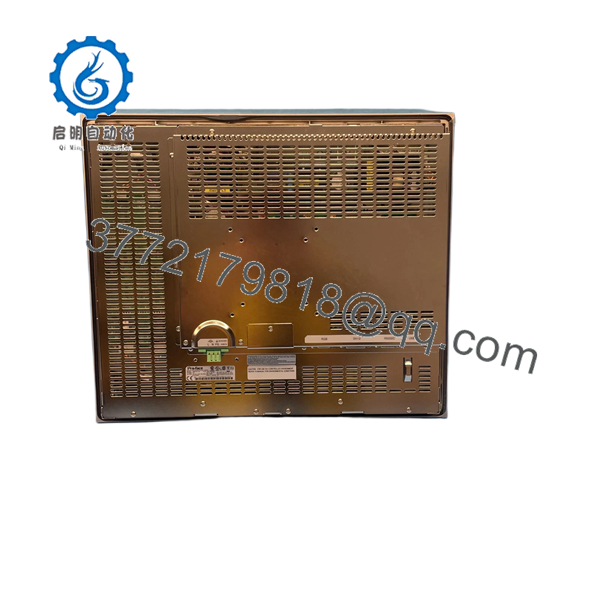
FP3900-T41
Troubleshooting Quick Reference
| Symptom | Possible Cause | Relevance to This Part | Quick Check Method | Recommendation |
|---|---|---|---|---|
| No LEDs or display on power-up | Missing AC input, blown fuse, or internal power-supply fault | ✅ High | Measure AC voltage at the monitor power connector. Confirm the supply is within AC 85–264 V and check upstream protection. | Correct the plant-side supply first. Replace the monitor only after confirming proper AC input. |
| Power LED is on but screen is black | Missing video signal, failed CCFL backlight, or LCD drive fault | ✅ High | Connect a known-good VGA or DVI-D source. Use the OSD controls and inspect the panel under an external light for a faint image. | A faint image suggests backlight failure. This model uses a non-replaceable CCFL backlight. |
| “No Signal” or unstable image | Incorrect video cable, wrong input source, or incompatible resolution | ✅ High | Test with a known-good cable and source configured for 1280 × 1024. Select the correct analog RGB or DVI-D input. | Do not condemn the monitor until both video paths have been tested. |
| Image appears distorted or shifted | Incorrect timing, unsupported video mode, or cable fault | ✅ Medium | Set the source to SXGA 1280 × 1024 and inspect horizontal and vertical synchronization. Test the alternate video input if available. | Correct the source configuration before replacing the display. |
| Touch works intermittently | RS-232C/USB cable fault, incorrect driver, or failing touch layer | ✅ High | Verify the touch cable, connector seating, and host detection. Test with a known-good cable and confirm the correct serial or USB interface. | Replace the cable or correct the host configuration first. Replace the monitor if the touch layer remains intermittent. |
| Touch coordinates are inaccurate | Calibration loss or incorrect host driver settings | ✅ Medium | Run the host-side touch calibration and verify that the selected interface matches the installed cable. | Recalibrate before replacing the panel. |
| Screen flickers after warm-up | Aging CCFL lamp, inverter fault, or unstable AC input | ✅ High | Monitor AC input while the unit warms up. Check whether brightness changes or the screen extinguishes after several minutes. | An aging CCFL or inverter commonly requires monitor replacement because the backlight is not replaceable. |
| Display shuts down under plant load | Voltage sag, electrical noise, or failing internal power supply | ✅ Medium | Measure AC input during contactor, motor, or drive operation. Compare readings with the monitor’s AC input range. | Correct voltage-drop or noise problems before installing another unit. |
| Front panel shows oil damage or peeling | Chemical exposure or degraded installation gasket | ✅ Medium | Inspect the bezel, protection film, and gasket for swelling, peeling, corrosion, or fluid ingress. | Do not rely on the original IP rating if the gasket or front protection has degraded. |
| Replacement does not match the existing unit | Confusion between FP3900-T41 and FP3900-T41-U | ✅ High | Check the complete suffix on the nameplate. The “-U” version includes a front Type A USB port; FP3900-T41 does not. | Order the exact suffix. Do not assume the two models are interchangeable. |
| Monitor works but the retrofit does not fit | Cutout or mounting mismatch | ✅ Medium | Confirm the panel cutout and mounting hardware against the installation drawing before removing the existing unit. | Verify dimensions and fasteners before scheduling downtime. |
If the fault remains unclear, provide technical support with the nameplate photograph, video-input type, measured AC voltage, LED behavior, OSD status, touch-interface type, and diagnostic photographs.
Frequently Asked Questions (FAQ)
Is the PRO-FACE FP3900-T41 still manufactured?
No. Pro-face lists the FP3900-T41 as having ended sales on April 20, 2015, with end of repair on October 29, 2021. The manufacturer’s replacement field currently states that the replacement is still to be confirmed. Expect limited surplus, used, or refurbished availability.
Is the same as -U?
No. The -U includes a front Type A USB port, while the is the version without the front USB port. The touch-panel USB connection and front USB feature should not be confused. Verify the complete suffix on the nameplate before ordering.
Can I use any VGA or DVI-D cable?
Use a cable compatible with the selected input and confirm that the host is configured for a supported SXGA 1280 × 1024 signal. Pro-face listed the FP-CV02-45 analog RGB cable and FP-DV01-50 DVI-D cable as accessories. Avoid assuming that a mechanically compatible cable has the correct shielding or pin configuration.
Can I hot-swap this monitor?
Treat the as a power-off replacement. Shut down the machine, isolate the AC supply, and verify zero energy before disconnecting the power or signal cables. The display is not an I/O module designed for live backplane replacement, and removing connectors under power can damage contacts or connected equipment.
Will my PLC or HMI program be lost when I replace the display?
The monitor does not normally store the PLC or HMI application. Those programs reside in the connected controller, computer, or HMI system. Record the existing video settings, touch-interface type, cable routing, and calibration values before removal. The replacement may still require host-side touch-driver installation or recalibration.
Why is this unit cheaper than a current factory display?
The is an obsolete FP3000 Series monitor, so lower pricing often reflects surplus sourcing, discontinued production, or refurbished condition rather than current factory availability. Confirm whether the specific unit is New Original, New Surplus, or Refurbished, and request photographs of the nameplate, screen, connectors, and power-up test.
What warranty applies to this part?
The original datasheet lists a 1-year warranty for the product, but that does not automatically establish the warranty offered on a surplus or refurbished unit today. Confirm the seller’s written warranty, testing scope, return period, and exclusions before purchase. For an obsolete display, also ask whether the test includes video input, touch communication, full warm-up operation, and backlight inspection.



