
 WhatsApp: +86 16626708626
 Email:
  Phone: +86 16626708626
Description
Key Technical Specifications
| Parameter | Value |
|---|---|
| Product Family | GP4000 Series programmable HMI |
| Display Size | 10.4 in |
| Display Type | TFT color LCD |
| Resolution | VGA, 640 × 480 pixels |
| Display Area | 211.2 mm W × 158.4 mm H |
| Display Colors | 65,536 colors without blink; 16,384 colors with blink |
| Touch Type | Analog resistive or matrix resistive, depending on suffix |
| Two-Point Touch | Available on matrix-touch variants; verify suffix |
| Application Memory | 32 MB |
| Backup SRAM | 320 KB |
| Rated Power Options | AC 100–240 V or DC 24 V, depending on suffix |
| AC Allowable Range | AC 85–264 V for AC variants |
| Serial Port 1 | RS-232C, D-sub 9-pin |
| Serial Port 2 | RS-422/485, D-sub 9-pin |
| Ethernet | 10BASE-T/100BASE-TX |
| USB Type A | USB 2.0 host interface |
| USB mini-B | USB 2.0 device/programming interface |
| Removable Storage | SD card interface |
| External Dimensions | 272.5 mm W × 214.5 mm H × 57 mm D |
| Panel Cutout | 259 mm W × 201 mm H |
| Panel Thickness | 1.6–5 mm |
| Development Software | GP-Pro EX, version 3.0 or newer for the listed display configuration |
| End-of-Sales Status | Dates vary by variant; Pro-face lists December 19, 2027 and October 1, 2027 for GP-4501T lineup entries. |
Product Introduction
The PRO-FACE GP-4501T is a 10.4-inch GP4000 Series touchscreen HMI for PLC control, alarm handling, process visualization, and machine operator stations. It provides VGA 640 × 480 resolution, 32 MB application memory, 320 KB backup SRAM, Ethernet, RS-232C, RS-422/485, USB, and SD card interfaces.
The exact suffix determines AC or DC power, analog or matrix touch, and available touch functions. Confirm the complete PFXGP4501Txx part number before ordering; a GP-4501T description alone does not identify the electrical or touchscreen variant.
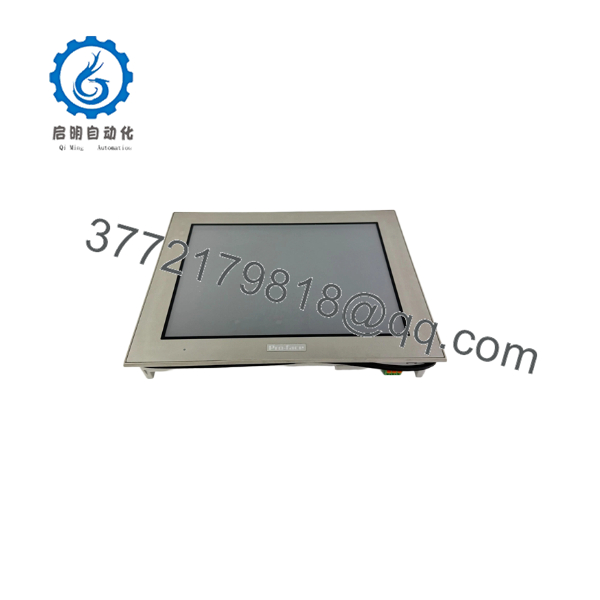
GP-4501T
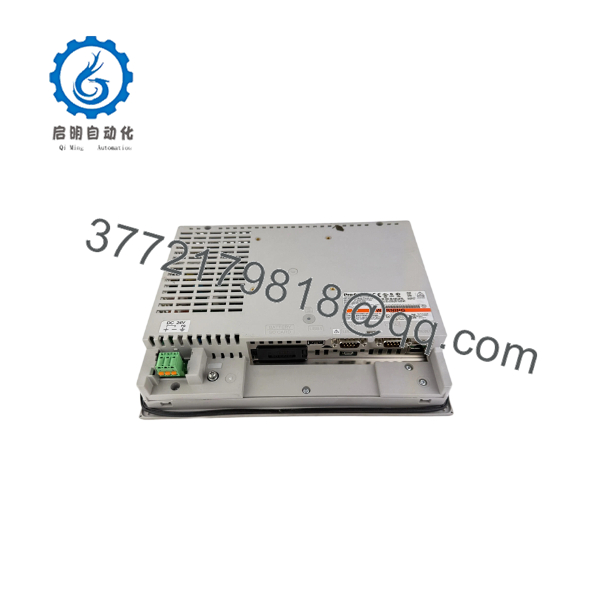
GP-4501T
Troubleshooting Quick Reference
| Symptom | Possible Cause | Relevance to This Part | Quick Check Method | Recommendation |
|---|---|---|---|---|
| No display or power LED | Incorrect power variant, blown fuse, or missing supply | ✅ High | Check the complete suffix. Measure AC 85–264 V on AC models or DC 24 V on DC models at the power terminals. | Verify the power type before replacing the unit. Never apply AC to a DC variant. |
| Unit powers up but shows a blank screen | Backlight, LCD, internal power circuit, or failed boot process | ✅ High | Check the power LED, listen for the startup sequence, and attempt offline mode. Test with a known-good project or video-free startup condition. | Replace the HMI if correct power is present and the display remains blank. |
| Touch does not respond | Damaged touch layer, wrong touch variant, or project configuration issue | ✅ High | Open the offline touch-panel diagnostic and test multiple points across the screen. | If the diagnostic fails across the panel, replace the touch assembly or complete HMI. |
| Touch points are offset | Calibration error or incompatible project settings | ✅ Medium | Run touch calibration from the offline menu and compare accuracy at the screen corners. | Recalibrate first. Replace the unit only if the offset remains inconsistent. |
| Two-point touch function is unavailable | Analog-touch model or project does not support two-point operation | ✅ High | Confirm whether the full model suffix specifies matrix touch. Check the GP-Pro EX project settings. | Do not substitute an analog unit where the application requires matrix two-point touch. |
| PLC data is not updating | Wrong driver, station number, baud rate, cable, or port selection | ✅ High | Check the GP-Pro EX protocol configuration, serial port assignment, PLC station address, and communication LEDs. | Correct the project and cable configuration before replacing the HMI. |
| Ethernet connection fails | Wrong IP address, subnet, cable, or port configuration | ✅ High | Ping the HMI from the control network, inspect link LEDs, and verify the IP address from the offline setup screen. | Resolve addressing and network-layer issues first. |
| RS-232C communication fails | D-sub pinout, null-modem wiring, or incorrect COM port | ✅ High | Verify the cable pinout against the GP-4501T manual and check the assigned serial interface in the project. | Do not reuse a legacy cable without confirming pin assignments. |
| RS-422/485 network is unstable | Incorrect polarity, termination, biasing, or shield grounding | ✅ High | Verify A/B polarity, termination resistors, cable shield practice, and node addressing. Check for duplicate station numbers. | Correct the network wiring before condemning the HMI. |
| Project will not transfer | USB driver, wrong GP-Pro EX version, damaged cable, or protected project | ✅ Medium | Try the USB mini-B connection with a known-good cable and confirm the project targets GP-4501T. | Use a verified GP-Pro EX version and retain the original project archive. |
| Application disappears after replacement | Replacement HMI has empty or different project memory | ✅ High | Enter the screen list and check application capacity. Compare the replacement project with the original backup. | Transfer the correct project before returning the machine to service. |
| HMI resets during motor starting | Voltage dip, EMI, or inadequate power separation | ✅ Medium | Measure supply voltage at the HMI terminals during contactor and drive operation. Inspect grounding and cable routing. | Correct voltage sag and noise problems before installing another unit. |
| SD card or USB transfer fails | Unsupported media, damaged connector, or incorrect file format | ✅ Medium | Test with known-good media and inspect the USB or SD connector for mechanical damage. | Use media and transfer procedures specified for the GP4000 platform. |
If the fault remains unclear, provide technical support with the complete nameplate suffix, power measurements, touch type, PLC model, communication cable photographs, IP settings, screen photographs, and GP-Pro EX diagnostic logs.
Frequently Asked Questions (FAQ)
What is the complete part number for a PRO-FACE GP-4501T?
GP-4501T is the product family designation. The orderable unit requires the full suffix, such as PFXGP4501TAA, PFXGP4501TMA, PFXGP4501TAD, or PFXGP4501TMD. That suffix identifies the power supply, touch technology, and other configuration details. Do not purchase from “GP-4501T” alone when the installation has strict electrical or touch requirements.
Is the GP-4501T available with AC and DC power?
Yes. The GP-4501T lineup includes AC 100–240 V variants and DC 24 V variants. Confirm the nameplate before installation. The AC version accepts an allowable range of approximately AC 85–264 V, while the DC version must be supplied from a suitable 24 V DC control-system power supply.
Does every GP-4501T support two-point touch?
No. The lineup includes analog-touch and matrix-touch configurations. Two-point touch is associated with the matrix version, while analog variants do not provide the same two-point function. Confirm the full model suffix and project requirements before using the unit as a replacement.
Can I reuse my existing GP-Pro EX project?
Usually, the GP-4501T is programmed with GP-Pro EX, but project compatibility depends on the source HMI model, GP-Pro EX version, communication drivers, and enabled features. Back up the original project before removal. Review screen resolution, touch mode, serial-port assignments, Ethernet settings, and any scripts or alarm-history functions after transfer.
Is the GP-4501T a direct replacement for an older Pro-face HMI?
It can be a migration target, but “direct replacement” depends on the original model. Pro-face’s migration data shows that the GP-4501T improves the display from older 640 × 400 amber EL hardware to a 640 × 480 TFT color display, increases application memory to 32 MB, and adds Ethernet, USB, SD, and separate serial interfaces. Panel cutout and wiring must still be verified.
Does replacing the HMI erase the PLC program?
No. The PLC application normally remains in the PLC. The HMI project, communication configuration, alarm history, and recipe data are separate concerns. Back up both the PLC program and HMI project before replacement, and verify whether the old unit contains required backup-SRAM data.
What condition should I expect when buying this model?
The product family remains listed in the GP4000 lineup, but condition and exact variant still depend on the seller’s inventory. Confirm whether the unit is New Original, New Surplus, or Refurbished. Request the nameplate photograph, power-up test, touch test, Ethernet test, screen-data confirmation, and written warranty before purchase. Pro-face lists different end-of-sales dates by GP-4501T variant, so check the specific PFXGP4501Txx code rather than relying on the family name.



