
 WhatsApp: +86 16626708626
 Email:
  Phone: +86 16626708626
Description
Key Technical Specifications
| Parameter | Specification Value |
| Manufacturer Model No. | PFXSP5800WCD (SP-5800WC) |
| Display Type | TFT Color LCD (Widescreen) |
| Display Size | 18.5 Inches Wide (408.96 mm W × 230.04 mm H) |
| Resolution | 1920 × 1080 pixels (Full HD) |
| Display Colors | 16.7 Million Colors |
| Touch Screen Type | Projected Capacitive (Pcap) Multi-Touch (Pinch, Zoom, Swipe) |
| Input Voltage | 12 to 24 V DC ±20% (Powered via connected Box Module) |
| Power Consumption | 25 W or less (Display unit alone) |
| Front USB Port | 1x USB 2.0 (Type-A) with cover seal |
| Front Bezel Protection | IP66F / IP67F / NEMA 4X / Type 13 (When correctly panel mounted) |
| Compatible Host Units | SP5000 Series Box Modules (Power Box, Open Box, Premium Box) |
| External Dimensions | 483.5 mm W × 307.5 mm H × 67 mm D |
| Cutout Dimensions | 465 mm W × 289 mm H |
Product Introduction & Supply Chain Strategy
The Pro-face PFXSP5800WCD is an 18.5-inch Full HD widescreen display module engineered for the modular SP5000 flagship HMI series. Outfitted with a projected capacitive multi-touch panel, 16.7 million colors, and a front USB port, it delivers smartphone-like pinch-to-zoom controls and high-density process visualization for complex production environments.
Sourcing this display module as New Surplus provides exceptional Total Cost of Ownership (TCO) optimization and keeps production lines running without delay. Because the SP5000 series utilizes a separated modular architecture (Display Module + Box Module), purchasing a factory-fresh surplus display unit allows maintenance teams to fix screen damage, touch degradation, or glass cracks in under 10 minutes without replacing the expensive host Box Module containing the runtime software and network licenses.
Installation & Configuration Guide
Stage 1: Pre-Installation (Prep & Safety)
- Execute Lock-Out/Tag-Out (LOTO) protocols on the 24V DC power feed to the control cabinet.
- Put on an ESD-grounded wrist strap attached to the cabinet ground point before touching internal contacts.
- Verify that the rear mounting clips and the interface connector on the host Box Module are clean and free of debris.
Stage 2: Removal
- Turn off 24V DC power to the attached Box Module.
- Disconnect any USB devices plugged into the front interface port.
- Unlatch the rear lock mechanism securing the Box Module to the back of the PFXSP5800WCD display, then pull the Box Module straight off the display unit.
- Loosen the panel-mounting fasteners along the cabinet bezel and carefully lift the display module out from the front of the enclosure.
Stage 3: Installation (Clone & Seat)
- Check the seamless IP66F/IP67F seal gasket on the new PFXSP5800WCD display to ensure correct positioning.
- Slide the new PFXSP5800WCD module into the 465 mm × 289 mm panel cutout from the cabinet exterior.
- Tighten the rear mounting fasteners evenly to specified torque limits to preserve the water- and oil-tight front bezel seal.
- Align the existing SP5000 Box Module onto the back interface connector of the new display and press firmly until the locking latch clicks into place.
Stage 4: Power-On & Testing
- Confirm the supply voltage at the terminal block measures within the required 12–24 V DC operating window.
- Apply power to the system. Verify that the power LED turns solid green and the Full HD panel displays the boot graphic clearly.
- Perform multi-touch testing (swipe, pinch-to-zoom, button taps) across all screen regions to verify capacitive digitizer tracking.
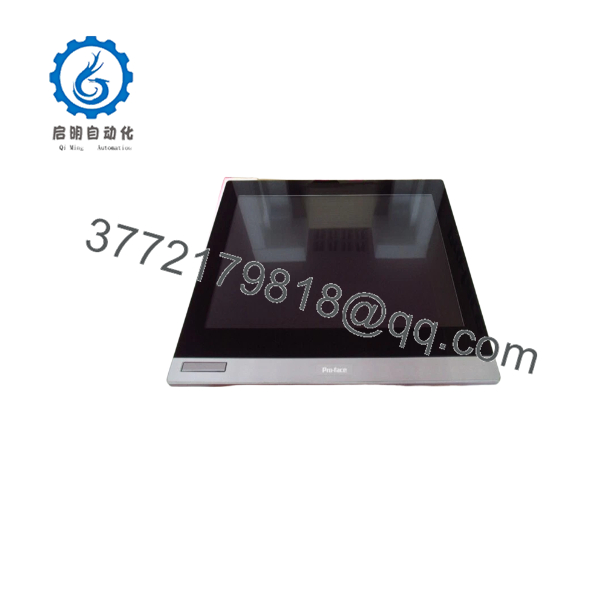
PFXSP5800WCD
Firmware/Software Versions & Upgrade Notes
- Software Compatibility: Screen designs, multi-touch gestures, and resolution layouts for the PFXSP5800WCD are developed using GP-Pro EX (Version 4.05 or higher) or BLUE visualization software.
- Modular Interface System: The operates purely as a smart display unit; all system applications, IP addresses, and PLC drivers reside on the attached Box Module (e.g., PFXSP5B00 / PFXSP5B41 / PFXSP5B10).
- Automatic Display Detection: The attached Box Module automatically detects the ‘s 1920 x 1080 resolution upon boot and scales runtime graphics according to project settings.
- Hot-Docking Warning: Never attach or detach the rear Box Module while 24V DC power is applied. Power must be fully isolated before latching or unlatching modular components to prevent interface pin damage.
Frequently Asked Questions (FAQ)
What is the financial benefit of buying a New Surplus display over a complete HMI assembly?
The modular design of the SP5000 series allows you to replace only the damaged component. Buying a New Surplus display module saves up to 50% compared to purchasing a full HMI package. You keep your existing Box Module—preserving all network configurations, PLC drivers, and software licenses—while gaining a brand-new, factory-grade Full HD capacitive display.
Is this Pro-face unit brand new and genuine?
Yes. Every unit supplied is certified Original New Surplus. They have zero operational field hours, pristine glass surfaces, intact gasket seals, and immaculate rear connection headers. Package seals are opened strictly under ESD-safe bench conditions for incoming quality verification.
Can I upgrade my existing lower-resolution SP5000 display to this Full HD screen?
Yes, provided your cabinet cutout can accommodate the larger 18.5-inch panel (465 mm × 289 mm) and your GP-Pro EX or BLUE project file is re-compiled for 1920 × 1080 resolution. The attached Box Module will automatically handshake with the upon boot.
Is the display hot-swappable during machine operation?
No. You must completely isolate the 24V DC power supply feeding the unit before detaching or mounting the display module. Hot-plugging the high-density modular interface header can cause electrical arcing, board faults, or communication lockups on the host Box Module.
How does Projected Capacitive (Pcap) touch performance compare to older resistive screens?
Pcap touch technology provides multi-touch gesture support (zoom, swipe), higher optical clarity, and improved scratch resistance due to its glass surface. Unlike resistive panels, it does not suffer from wear-induced coordinate drift or pressure fatigue, ensuring longer operational life in high-use operator stations.



