
 WhatsApp: +86 16626708626
 Email:
  Phone: +86 16626708626
Description
Key Technical Specifications
| Parameter | Value |
|---|---|
| Model name | SP-5B40 (Open Box) |
| Model number | PFXSP5B40 |
| Operating system | Windows Embedded Standard 7 |
| CPU | Intel Atom 1.3 GHz, single core / dual thread |
| Main memory | 2 GB DDR2 SDRAM |
| Application storage | CFast card, ≈ 5 GB free space |
| Backup memory | 512 KB NVRAM |
| Rated input voltage | 12 V DC (from Display Module or DC power adapter PFXZCDADEXP1) |
| Power consumption | 35 W max; ≤ 22.5 W without external device power |
| Operating temperature | 0 °C to 60 °C (32 °F to 140 °F) |
| Storage temperature | −20 °C to 60 °C (−4 °F to 140 °F) |
| Protection rating | IP65 (when installed with compatible SP5000 display module) |
| Serial COM1 | RS-232C/422/485, 9-pin D-sub plug, up to 115,200 bps |
| Serial COM2 | 9-pin D-sub plug, 5 V DC supply, up to 500 mA per port (1 A total) |
| Ethernet | 2× RJ45, 10/100/1000BASE-T (IEEE 802.3i/u/ab) |
| USB | 3× Type-A (USB 2.0), 1× Mini-B (USB 2.0) |
| SD card | 1× SD/SDHC slot (storage) |
| CFast card | 1× CFast slot (system), 1× CFast slot (storage) |
| Video output | 1× DVI-D 24-pin socket |
| Audio output | Speaker 300 mW (8 Ω); LINE out via 2-piece terminal block (AUX) |
| AUX interface | Alarm output / buzzer output via terminal block |
| Expansion unit I/F | Supported (for SP5000 expansion modules) |
| Dimensions (W×H×D) | 188 × 131 × 45 mm (7.4 × 5.16 × 1.77 in) |
| Weight | ≤ 0.9 kg (1.98 lb) |
| Certifications | UL508, UL/c-UL, CSA C22.2 No.142, CE, RoHS, GOST-R, KC |
| Shock resistance | IEC/EN 61131-2 compliant, 147 m/s² (X, Y, Z, 3 times) |
| ESD immunity | Contact discharge 6 kV (IEC/EN 61000-4-2 Level 3) |
| Display compatibility | SP5000 display modules up to XGA resolution; does not support SP-5700WC, SP-5800WC, SP-5600TA |
Product Introduction
The PRO FACE PFXSP5B40 is the SP-5B40 “Open Box” module in the SP5000 series, a Windows-based industrial PC that pairs with SP5000 display modules to form a complete HMI/IPC system. It runs Windows Embedded Standard 7 and hosts GP-Pro EX / Pro-Server EX projects, data logging, and custom Windows applications.
This module is chosen for its dual Gigabit Ethernet, dual serial ports, and flexible storage (CFast + SD), making it suitable for line-level visualization with PLCs, vision systems, and barcode/RFID readers. Compared to the lower-spec SP-5B10, the PFXSP5B40 adds performance headroom and richer I/O while keeping the same compact 188 × 131 × 45 mm footprint.
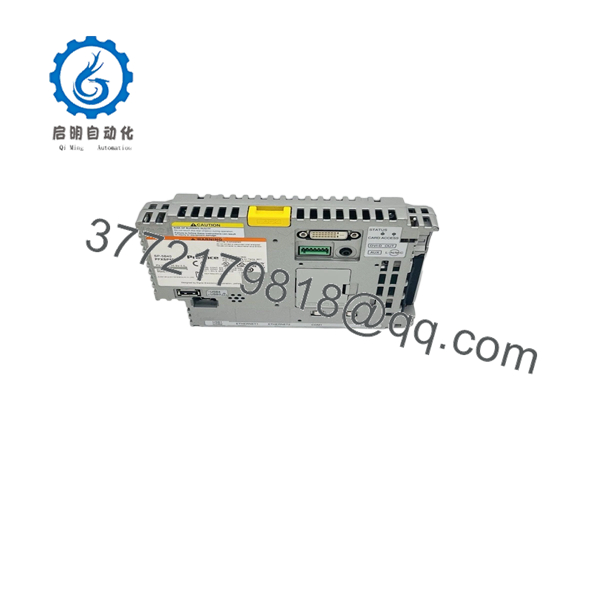
PFXSP5B40
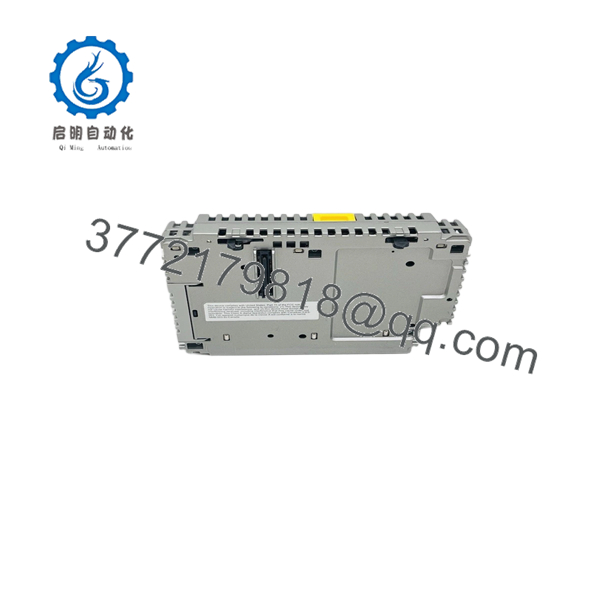
PFXSP5B40
Troubleshooting Quick Reference
| Symptom | Possible Cause | Relevance to this Part | Quick Check Method | Recommendation |
|---|---|---|---|---|
| No power, no LEDs | 12 V DC missing or out of range | ✅ High | Measure 12 V DC at box module power input; verify polarity and adapter PFXZCDADEXP1 if used | Check display module power or external 12 V supply before swapping the box |
| Boots to Windows but no display | DVI-D cable fault or unsupported display resolution | ✅ High | Verify DVI-D connection; confirm display module is XGA or lower (SP-5B40 limitation) | Use a supported SP5000 display; avoid SP-5700WC/5800WC/5600TA |
| Ethernet link LED off | Bad cable, switch port, or driver issue | ✅ High | Test with known-good patch cable; check link LED on switch; ping from PC | Update NIC drivers in Win Embedded; verify IP settings |
| COM1/COM2 no communication | Wrong baud/parity or incorrect wiring | ✅ High | Check COM settings in application; verify D-sub pinout against PLC manual | Correct settings/cable; COM1 supports RS-232/422/485, COM2 provides 5 V power |
| System slow or freezing | CFast card near end-of-life or full | ✅ Medium | Check free space on CFast; run disk check in Windows | Replace CFast with industrial-grade card; reload image |
| USB devices not detected | Insufficient 12 V budget or bad port | ✅ Medium | Measure 12 V under load; try different USB port/cable | Reduce external USB load or add powered hub |
| Random reboots | Overheating or noisy 12 V bus | ✅ Medium | Check ambient temp (0–60 °C); measure 12 V ripple under load | Improve ventilation; clean filters; stabilize 12 V supply |
If you’re stuck, send photos of the nameplate, wiring, and any Windows event logs or HMI error screens. That usually cuts diagnosis time in half.
Frequently Asked Questions (FAQ)
Q: Is the PFXSP5B40 still available new, or only refurbished?
A: This is a mature box module. We primarily sell New Surplus (factory-sealed or open-box, never used) and tested refurbished units. Stock is limited; lead time depends on current inventory.
Q: Can I use PFXSP5B40 with any display module?
A: No. The SP-5B40 supports display modules up to XGA resolution only. It does not support SP-5700WC, SP-5800WC, or SP-5600TA. Check your display model before ordering.
Q: What OS does this run, and can I install my own software?
A: It ships with Windows Embedded Standard 7. You can install additional Windows applications, but keep within the CFast capacity and CPU/memory limits (Atom 1.3 GHz, 2 GB RAM).
Q: Is this module hot-swappable?
A: No. The PFXSP5B40 is not designed for hot-swap on live 12 V buses or while connected to a running display module. Power down the 12 V supply before installation to avoid transients and potential damage.
Q: What’s the difference between “New Original” and “Refurbished”?
A: New Original / New Surplus means unused OEM stock (often with original packaging and labels). Refurbished units have been bench-tested, cleaned, and verified functional; they may show minor cosmetic wear. Both are covered by our 1-year warranty, but New Surplus is preferred for critical spares.
Q: Can I replace an SP-5B10 (PFXSP5B10) with ?
A: Mechanically and electrically, yes; both are box modules with 12 V DC input and similar mounting. The has higher performance and more I/O, so verify your display module compatibility (XGA or lower) and update your project if needed.
Q: How do I back up the system before swapping modules?
A: Image the CFast card (system) using standard Windows imaging tools or your OEM backup procedure, and export GP-Pro / Pro-Server projects. Keep a copy of network settings and any custom drivers. This minimizes downtime during the swap.
If you share your current display module model and a photo of the nameplate, we can confirm compatibility and any firmware or driver considerations before you order.



